


A lot of typing websites give you random words. Spaces, commas, periods, and capitalization show up densely when you actually write email or fill in a form, so word drills often miss the point. If you want to practice from your own draft or a set of sentences you really use, and you would rather not race a countdown, look for a practice page that lets you paste custom text.
KeySprint (the web tool on kokoship.com) practices complete short passages, has no countdown timer, and also lets you paste your own text. The name shows up on other typing tests whose addresses and authors are not the same, so do not mix this one up with keysprinttyping.in or other KeySprint projects on GitHub. On November 11, 2026 we opened the Chinese practice page, walked a self-written English sentence through paste → type → results, and looked at the pricing page and the network requests. Below: who it is for, how to use it, how to read the score, and what we did not verify.
Who it is for, and what to check first
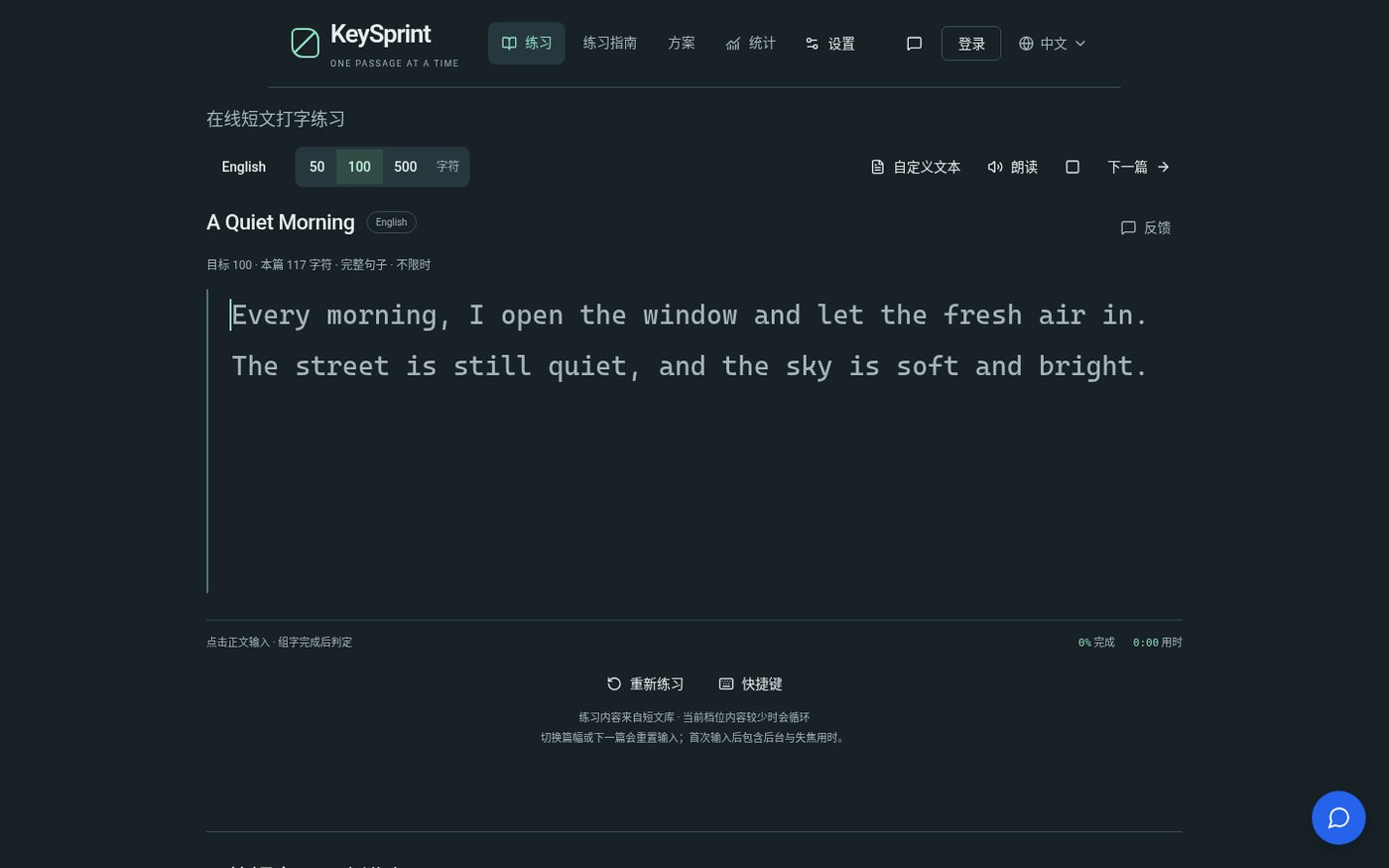
It is a good fit if you want to practice complete sentences on a computer keyboard — including punctuation, capitalization, and spaces — or if you want to paste an email draft or study notes and type along with them. The site itself says it is meant to be used with a keyboard. It is not a timed typing contest, and it is not a substitute for voice input.
| Item | Details (reviewed on November 11, 2026) |
|---|---|
| Address | keysprint.kokoship.com (Chinese UI: keysprint.kokoship.com/zh) |
| Practice languages | English, Simplified Chinese, Japanese, Spanish, French, and German. The interface language is set separately from the practice language |
| Built-in passage length | 50, 100, or 500 characters, cut from complete sentences; the actual count can be slightly off |
| Custom text | Click Custom text and paste. It is not limited to those length tiers. The site says the text is not uploaded or kept; after a refresh or a switch it cannot be recovered, and it does not count against the daily passage quota |
| Price | You can practice without signing in. The free-plan page says each account gets 1,000 built-in passages per day, resetting on the UTC day, and repeating the same passage that day does not count again. There is also Unlimited practice, a one-time payment rather than a monthly subscription. The actual amount and currency only appear on the checkout page after you sign in; we did not sign in, so the price was not verified |
| History | Completed records stay in the current browser. Signing in does not automatically sync them to other devices |
| Other notes | The site says the passage library is still small, some languages and lengths will loop, and sample material still needs native-speaker proofreading. On the day we checked, /privacy and /zh/privacy both returned 404; treat the practice page and the custom-text notes as the privacy explanation |
The CPM in the results is “number of correct body characters completed ÷ minutes taken,” not the more familiar WPM. Accuracy is “correct new keystrokes as a share of all attempts,” including mistakes you later fixed. Timing starts on the first keystroke and includes pauses and time spent away from the page. The site warns you not to compare CPM directly across languages; when you do compare, keep the language and a similar length fixed.
How to practice with your own text
- Open the practice page (or the Chinese UI if you prefer). To use the built-in library, pick a language, then choose 50 / 100 / 500.
- To practice your own material, click Custom text (in the top right on the Chinese page). In the dialog, choose the practice language (this only affects read-aloud and record-keeping, not the interface language), and paste into the body field. Line breaks and runs of whitespace are collapsed to a single space; capitalization and punctuation are kept. Do not paste an entire article you do not have the right to use.
- Click Start practice. Click the passage area to type; timing starts on the first key. You will see per-character right/wrong feedback, and you can fix mistakes with Backspace.
- When you finish, look at time, accuracy, CPM, and the characters you missed most. To try the same passage again, use Practice again. Next passage leaves custom text and returns to the built-in library. Refreshing the page discards the text you pasted.
- The Stats page’s default filter may still be sitting on a built-in length tier. If you just finished a custom-text run and see 0 sessions, change the filter before you conclude anything. History lives only in this browser; clearing site data will delete it.
If the text involves an account, a contract, or a private email you have not sent, first walk through the flow with a non-sensitive sample. The site says the original text is used only on the current page and is not uploaded. Below is what we actually saw in Network during this session; it is not a substitute for your own judgment.
What we actually typed: a custom sentence
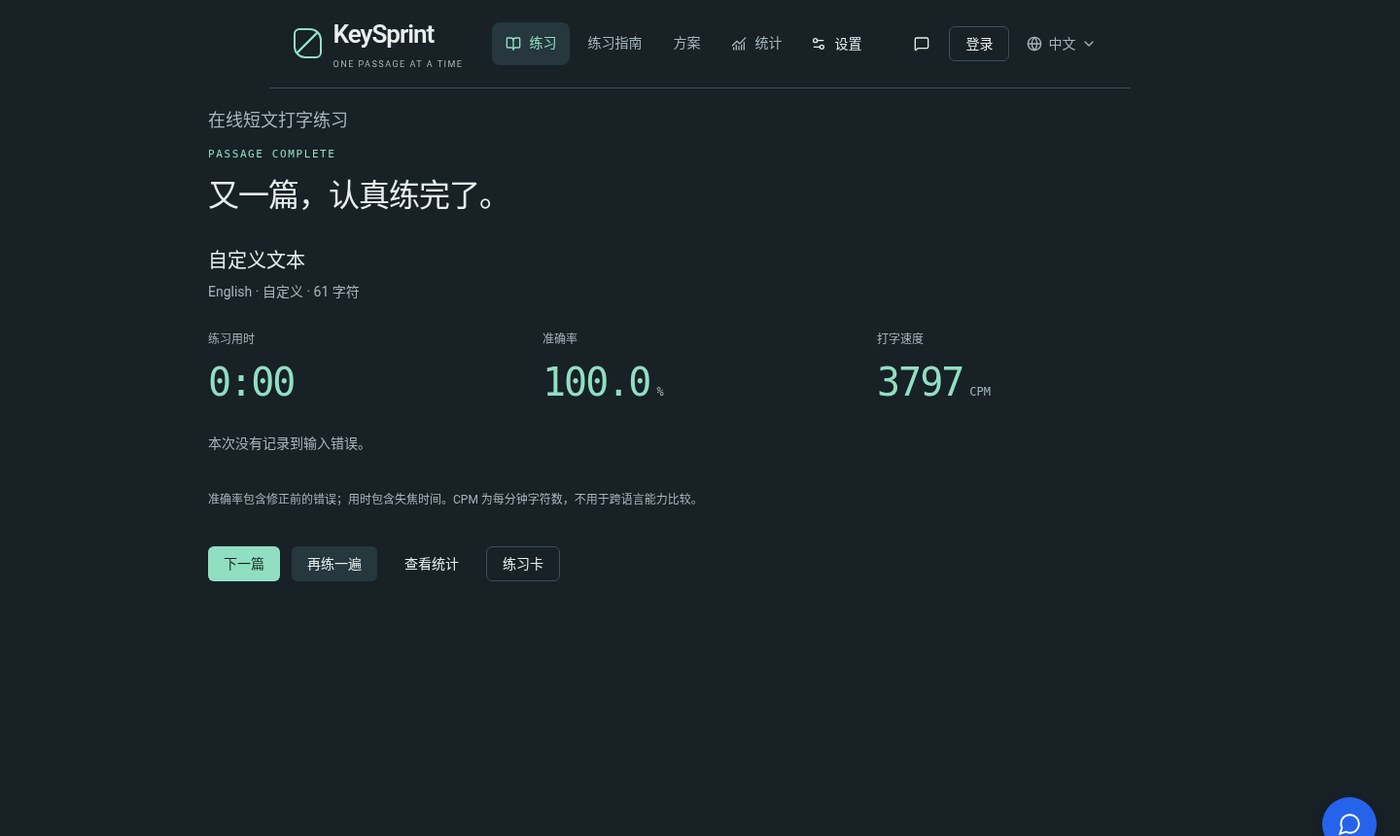
The test was on November 11, 2026. We pasted a self-written English sentence: Hello, world! This is a short typing drill, with punctuation. — 61 characters, with the practice language set to English. The page accepted the custom text and entered practice. Afterward it showed: custom, 61 characters, 100.0% accuracy, and “no input errors recorded this time.”
This run was only to check that the flow worked, and it was finished almost in one breath, so the results page showed a time of 0:00 and a CPM of 3797. Under the site’s “characters ÷ minutes” rule, a time close to zero inflates CPM. That is not a meaningful human typing speed, and it should not be used as a skill score or a benchmark of the software. When you practice yourself, time will include thinking and pauses, and the number will look far more ordinary.
We then opened Stats. The default filter at that moment was English, 100-character tier, and the list showed 0 sessions and no records. That at least means the custom practice we had just finished did not automatically appear under this default tier. We did not try every filter, so we cannot say whether the record was written into some other category. If you want to review a session, switch the source or length on the Stats page first.
On whether custom text is uploaded: from opening the practice page to seeing the results, we did not see this 61-character body POSTed out in Network. Requests we did see included a GET of /api/passages?language=en&length=100 for the passage library, login-state calls to GET /api/auth/me and GET /api/auth/config, Cloudflare analytics and RUM (including a POST to /cdn-cgi/rum, which was performance data rather than the practice text), and a support widget at support-inbox.kokoship.com. The conclusion covers only this session: the pasted text did not go out as a form body, but the page is not “completely free of external requests.” A later redesign, a browser extension, or a different button you click can change the behavior.
Common failures and limits
- This is a small independent site. On the day we checked, we did not find a public source repo matching kokoship, and there was no standalone privacy-policy page. Whether it will keep running is something you can only judge from the site at the time.
- The name KeySprint is also used by other typing projects. Stick to keysprint.kokoship.com; do not download the wrong app or open the wrong domain.
- The built-in library is still fairly small, so you may see repeats, and some language samples still need proofreading. If you care about content quality, custom text is a better fit.
- The free plan caps the built-in library at 1,000 passages a day (per account, UTC day). Custom text, according to the site, does not count against that quota, but you are still limited by the browser and the device.
- Typing a full paragraph on a phone touchscreen is awkward, and the site is designed around a computer keyboard.
- CPM is highly sensitive to time. A pause or a switch away from the page will drag the speed down; input with almost no gap, as in this test, inflates CPM until it is meaningless. Accuracy and the list of missed characters are usually more useful.
- The one-time unlock price was not verified because we did not sign in. If you need it, go by the checkout page; do not quote an unchecked figure.
How it sits next to other options
If your problem is “I type in my own language and want the translation to appear next to the caret,” that is a different job; see GlowTrans on this site. If you type Chinese on Windows and want an English gloss under the IME candidates, GlintWin (EN pending) is an annotation under the candidate list, not a typing trainer. If you often type the same fixed passage, a text expander such as Espanso is a better fit: a short trigger expands into a full snippet, and the configuration stays on your machine. If you would rather speak than type, on a Mac you can look at Setem — that is not the same path as typing along with a passage.
Timed, random-word, leaderboard tests (the usual WPM sites) are useful for measuring speed, and a poor fit for practicing real punctuation and your own habitual sentences. KeySprint is aimed at the second need.
Bottom line
If your problem is “random-word drills are done, but punctuation and capitalization still fall apart when I write email, and I want to type along with my own sentences without a countdown,” open KeySprint, paste a non-sensitive sample first, see whether the feedback and scoring match how you like to practice, and glance at Network yourself. Treat CPM as a self-comparison in the same language and a similar length; do not convert it directly against a WPM leaderboard. For the built-in quota, whether custom text shows up in Stats, and the paid price, go by your account and the page that day.


