


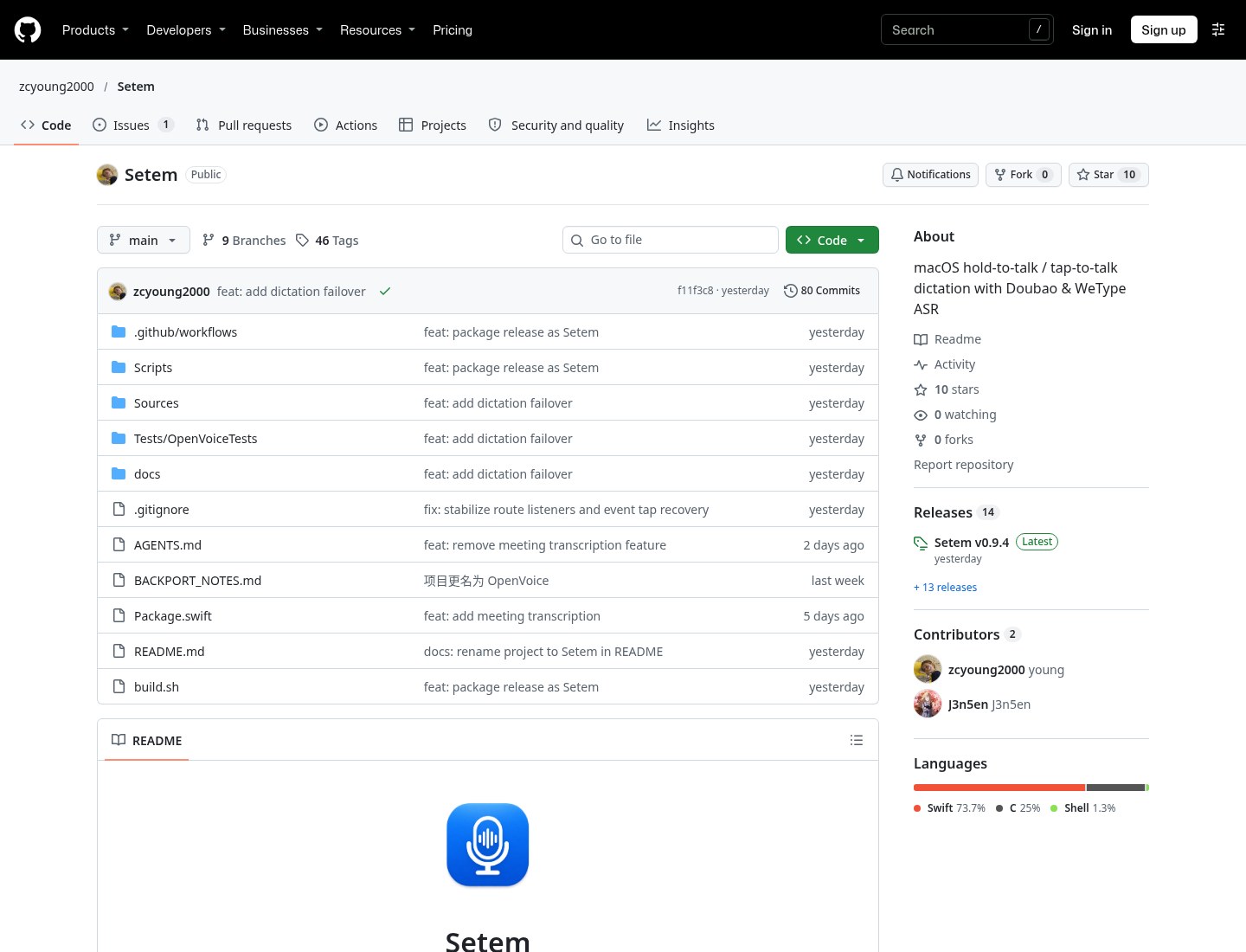
Hold a shortcut, speak, and words land in the current text field — and if you want to preview them in a floating window first, then commit everything in one paste, look at Setem (repo zcyoung2000/Setem, formerly OpenVoice). It is a macOS menu-bar voice dictation app: hold or tap to speak; interim text stays in the floating preview until a full final (plus any channel polish) is ready, then it is written to the caret in one shot. Recognition channels include cloud STT from Doubao IME (ByteDance), WeChat Input / WeType (Tencent) and Qwen IME (Alibaba), plus an on-device offline model that works on Apple silicon only. Researched November 9, 2026 against the README and GitHub Releases (~10★, 0 forks, Swift; repo created 2026-11-03). Latest Release v0.9.4 (GitHub published 2026-11-07 16:40 UTC / 2026-11-08 00:40 Asia/Shanghai); package Setem-0.9.4.dmg (4,694,288 bytes, ~4.5 MB).
Two caveats up front. First, the README says the project reverse-engineers IME client protocols, is for learning and personal use only, and is unaffiliated with ByteDance or Tencent; interfaces can change or break at any time; with cloud channels, audio is sent to that vendor’s servers. Second, the README claims an MIT license, but on research day the repo had no standalone LICENSE file and GitHub’s license API returned 404 — do not treat that as a completed SPDX filing. The release build is ad-hoc signed and not Apple-notarized.
At a glance
| Item | Details |
|---|---|
| Product / repo | Setem (formerly OpenVoice) / zcyoung2000/Setem |
| License | README says MIT; no standalone LICENSE file found on research day; GitHub license API 404 |
| Version | Latest GitHub v0.9.4 (2026-11-07 16:40 UTC); asset Setem-0.9.4.dmg (~4.5 MB). From v0.9.3 the project renamed to Setem (that build still shipped as OpenVoice-0.9.3.dmg); v0.9.4 is the first Setem-*.dmg |
| Platform | macOS 15+; universal binary for Apple silicon and Intel. On-device offline model is Apple silicon only |
| Language / size | Native Swift; research-day DMG ~4.5 MB |
| Signing | Ad-hoc, not Apple-notarized. After dragging Setem into Applications, run xattr -dr com.apple.quarantine /Applications/Setem.app before the first open |
| Data path | The public package is renamed to Setem, but local storage still follows OpenVoice: ~/Library/Application Support/OpenVoice/ (offline models under offline/) |
| Stars | About 10★ and 0 forks on research day |
What it actually does
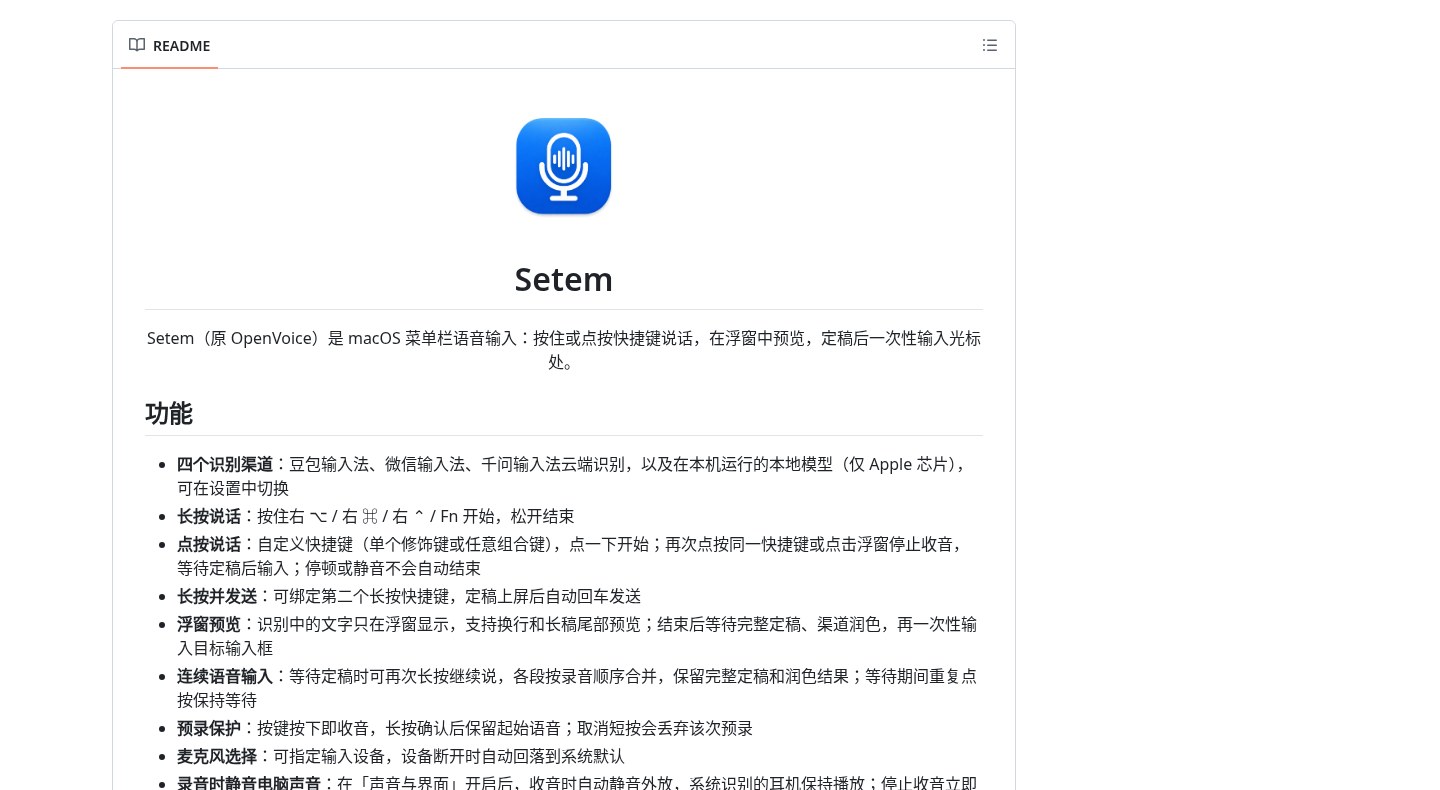
- Four recognition channels: Doubao IME, WeChat Input and Qwen IME go to the cloud; the local model runs on-device (Apple silicon only). Switch in Settings, or record once and compare accuracy and latency across channels.
- Hold, tap, or hold-and-send: defaults are right ⌥ for hold, right ⌘ for tap, right ⌃ for hold-and-send (final text then Enter). In tap mode, pauses or silence do not end capture — tap the same shortcut again or click Stop on the floating window. A single modifier can serve as both: a quick tap is tap mode; holding past 0.3 seconds is hold mode.
- Floating preview, then one-shot insert: interim text stays in the floating window (with line breaks and a trailing preview for long drafts). After the full final and any channel polish arrive, everything is inserted into the target field at once. While waiting for the final, you can hold again to keep talking; segments merge in recording order.
- Mute computer audio while recording: under Sound & UI, turn it on so playback is muted while capturing (system-recognized headphones keep playing); unmute restores immediately when capture stops. Off by default; the next recording is when it takes effect. This is not the same as Autopause: Setem mutes speakers when it starts recording; Autopause does not record or recognize — it only watches for “a mic is in use” and then pauses or mutes whatever music is playing.
- Local model: the first time you pick that channel it asks whether to download the engine (~8 MB from upstream offline-libs) and the model (~177 MB from a ByteDance CDN), stored under
~/Library/Application Support/OpenVoice/offline/. After that it works offline; recognition holds about 1 GB RAM in a background process, frees it after 5 idle minutes, and can be deleted in Settings. - Install and permissions: download
Setem-x.y.z.dmgfrom Releases, drag to Applications, then run thexattrcommand above. It appears in the menu bar (mic icon); grant Accessibility (shortcuts + insert) and Microphone. If the icon is hidden by the notch or a menu-bar manager, open Setem.app again to pop Settings.
How it sits next to tools on this site
| You care more about… | Better fit |
|---|---|
| Fully offline open-source speech-to-text on Windows / macOS / Linux that pastes into the field when you finish | Handy (EN pending) |
| Rewrite, translate or tidy dictation in any Mac text field (not hold-to-speak insert) | Inklet |
| Continuous voice chat on Windows with Live2D and background file work | Lingbo Desk |
| Only mute or pause background music while dictating — no recognition | Autopause |
| Mac menu-bar hold/tap speak, floating preview, then one-shot insert; Doubao / WeChat / Qwen or a local model | Setem |
In short: Handy stays on-device with Whisper / Parakeet so audio never leaves the machine; Inklet is a writing assistant where dictation is only one piece; Lingbo Desk is a Windows voice agent. Setem feels closer to “Doubao / WeChat IME hold-to-speak,” but its cloud channels depend on undocumented client protocols — stability and privacy boundaries are not the same as fully offline Handy.
Boundaries (read before you download)
- Good fit: you already run macOS 15+, want Doubao / WeChat / Qwen-style dictation habits (or a local model on Apple silicon), and prefer a floating preview before one-shot insert.
- Caveats: cloud channels send audio to the matching vendor; interfaces can break anytime; README limits use to learning and personal use; the package is not notarized so you must clear quarantine yourself; the license note lives only in the README with no separate LICENSE file; about 10★ on research day, and the OpenVoice rename is recent. We did not install the app ourselves; this write-up follows the README and Release notes.
- Not a great fit: you insist on fully offline and also need Windows or Linux (use Handy); you mainly want rewrite and translate in a field (use Inklet); you only want music to stop during dictation and do not need Setem for recognition (use Autopause).
Bottom line
Setem packs “hold or tap to speak → floating preview → one-shot insert after the final” into the macOS menu bar. It is native Swift, the DMG is small, and it also offers an on-device offline model path. It is very new, ad-hoc signed, and its cloud channels lean on non-public protocols that may stop working — read the repo’s disclaimer before you install. If you care more about audio never leaving the Mac, prefer Handy (EN pending); if dictation is fine but music keeps interrupting, also look at Autopause.


