


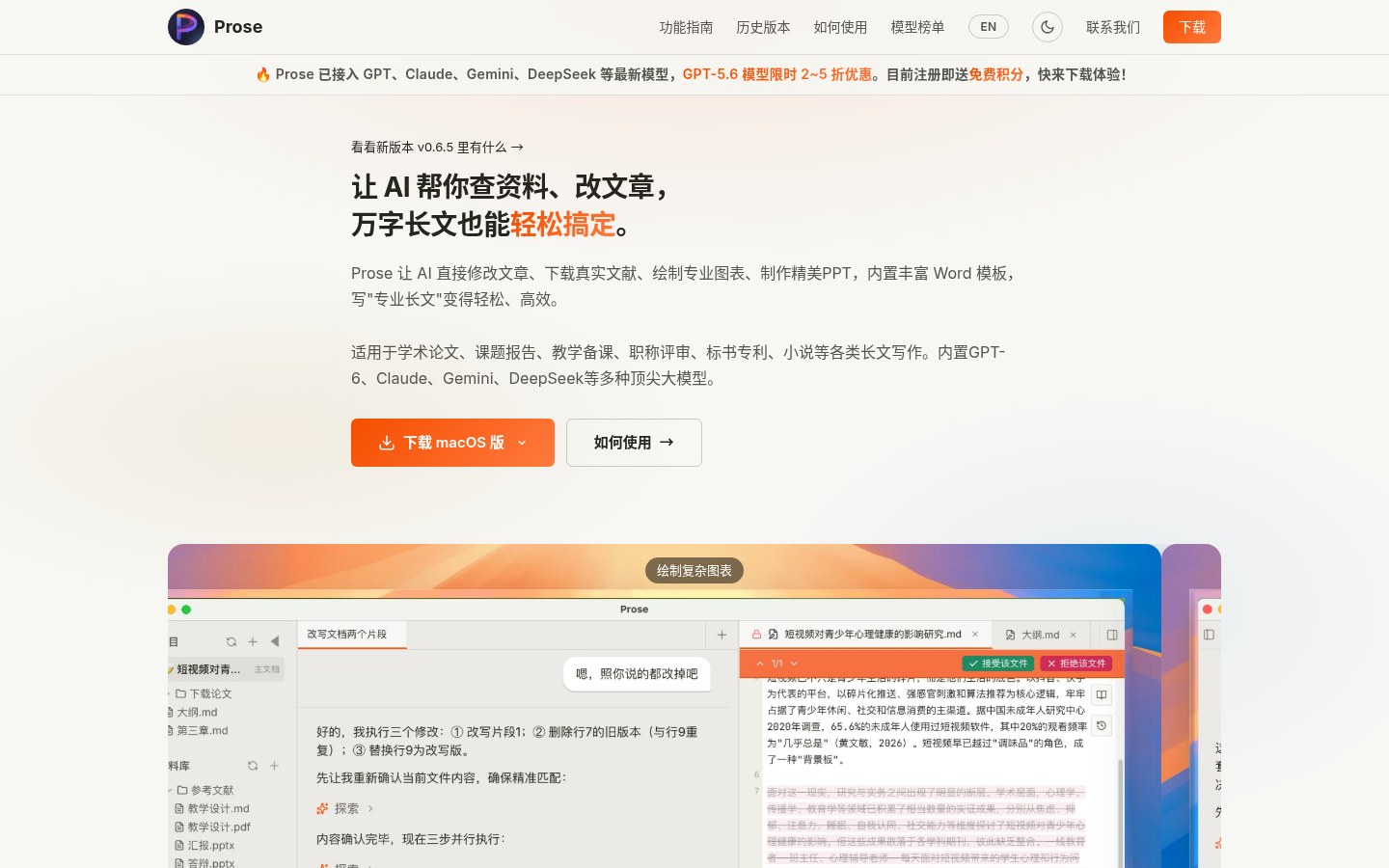
Writing a thesis, grant proposal, or long report — and tired of bouncing between a chat box and Word? Prose (prose-ai.cn) is a desktop AI assistant for professional long-form writing: it edits your local files directly, highlights every change like Word Track Changes so you can accept or reject line by line, searches Google Scholar and China’s CNKI academic database for real papers, drops PDFs into Zotero, and exports editable PPTX / Word. Researched November 4, 2026.
At a glance
| Item | Details |
|---|---|
| Type | Desktop AI long-form assistant (papers / reports / proposals / fiction, etc.) |
| Site | https://www.prose-ai.cn/ (same site as prose-ai.cn) |
| Platforms | macOS Apple Silicon / Intel, Windows; no web app, no multiplayer real-time collab (a project ≈ a local folder) |
| Core difference | AI edits local files directly + inline Diff accept/reject; real literature search (Google Scholar / CNKI) |
| Models (site copy) | Claims GPT, Claude, Gemini, DeepSeek and more; banner mentions a limited GPT-5.6 discount; body also says “built-in GPT-6” — trust whatever the site shows that day; this article does not endorse model capability claims |
| Pricing (site) | Free ¥0 / 30 days (signup trial credits); Lite ¥49 / 30 days; Pro ¥129 / 30 days; monthly, cancel anytime (CNY) |
| Version hint | Homepage links to release notes (screenshot showed v0.6.5) |
What it actually does
- “Little P” companion: multi-turn questions like a mentor — clarifies where you stand and what the argument is before drafting, instead of dumping a whole essay at once.
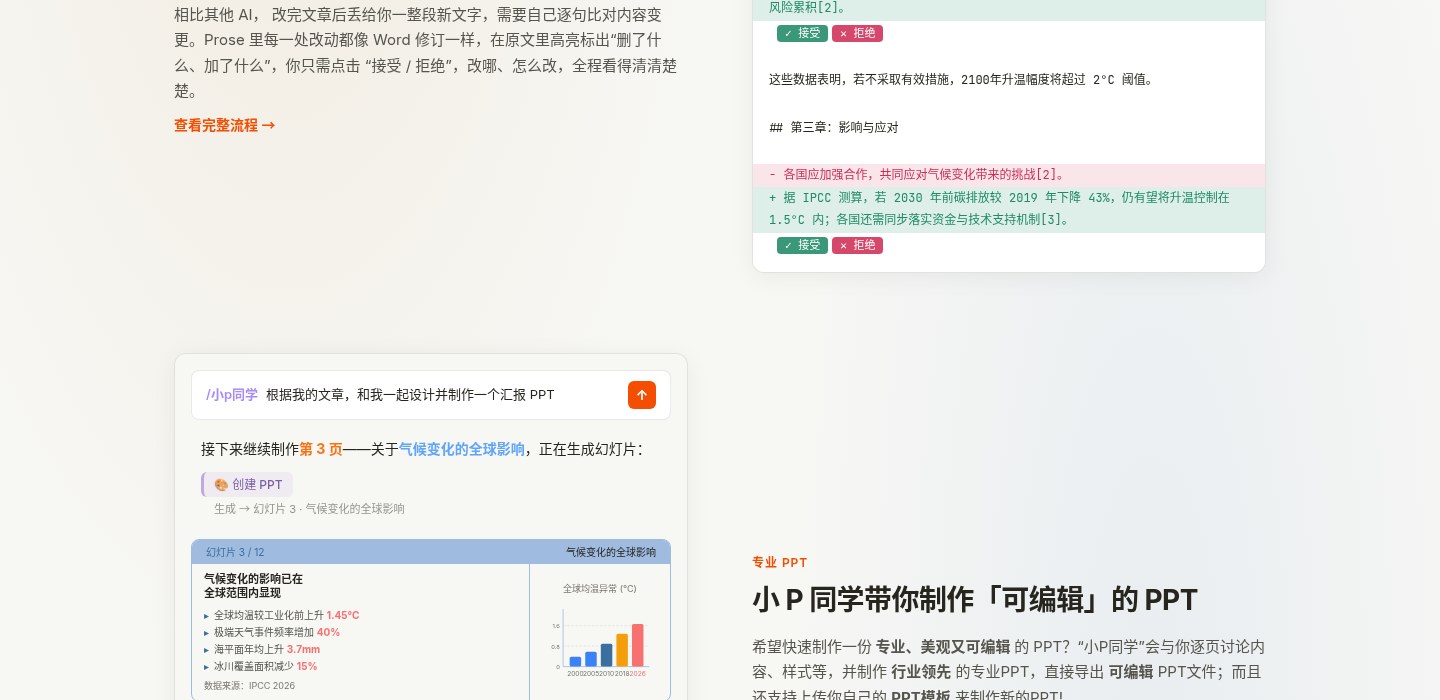
- Change review: every insert/delete is highlighted in the original; accept, reject, or roll back — built for polishing 10k+ word drafts.
- Literature: built-in Google Scholar search for foreign papers and PDF download into Zotero; can drive CNKI (China’s main academic full-text database) professional queries for Chinese full texts when you have the right network / account access.
- Zotero + Obsidian: downloaded papers go into your library; link an Obsidian vault as source material — note edits also go through Diff.
- Export: built-in Word templates for academic / official / business / fiction, or upload your own
.docxto match styles; can generate editable PPTX (with your own template); academic charts as PNG / JPG / SVG.
How it sits next to tools on this site
| You care more about… | Better fit |
|---|---|
| Open-source local/self-hosted slide decks with editable PPTX export | Presenton (EN pending) / PPT Master (EN pending) |
Cross-platform AI Markdown editing with margin reviews on .md |
Textus |
| macOS rewrite / translate / dictate in any text field (optional local models) | Inklet |
| Turn PDFs into link-back Markdown inside Zotero | Mktero |
| Layout-preserving PDF translation inside ChatGPT Work | Babeldoc4GPT (EN pending) |
| Type a conference name, get an OpenAlex trend report | paper-trends |
| Desktop long-form + Diff review + real literature library + Word/PPT templates | Prose |
In short: Presenton / PPT Master lean toward “make the deck”; Textus / Inklet lean toward editing and system-wide rewrite; Mktero / Babeldoc / paper-trends each cover literature reading, translation, and conference trends. Prose’s pitch is “edit, review, and cite real papers inside a local long document, then export”.
Boundaries (read before you download)
- Good fit: theses, research reports, grant / patent writing, promotion packets, long fiction — anyone who needs controlled edits and traceable citations; already on Zotero / Obsidian and wants fewer window switches.
- Caveats: whether CNKI / Google Scholar can fetch full text depends on your network and account rights; model names and discounts are marketing copy — actual models and credit burn follow the client; files stay local, but chat still goes through encrypted APIs.
- Not a great fit: casual web chat for a paragraph; multiplayer simultaneous editing of one doc; expecting free unlimited use of top-tier models.
- Not independently bench-tested here: we did not install the client and run a full literature-download + defense-PPT workflow; pricing and model banners as of November 4, 2026 on the official site.
Entry: www.prose-ai.cn · feature guides and model lists live in site navigation. Version and credit rules follow the official site / client.


