


When you need to check two versions of a PDF, a screenshot that has been edited, or a zip you are about to ship, the usual result is a single line from git diff or the system comparer: “Binary files differ.” You can tell the file changed. You cannot tell which page, which patch of pixels, or which member inside the archive.
OmniDiff is an open-source command-line tool (it also has a two-pane terminal interface) that compares files by their content, instead of treating everything as lines of plain text. Code is compared, as far as possible, by syntactic structure. Images report how many pixels changed and in which region. PDFs are rendered page by page and then compared. Archives such as zip and tar are unpacked first, and each member is then compared according to its own type. On November 13, 2026 we installed the stable release v0.4.0 on Linux and ran --headless comparisons on four small files we made ourselves. Official Windows and macOS packages are available; we did not install those this time.
Who it is for, and what to check first
It is a good fit if you often need to see exactly what changed, and binary files keep getting in the way: checking whether an auto-generated PDF report only changed one number, finding where a design mock or UI screenshot was edited, or listing which members changed between two release archives. It can also be hooked up to Git or Jujutsu as a difftool. We did not actually run omnidiff git configure this time, so we would not change the Git configuration on this machine.
It is not a professional PDF review-and-comment tool of the kind you find in Adobe Acrobat, and it is not Track Changes in Word. According to the repository README, Office documents (docx, xlsx, and the like) are compared as ZIP containers, file by file inside the package — not as redline revisions on a page preview. We did not test that path with Word or Excel.
The license is AGPL-3.0-only (you cannot simply treat it as “this or any later AGPL version”). Personal use, and any use that can accept AGPL, is free. If a company cannot accept AGPL’s source-code obligations internally, the author offers a separate commercial license through GitHub Sponsors, with terms in LICENSE-COMMERCIAL in the repository. We did not open the Sponsors page to check tier prices.
| Item | Details (reviewed and partly tested on November 13, 2026) |
|---|---|
| Repository | https://github.com/ivankovic/omnidiff (about 1,355 stars on the day we checked; written in Rust) |
| Version | Stable v0.4.0 (GitHub Release date 2026-11-08). After we installed it, omnidiff --version reported omnidiff 0.4.0 |
| Platforms | Releases include Linux (gnu/musl, x86_64 and ARM64), macOS (Intel and Apple Silicon), and Windows x64, plus a .deb. This time we only installed omnidiff_amd64.deb on Linux x86_64 |
| Usage | omnidiff opens an empty terminal UI; omnidiff BEFORE AFTER compares two paths directly. --headless (or when stdout is not a terminal) prints plain text; --mode json writes JSON for editor integrations |
| Exit codes | By default, success is 0 and an error is 2. With --exit-code, a difference returns 1, which is convenient for scripts and CI. All four of our differing samples returned exit code 1 |
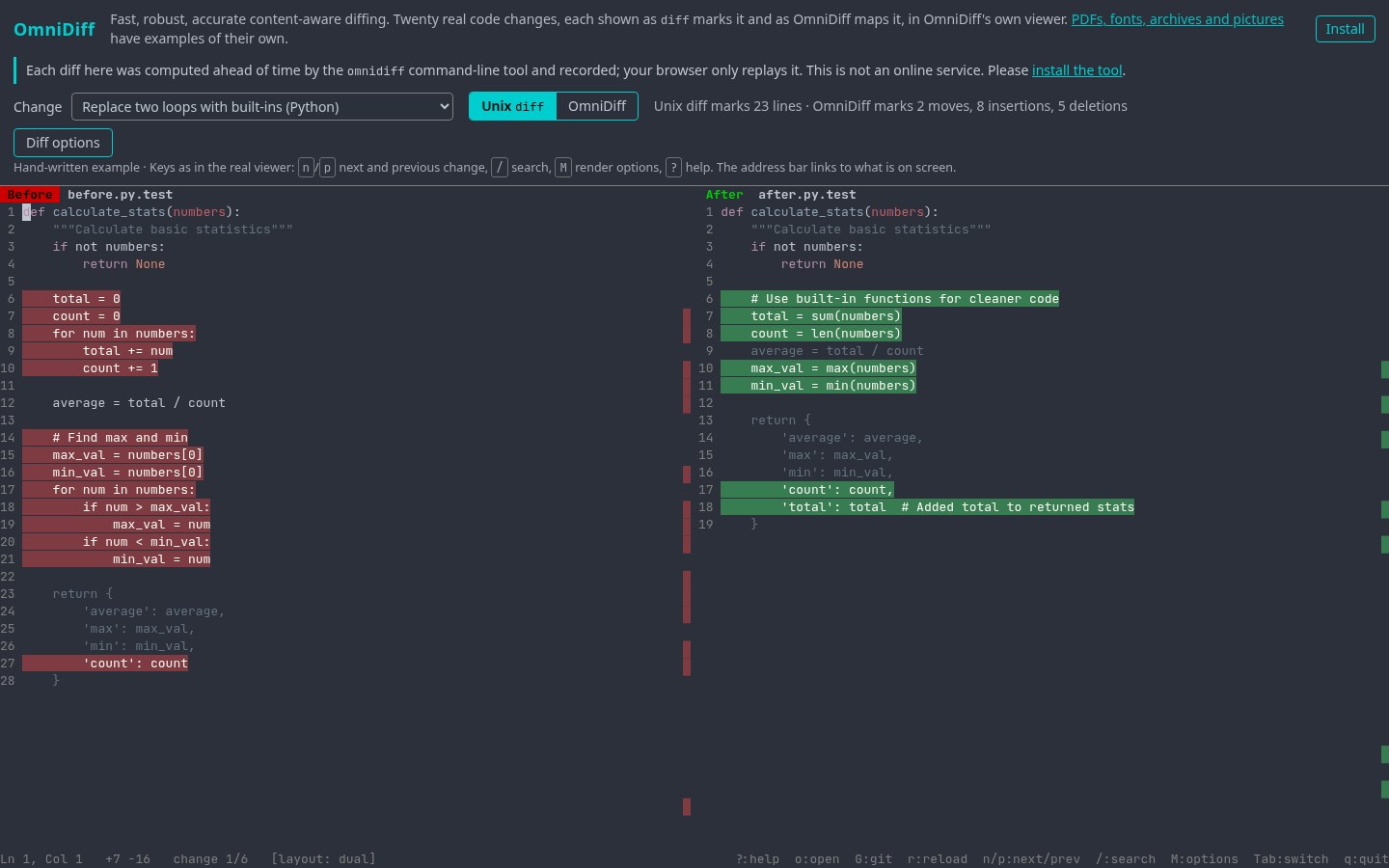
| Showcase | The official demo page is a precomputed playback. The page itself says it is not an online comparison service. The numbers below come from the command line on this machine, not from that page |
How to install it, and how to compare two files
- Download the package for your system from Releases. We used
omnidiff_amd64.deb. Its SHA256 matched theSHA256SUMS.txtattached to the release (aa18bcee…fcc5ed). Then we ransudo dpkg -i omnidiff_amd64.deb. The README also documents an official APT repository, Homebrew, andcargo install --locked omnidiff; we did not use those three paths this time. - Run
omnidiff --versionto confirm the version. Then have the two paths ready, for example an older PDF and a newer one. - If you only want a text result you can paste into a ticket or a script, run
omnidiff --headless --exit-code BEFORE AFTER. A difference returns exit code 1. If you need output for an editor or a follow-on program, useomnidiff --mode json BEFORE AFTERinstead. - To inspect the result interactively in the terminal, run
omnidiff BEFORE AFTERdirectly (do not redirect the output). Images, PDF pages, and font glyphs are drawn in the interface. We did not screenshot our own TUI this time; we only checked the headless text and the JSON. - To hook it up to Git, the official entry point is
omnidiff git configure. Until that is configured, do not assumegit diffwill automatically become OmniDiff.
The README also lists VS Code / Cursor / Windsurf extensions and a jj integration. We did not install any of those this time.
What we actually compared: four small homemade files
The tests were on November 13, 2026, on Linux x86_64. All of the material was made by us. We did not use anyone else’s documents or images.
Python: more than a block deleted and a block added
The file on the left, sum.py, added numbers with a loop. The file on the right was changed to return sum(values); the __main__ section was the same. GNU diff -u reported four consecutive lines deleted and one line added. OmniDiff’s headless output marked the original return result as an update (~), wrote return sum(values) on the right, treated the three loop lines as deletions, and folded the unchanged __main__ section. In the JSON, language was Python. For this small example, the main difference is that the marking is closer to “the function body was rewritten as a single statement,” rather than “this is a completely different file.” Whether larger refactors are equally easy to read is not something we tested with a second suite.
PDF: a one-digit change is reported by page and region
The two PDFs were printed from the same one-page HTML, with only the last digit of a bank account number changed from 0001 to 0002. The headless output was:
PDF, 2 members, 230447 bytes -> PDF, 2 members, 230448 bytes
1 changed, 0 added, 0 removed, 1 unchanged
changed page 1: 0.01% of pixels changed, in 1 region
The JSON said page 1 was drawn at 765×990, changed_pixels was 44 of 757,350 pixels in total, the region was at (395, 472) with size 7×12, and layout_kept was true. That is consistent with “only one digit changed.” We did not open the TUI to look at a highlight image, so we are not claiming that we visually confirmed the region coordinates in the interface — only that the region and the scale of the change reported on the command line were reasonable.
Images: pixel counts and coordinates
We copied a 1020×1320 PNG and drew a red square with side length 12 at (720, 620). OmniDiff reported:
0.01% of pixels changed (169 of 1346400), in 1 region:
13×13 at (720, 620)
The coordinates matched where we drew the square, and 169 is about 13×13. The file size went from 99,321 bytes to 99,423 bytes. If you only compared hashes or a binary diff, you would know they were different and nothing more.
Archives: it opens the members and compares them
Each zip contained only manifest.txt and readme.txt. In the first file, version=1 was changed to version=2; the second file was identical. The output was:
ZIP, 2 members, 246 bytes -> 2 members, 246 bytes
1 changed, 0 added, 0 removed, 1 unchanged
changed manifest.txt: 1 line removed, 1 added
The two archives were the same size. If you only compared the outer size, or only checked that both were zip files, you would not see a difference. The JSON recorded the change on manifest.txt and counted the other member as unchanged.
Timing on this machine (for reference only)
On the same machine, we ran omnidiff --headless five times on each of the four pairs. The median wall-clock times were about 3.6 ms for Python, 45.5 ms for the PDF, 23.6 ms for the PNG, and 2.5 ms for the ZIP. Those figures are only for these small files, on this computer. The repository README has a separate set of measurements from 2026-11-07 on an Intel Core i7-1370P, across 2,302 fixtures (p50 4.4 ms, and so on). That is the author’s own environment, and it cannot be compared directly with the four numbers above.
Common failures and limits
- Text formats that have no dedicated parser (the README mentions Markdown, SQL, Dart, and Protobuf, among others) are still compared as ordinary lines. Binary files that are not in a recognized content type may still end with a single “Binary file differs.”
- Office documents are compared as the files inside a zip container. Do not expect it to look like Word’s Track Changes. We did not verify this with docx or xlsx.
- PDF comparison is of pixels after rendering. If two files differ only in invisible metadata or in a font subset, the result may be an “invisible difference” or a very small pixel change. Read the JSON fields as well; do not rely on the percentage alone.
- The default exit code is still 0 when the files differ, so that tools such as Git do not treat the command as a failure. Add
--exit-codewhen you write a script. - AGPL imposes source-code obligations on network services and on modified redistributions. If a company cannot accept that, look at the commercial license. Do not assume that “it is open source” means you can embed it in a closed-source product as you please.
- Windows, macOS, the VS Code extension, the Git / jj hookup, as well as fonts, cursors, and nested archives, were not tested this time.
How it sits next to other options
If you are only comparing plain text, the system’s diff -u or the diff built into your editor is usually enough, and you do not have to learn another terminal UI. If you already use Git and only occasionally get stuck on a PDF or an image, OmniDiff is more of a way to fill that gap than a reason to replace all of git diff.
If the problem is not “where do these two files differ,” but merging, splitting, or compressing a PDF, see pdf.iceai.cloud on this site. To add annotations to a PDF offline, that is PDF Tool. If you need to actually remove phone numbers or account numbers from a contract before you send it, that is redaction, not comparison — see AnyRedact.
Bottom line
On these four homemade samples, OmniDiff 0.4.0 produced a more specific result than “Binary files differ”: it marked the rewritten return value in the Python file, reported a changed region for the PDF and the PNG, and pointed at the one-line change in manifest.txt inside the zip. What it solves is “seeing where the change is,” not completing a review or redacting a document for you. For installation and commands, go by the Releases page and the README on the day you check.


