


If you want to see what “cutting out one frequency” looks like on a spectrum, you do not have to install the Mac app first. On November 21, 2026, in desktop Chrome, we opened the web preview on Notched, plus the same site’s browser player and the page for local audio. We did not create an account, and we did not buy anything. This machine cannot support a trustworthy subjective listening test, so below we only report the switches, numbers, and spectrum display that we could check on screen. A system-wide Mac filter cannot be tested on Linux, and we did not test it.
The site presents itself as a general wellness and listening-comfort tool, and it states that it is not a medical device and does not claim to treat tinnitus or other conditions. This article stays inside that limit. It is not a substitute for a doctor or an audiology exam, and we will not judge anyone’s hearing from the numbers on the page. If hearing drops suddenly, the sound is only on one side, it pulses with the heartbeat, or it comes with dizziness or ear pain, the page says you should seek medical care promptly. Keep the volume in a comfortable range.
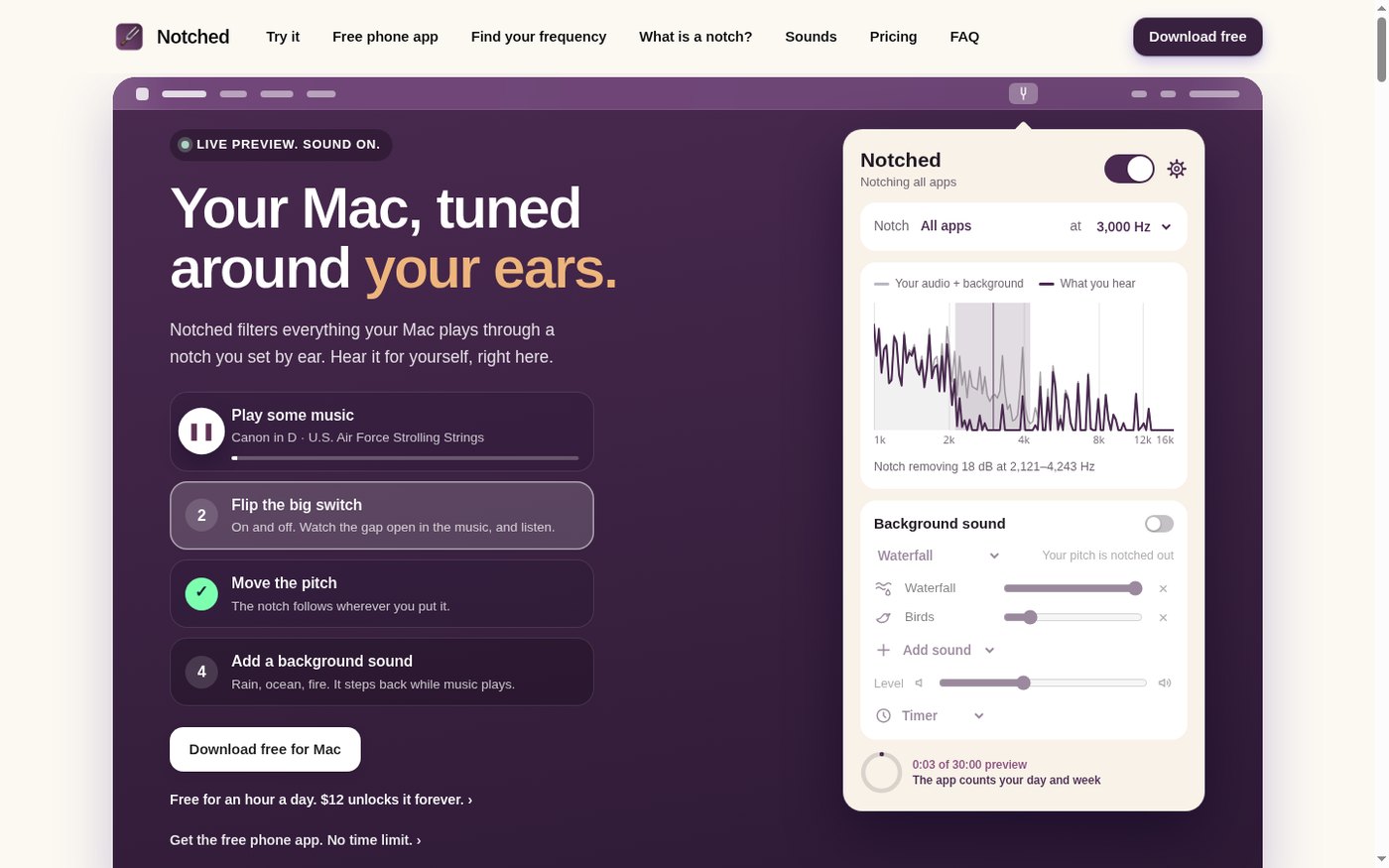
When the homepage opened, we did not see a cookie banner, and no login wall blocked the preview. The title is “Notched: a notch filter for your Mac, free for an hour a day.” On the left is a usage guide; on the right is a “LIVE PREVIEW. SOUND ON.” panel, with a play button, a notch switch, a pitch dropdown, and a spectrum graph.
Who it is for, and what you can try on the page
It is a good fit if you want to see where the notch sits in the browser first, and only then decide whether to use the phone player or the Mac app. It is not a general-purpose equalizer, and it is not a hearing diagnosis. The full product is a Mac menu-bar app that can filter whatever the computer is already playing; we did not have the conditions to test that part, and we are not writing it as something we have used. If what you want to do in the browser is a different kind of sound work — for example, turning a recording of beeps and dashes into text — we have written about Morse Code Translator. The job is different; neither tool required us to sign up first.
There are three parts you can try directly on the web:
- Homepage preview: play the site’s sample music, switch the notch on or off, change the pitch, and optionally add a background sound. The preview timer read 30:00 preview.
- Browser player (the page also calls it a free phone app): background sound plus a notch. The page says it is free, has no time limit, and needs no account. Adding it to a phone home screen is optional; we did not install it. The player is at trynotched.com/tools.
- Listen to your own audio: choose a local file in the browser and switch the notch. The page says the file is not uploaded. That page is trynotched.com/listen.
- Find your frequency: a guided pitch-matching session of about four minutes, with no account required, at trynotched.com/find. Later steps require the listener to compare sounds. We stopped at step 2 and did not obtain a matched frequency.
We only recorded the listed prices; we did not pay. The Mac app is free for one hour a day, with a listed price of $12 to remove the time limit permanently. The phone and browser tools page says they are free, have no time limit, and need no account.
How the notch and the numbers changed in the web preview
The test was on November 21, 2026, in desktop Chrome, while we were signed out. The music in the preview is the site’s own sample, “Canon in D · U.S. Air Force Strolling Strings.” It is not our recording. We used it only to watch the controls, and we did not save or republish the piece.
After we clicked “Play some music,” audio started (the file on the site is canon.mp3, about 228.8 seconds long), and the preview timer moved from 0:00 of 30:00 to 0:02. The default pitch was 8,000 Hz. On the spectrum there was a dip around 8 kHz, and underneath it read “Notch removing 18 dB at 5,657–11,314 Hz.” When we turned off the large switch in the upper right, the copy changed to “Notch off,” the dip on the spectrum disappeared, and the waveform ran through the former gap. Turning the switch back on brought back the 18 dB figure and that frequency range.
With the notch on, changing the pitch moved the range with it. The width was about one octave centered on the chosen frequency:
- 8,000 Hz: 18 dB at 5,657–11,314 Hz
- 3,000 Hz: 18 dB at 2,121–4,243 Hz
- 1,000 Hz: 18 dB at 707–1,414 Hz
This only shows that the controls and the spectrum copy stay in step. We could not tell whether the notch was obvious in the music, and we cannot judge for a reader whether it sounds good. The page also says the preview has only 13 of the 21 sounds in the app, and 7 of the 13 scenes; birds, crickets, a stream, and a fire are the app’s own recordings, and the rest are simpler browser versions. The background-sound switch and the scene dropdown (for example, Ocean night) could be clicked. We did not use listening to check whether the background “makes way” when the music starts.
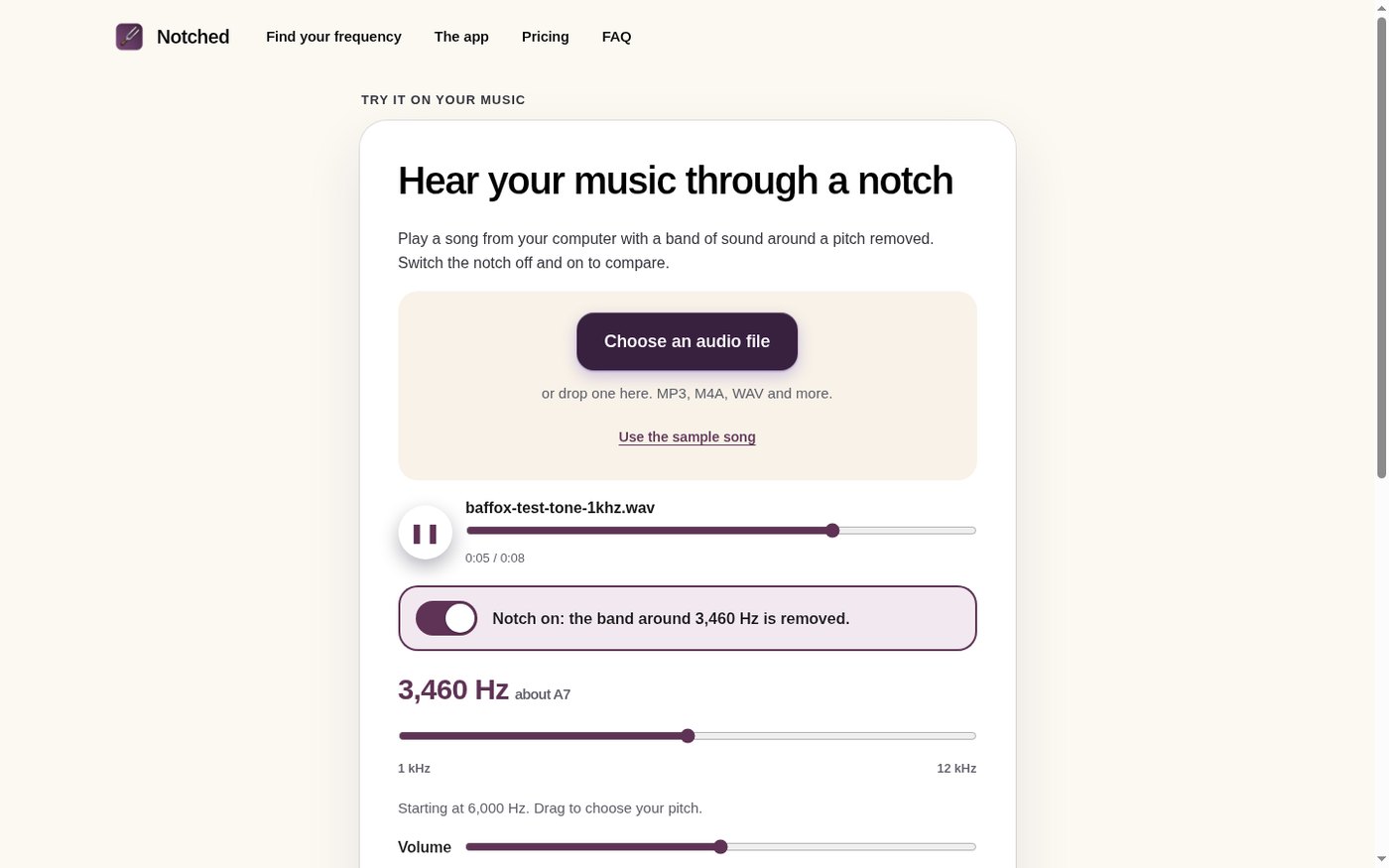
The same notch can also be pointed at a file of your own. The listen page accepts MP3, M4A, WAV, and similar formats. We chose a homemade 8-second audio file: a 1 kHz sine wave with a light layer of noise, named baffox-test-tone-1khz.wav. After we selected it, the page showed that filename, and the playback position was 0:05 / 0:08. The default copy was “Notch on: the band around 6,000 Hz is removed.”, marked 6,000 Hz about F#8. After we dragged the pitch slider, the copy became “Notch on: the band around 3,460 Hz is removed.”, with 3,460 Hz about A7 beside it. The page says “Your file plays in your browser. Nothing is uploaded or sent anywhere.” In this session we saw the file play from a local blob URL, and we did not see the audio POSTed to the site; at the same time there were a Cloudflare analytics script and rum requests. This is not a complete audit, and we are not writing it as proof that the file never goes online. If you care more about “the audio is processed in the page, and you can see the result first,” a related tool is Voice Remover, which splits vocals from an instrumental track rather than cutting a frequency notch.
The tools page is a background-sound player for a phone or the browser. When it opened, it read “Background sound off · notched at 8,000 Hz.” After we turned both the background and the notch on, the heading became “Waterfall · notched at 8,000 Hz,” and the spectrum still said 18 dB at 5,657–11,314 Hz. This page says it is free, has no time limit, and needs no account. The timer options are 15 / 30 / 60 / 90 minutes, which is not the same limit as the homepage preview’s 30:00 preview. The page says you can add it to an iPhone or Android home screen and open it offline after that; you can also skip installing it and use it in the browser. We did not add the site to any phone’s home screen, and we did not test whether it works offline.
We only went as far as step 2 of Find your frequency
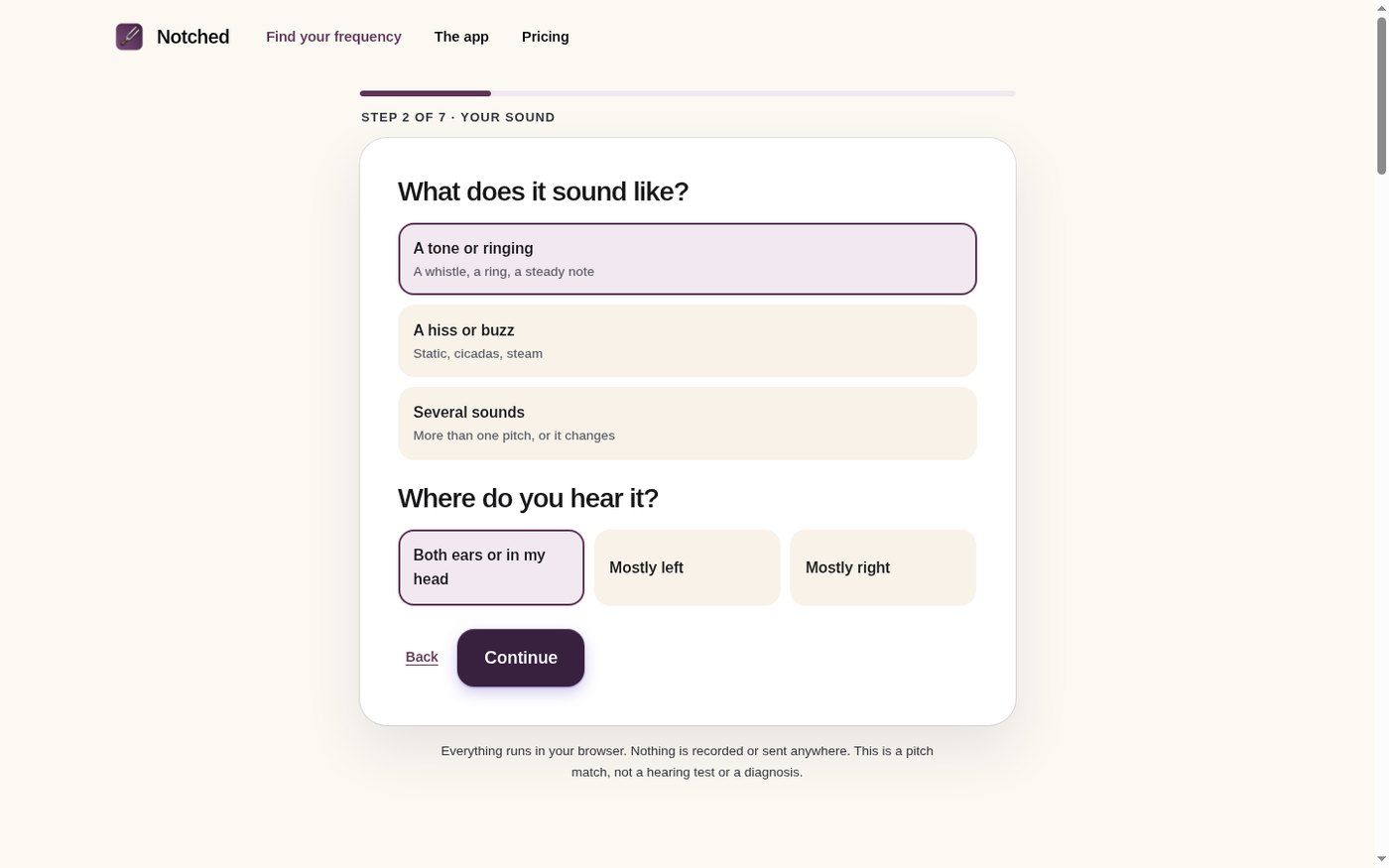
Find your frequency says it takes about four minutes, needs no account, and again states that this is pitch matching, not a hearing test or a diagnosis. After we clicked “Start the match,” we entered STEP 1 OF 7 · SAFETY CHECK, which lists sudden hearing loss, sound that pulses with the heartbeat, sound on only one side, or dizziness and ear pain, and offers “None of these, continue.” As a check of the software interface, we clicked that item and entered STEP 2 OF 7 · YOUR SOUND, which asks you to choose whether it sounds like a tone or ringing, a hiss or buzz, or several sounds, and whether it is in both ears / in the head, or more to the left or the right.
We stopped there. The later steps still include setting a volume, checking frequencies one by one, and several rounds of “which one is closer to your sound.” Those have to be done by the listener; we cannot choose for someone else. So we did not obtain a matched frequency, and we cannot describe how well the second half actually works. Different people will get different numbers; even if someone finishes all seven steps, that number is only the result of this match, not a diagnosis. The page also suggests using headphones if you can, and turning off spatial audio and any equalizer. We did not finish under a listener’s conditions, so every later step counts as untested.
What we saw on the network when these pages were open
The privacy page (a draft, dated November 15, 2026) says the site does not set cookies and has no ad scripts; the sound tools run in the browser, and settings and match results stay on this device; it uses Cloudflare Web Analytics and host logs. The Mac app has its own notes. We did not test the app, and we are not restating those notes as test results.
In the homepage preview, on the tools and listen pages, and in the first two steps of Find your frequency, the pages and the audio sample came from trynotched.com. There was also a script from static.cloudflareinsights.com, and POSTs to trynotched.com/cdn-cgi/rum. The homemade test tone played from a blob URL on the listen page, and we did not see it submitted to the server as a file. We are not writing this as proof that the audio never leaves the browser.
Common failures and limits
- The site states that this is not a medical device and does not claim to treat tinnitus or other conditions. Do not treat it as a hearing exam or a treatment plan.
- We cannot report how the notch “sounds.” We can only report whether the switch, the spectrum, and the frequency range changed together.
- The Mac app — which notches whatever the system is already playing, free for one hour a day or $12 to unlock — cannot be tested on this Linux machine, and we are not writing a usage review of it.
- Find your frequency has seven steps. We only saw the safety check and the options on step 2. We did not finish the match, and we did not obtain a frequency.
- The homepage preview has a 30-minute preview timer and only some of the background sounds and scenes. The tools page says it has no time limit. Do not mix the two up.
- We did not install the player on a phone home screen. Whether it works offline, and whether it stops after the screen locks, were not tested.
- The sample music is the site’s Canon in D, not our recording. The homemade test tone was used only to watch the controls on the listen page.


