


Your Mac suddenly has tens of gigabytes less free space, and Activity Monitor does not show any app writing furiously — one class of “invisible fat” is Crashpad crash dumps from Chromium / Electron apps. OpenAI’s Codex desktop app has hit this: in upstream issue openai/codex#25921 people reported the dump directory growing by about 5 GB a day, with extreme cases reaching 323 GB and 4.04 million files. The app does not clean them up and does not warn you.
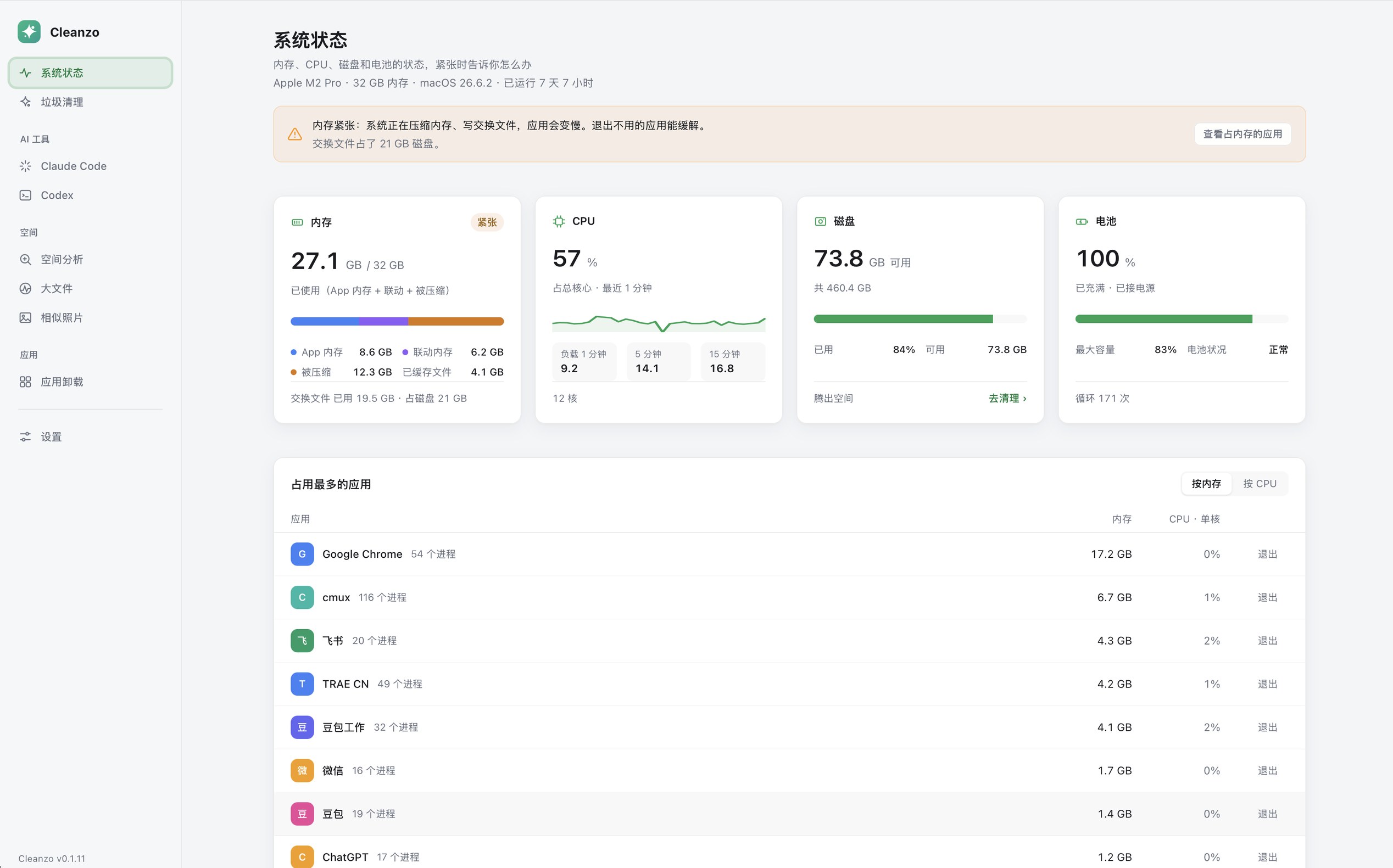
Cleanzo is a cleaner by Chinese developer echoVic (MIT, echoVic/cleanzo; site cleanzo.echovic.com). It started as a general junk cleaner and later added a dedicated “app crash dump” scan plus separate pages for Claude Code and Codex. As of our check the latest stable release is v0.2.5 (October 22, 2026): macOS 12+ on Apple silicon; from 0.2.4 / 0.2.5 there are also Windows 10/11 x64 installers. This article follows the site, README and Release notes, researched October 23, 2026. We did not have an Apple-silicon test Mac for a live cleanup run — read-only verification only.
In one sentence
Scan junk by rules → tick items → delete or move to Trash only after you confirm; plus disk space analysis, large files, similar photos, app uninstall with leftovers, and AI-tool pages aimed at Claude Code / Codex. Native Go desktop app; the package is on the order of a few MB to about ten-plus MB (see the dmg / exe on Releases).
Version and platforms (October 23, 2026)
| Item | Details |
|---|---|
| License | MIT, free |
| Latest | v0.2.5 (October 22, 2026; Release title: animation overhaul) |
| macOS | 12+, Apple silicon only for now; dmg is Developer ID signed and notarized |
| Windows | 10/11 x64 (official from 0.2.4); needs WebView2; installer was unsigned when we checked — SmartScreen may block |
| Stars | About 8 on GitHub when checked (very new; count will change) |
| Auto-update | Installed macOS builds can get incremental updates; Windows has an update channel too |
Version milestones that matter for this article:
- 0.1.9: sidebar “AI tools” gets separate pages for Claude Code and Codex — old chats, old versions, logs, caches, and so on.
- 0.1.12: new Skills summary page (skills directories across several agents).
- 0.1.14: junk cleanup adds “app crash dumps”; opening the app warns if any app’s dumps exceed 5 GB.
- 0.2.x: Windows support and space-analysis fixes; 0.2.5 focuses on motion.
Crashpad: why it deserves its own scan
Release 0.1.14 is blunt: the rule is generic, not Codex-only. Any Chromium / Electron-family app with a Crashpad directory (browsers, VS Code, Slack, Codex desktop, and so on) can pile up dumps. Cleanzo will:
- list pending / completed dump size and file count per app;
- delete dump files directly (not via Trash — hundreds of GB in Trash is pointless); keep the Crashpad folder itself; skip files currently being written;
- on launch, if any app exceeds 5 GB, show a hint on the system status page; the Codex page can also jump straight to cleanup.
If you have been heavy on Codex desktop on a Mac and the disk “mysteriously” filled up, think Crashpad before blindly emptying Documents or Downloads. People have also posted about manually deleting 80+ GB of dumps on forums such as V2EX (a Chinese tech community).
Ordinary cleanup and developer caches
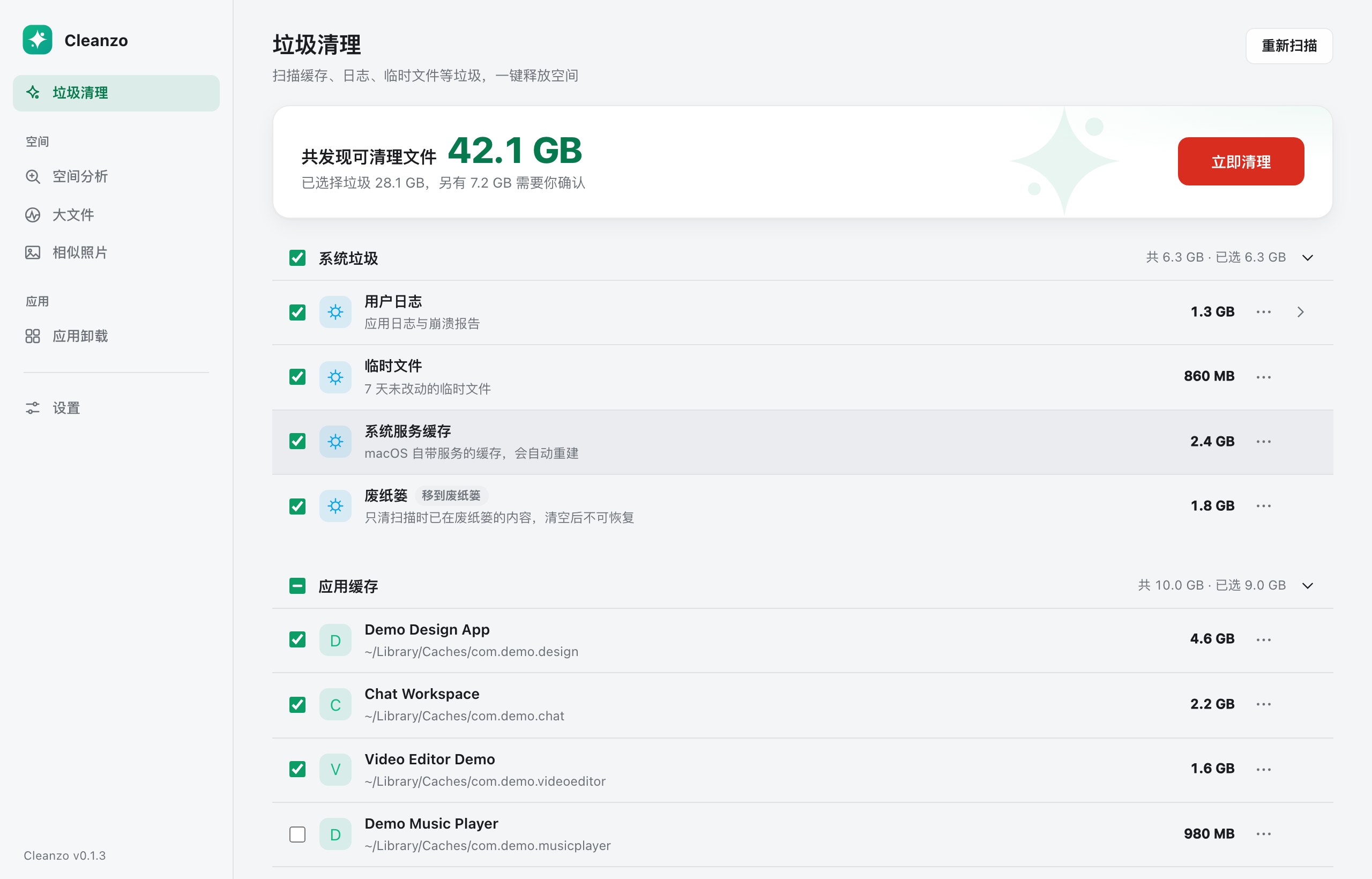
Junk cleanup is grouped by rule: system junk, app caches, browser caches, update leftovers, developer tools, “needs confirmation”, custom folders, and so on. Highlights from the README (macOS-oriented):
- Browsers: caches only — not history, cookies, logins or bookmarks; if the browser is open, that row is skipped with a note of how much you could free after quitting.
- Developer tools cover npm / pnpm / Yarn / Bun / uv / pip / Cargo / Go / Xcode and more; expensive-to-redownload items such as Playwright, Puppeteer, Go modules, Gradle and Maven are unchecked by default.
- Some cleanups call the tool’s own command (
brew cleanup,pnpm store prune, …); a missing or failing tool does not block other rows. - The “needs confirmation” group (backups, Xcode Archives, installers, …) is unchecked by default; DMG/PKG files under Downloads / Desktop / Documents are listed but not selected by default.
Space analysis, large files (100 MB–5 GB thresholds), similar photos, and app uninstall + leftovers are standard cleaner fare. Cleanzo stresses preview-before-delete, skip-in-use files, and sending user files to Trash.
AI tools page and Skills page
Under the sidebar “AI tools”, pages appear only if the app is installed:
- Claude Code / Codex: after “Start scan”, browse chat history by project or month, plus old versions, logs, caches, snapshots, and so on. Chat history is unchecked by default; you can filter to 7 / 30 / 90 days; anything from the last 24 hours is always kept. Settings, login state, skills, plugins and other protected items are locked and cannot be selected. Cleanup goes to Trash first.
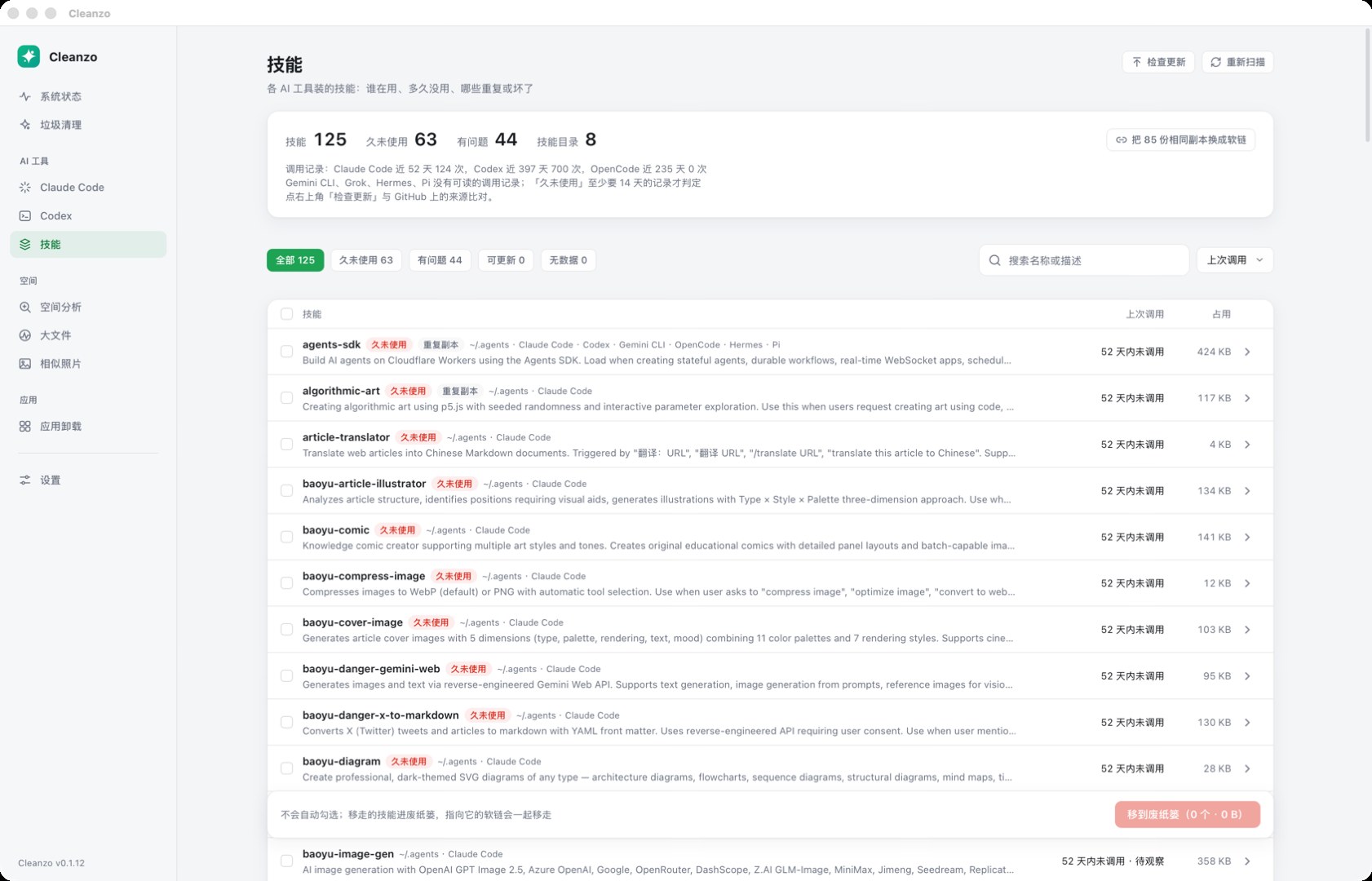
- Skills: aggregates skill directories under
~/.agents, Claude Code, Codex, Gemini CLI, OpenCode and others; flags duplicates, broken symlinks and long-unused skills (unused for 14 days of chat history); identical copies can be replaced with symlinks; removal confirms item by item.
If you run several coding agents at once, quota-wise see QuotaPanel; when the repo is huge and agents keep re-reading files, Graphify is the knowledge-graph skill we covered earlier.
Safety boundaries (the author’s own)
The site’s “won’t delete the wrong thing” section matches the README:
- Only touches scope related to the current user home — not system files or other users;
- In-use caches / files are skipped automatically;
- Regenerable junk can be deleted outright; user files, leftovers and uninstall-related data mostly go to Trash;
- Photo library, Keychain, iCloud, Mail, Messages,
~/.sshand similar are protected; - Every cleanup lists what will be deleted vs moved to Trash first, and you can stop mid-run.
Windows caveat: the first Windows build had fewer features than macOS (no leftover cleanup, no Store/MSIX uninstall, …), and 0.2.3 had a serious bug where items larger than Recycle Bin capacity were permanently deleted. 0.2.4 fixed that: if Trash cannot hold them, originals are kept and you get a prompt. Install Windows builds from 0.2.4 or newer, and only from official Releases.
Cleanzo vs other cleaners
We have covered other disk cleaners on this site (including Windows-oriented ones). Cleanzo’s current standout line is Apple-silicon Mac + Crashpad / Claude Code / Codex / Skills; Windows support is still new and the installer was not code-signed when we checked. You can use different tools on different machines — they do not have to replace each other.
Install tips
- Download only from GitHub Releases or the official site download entry.
- macOS: open
Cleanzo-*-arm64.dmg, drag into Applications; grant Desktop / Documents / Downloads access when the system asks on first scan. - Windows: run
Cleanzo-Setup-*-amd64.exe; if SmartScreen appears, use “More info → Run anyway” only after you have checked the release page and checksums. - Before clearing Crashpad or chat history, expand the list and look; leave anything uncertain unchecked.
Who it is for
| Your situation | Our take |
|---|---|
| Apple-silicon Mac, disk mysteriously full, suspect Codex / other Electron Crashpad | A strong fit |
| You use Claude Code and Codex and want to clear old chats/caches without nuking login state | A good fit |
| You want a free, open, rule-transparent daily cleaner and can accept a very new project | Worth trying |
| Intel Mac | No official build yet |
| Windows-only, and you want maximum safety | Use 0.2.4+ after reading the Recycle Bin fix notes, or stick with a cleaner you already trust |
Features and package sizes follow the site and Release body; later versions may change default tick policies.


