


Desktop has no camera, or the laptop selfie cam is mush — for meetings and streams you want the phone’s rear lens. Tally (repo name phone-to-webcam; GitHub) turns an iPhone / Android into a Windows virtual webcam: the PC shows a QR code, the phone opens it in the browser and streams — no phone app, no watermark, no cloud (video stays on the LAN). Latest public package v1.0.0 (2026-11-06), installer Tally-setup.exe. Researched November 7, 2026 against README / Releases (~218★, MIT).
At a glance
| Item | Details |
|---|---|
| Product / repo | Tally / PackArtisanMold/phone-to-webcam |
| License | MIT; ~218★ on research day |
| Latest | v1.0.0 (2026-11-06); asset Tally-setup.exe (~6.4MB; Release calls it single-file, no wizard, no account) |
| Platforms | Windows on PC; phone is the browser (iPhone Safari / Android) |
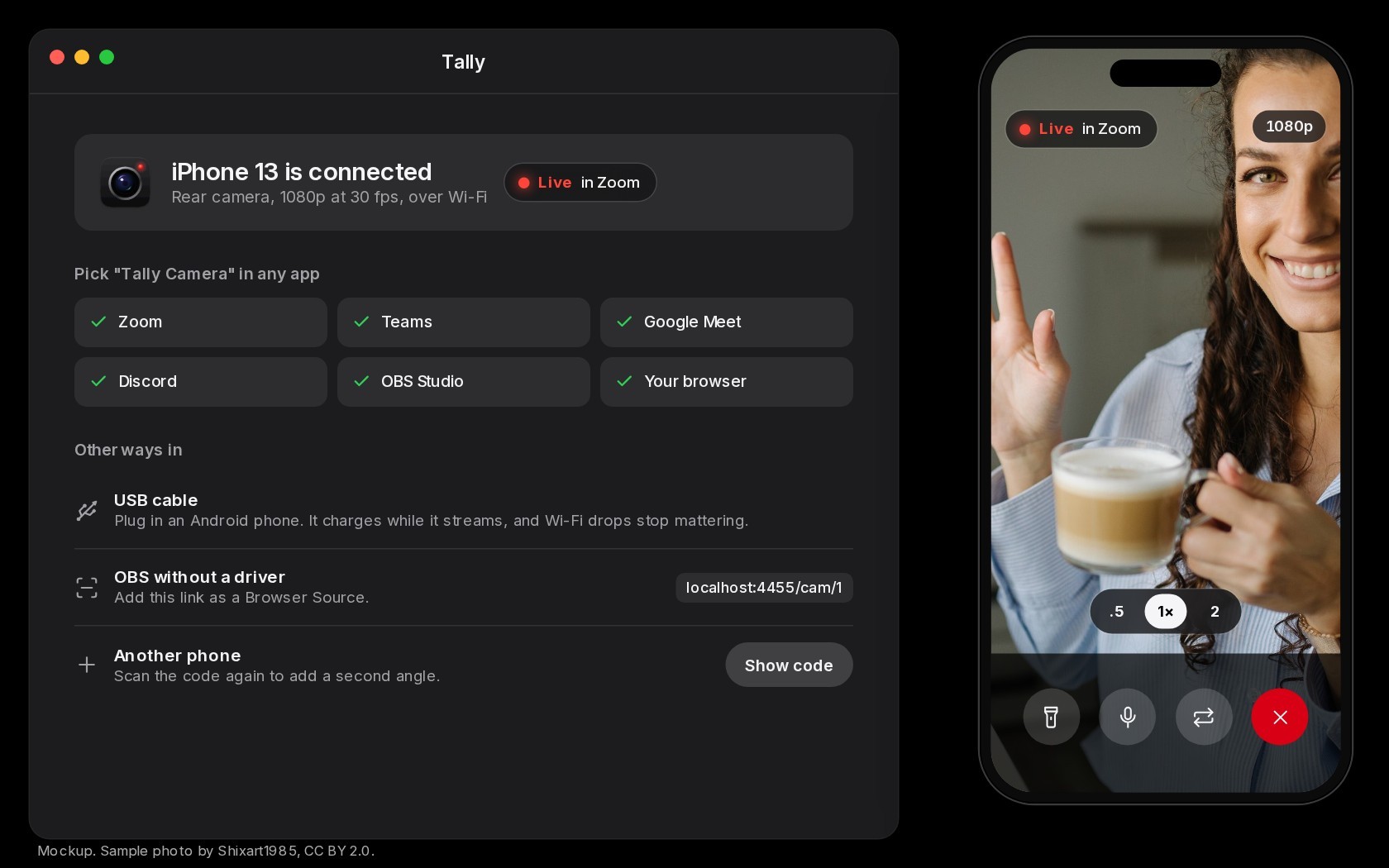
| Quality target | About 1080p30 (README: phone browsers struggle higher; no 4K promise) |
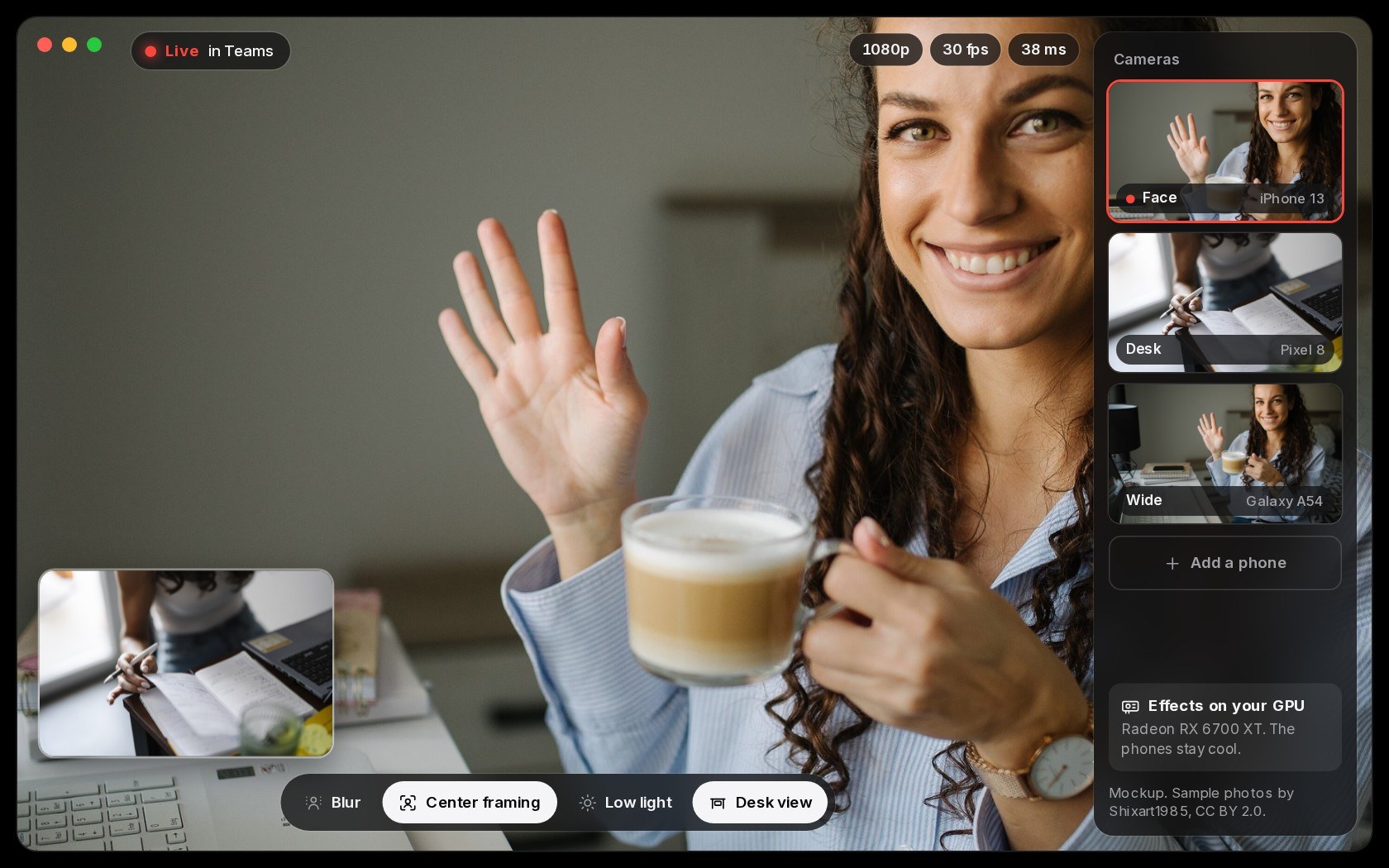
| Multi-phone | Up to 4 phones; picture-in-picture switching |
| Signing | Not code-signed yet; first run may hit SmartScreen (More info → Run anyway) |
| Privacy | Phone → PC over LAN only; not via the author’s servers |
What it actually does
- Scan and go: run Tally on the PC, scan the pairing code in the phone browser. Rear camera, torch, zoom; on Android a USB cable can stabilize the link and charge at once.
- System camera name “Tally Camera”: Zoom / Teams / Meet / Discord / OBS / browsers can pick it (per README). Windows 11 may need one admin grant so the camera appears in every app; OBS can use a link path without a full install.
- PC-side effects (any GPU): center crop, background blur, low light, desktop view — computed on the PC GPU to keep the phone cooler.
- Phone as remote / teleprompter: for streams the phone screen can dim to save battery; show a script, mute, toggle framing and blur.
- Install: grab
Tally-setup.exefrom Releases; phone and PC on the same Wi‑Fi (or Android USB). Judge unsigned-binary risk yourself.
How it sits next to tools on this site
| You care more about… | Better fit |
|---|---|
| Browser speaking practice / mock interviews (not a virtual webcam) | Moss-Live |
| Low-latency multi-window screenshare for pair programming | Petal |
| Phone as a Windows webcam (scan, no phone app) | Tally |
In short: Moss-Live is “practice English into a mic”; Petal is “share desktop windows”. Tally only solves the video source: meetings / OBS can pick the phone lens. It does not need a separate OBS virtual-cam plugin write-up — it already shows up in OBS’s camera list.
Boundaries (read before you download)
- Good fit: Windows meetings / streams want the phone rear camera; you refuse third-party phone apps; you want LAN, no watermark, and multi-cam experiments.
- Caveats: unsigned → SmartScreen; latency and quality follow Wi‑Fi / mobile browser; target is 1080p30, not a cinema camera. Windows PC host only.
- Not a great fit: you need a macOS / Linux host; corporate policy bans unsigned exe; or you mainly want AI speaking practice / pair screenshare rather than a camera.
Bottom line
Tally uses a small PC tool plus a phone web page to turn an old phone into a Windows webcam — MIT, v1.0.0 available. If you already look at Moss-Live for speaking practice or Petal for screenshare, this adds another video input. Download only official Releases’ Tally-setup.exe and weigh the unsigned risk yourself.


