


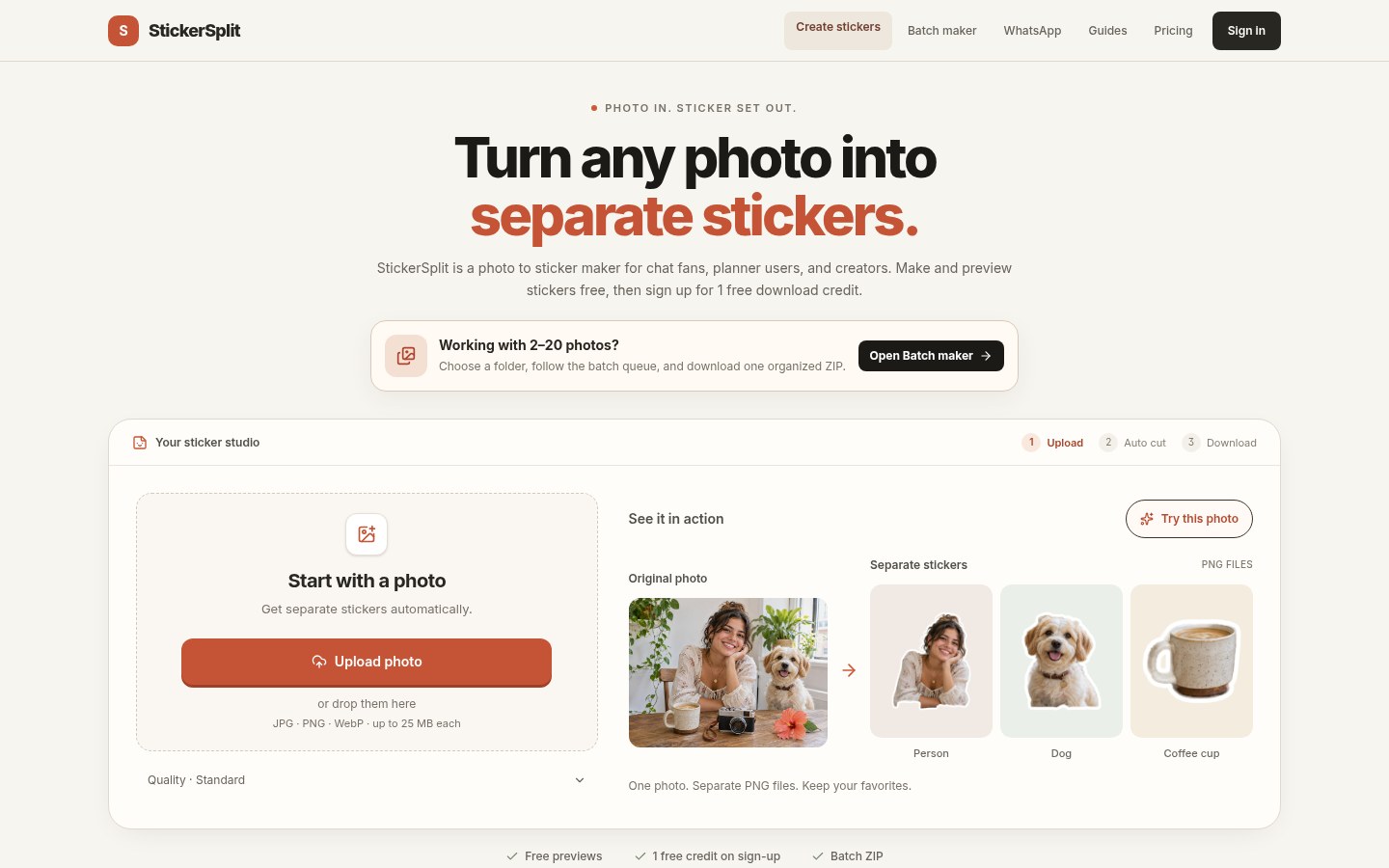
One group photo has several people, a pet, and a cup on the table — you want each as a chat sticker, but many tools cut one subject at a time with repeated uploads. StickerSplit (phototosticker.site) uploads in the browser, auto-finds people / pets / common objects, and splits them into transparent stickers; stroke is adjustable; export PNG or WhatsApp 512 WebP, with batch and ZIP. Generate, preview, and edit are free; download costs credits (signup gives 1). The site says processing is mainly in the browser. Researched November 7, 2026.
At a glance
| Item | Details |
|---|---|
| Type | Web “photo → many transparent stickers” |
| Site | phototosticker.site (product name StickerSplit) |
| Formats | Input JPG / PNG / WebP, ~25MB each; output transparent PNG (long edge ~1600px then pad) or 512×512 WebP |
| Quality modes | Standard (faster) and High quality (complex edges / backgrounds, slower) |
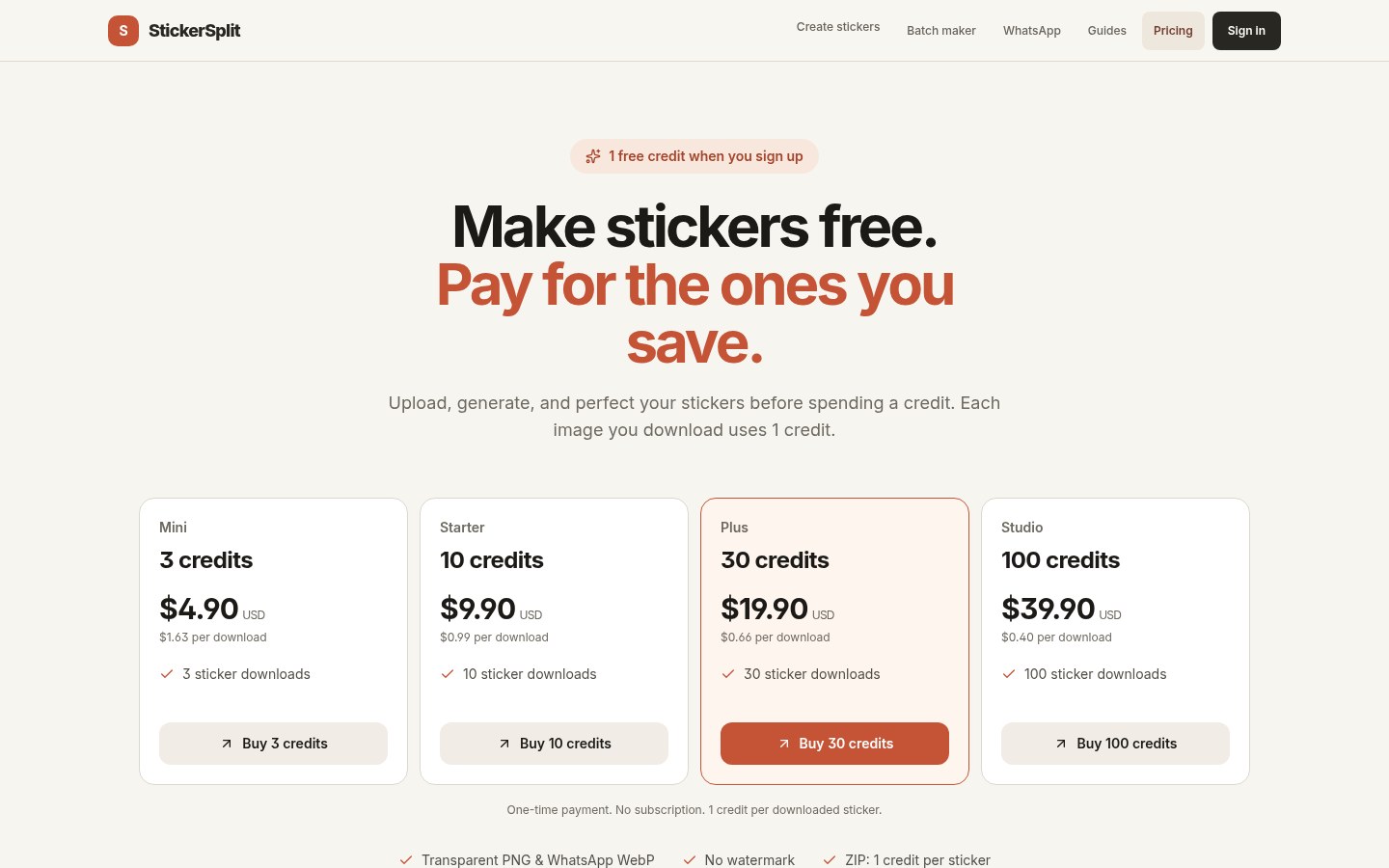
| Pricing | Generate / preview / edit free; signup 1 credit; 1 credit per downloaded image (ZIP counts files inside); one-off packs e.g. 3 / 10 / 30 / 100 credits (examples: 3 for $4.90, 10 for $9.90 — check Pricing) |
| Watermark | Site claims downloads have no site watermark (your chosen stroke stays) |
| Where it runs | FAQ: in-browser; originals and cutouts stay on-device while editing |
What it actually does
- Auto-split subjects: finds people, pets, common objects into separate transparent stickers; missed ones can be picked manually.
- Adjustable stroke: thickness and color with live preview; thickness 0 = no border.
- Batch: queue several photos or a folder; download one-by-one or as ZIP (ZIP billed per contained image).
- WhatsApp: pick 512 WebP, then pack with a compatible sticker importer (see on-site Guides).
- Flow: open the site → pick quality → upload → preview/edit → sign in to download. Without login you can finish the flow but cannot take files away.
How it sits next to tools on this site
| You care more about… | Better fit |
|---|---|
| Desktop brush-away for passers-by / clutter / date stamps | Inpaint (EN pending) |
| Web drag-to-layout then AI poster | MossImage Studio (EN pending) |
| 2D game character sprite-sheet animation | SpriteCanvas |
| One group photo → many transparent stickers (web) | StickerSplit |
In short: Inpaint removes what you do not want; MossImage / SpriteCanvas lean toward posters or game assets. StickerSplit keeps several subjects → a transparent sticker pack for chat, scrapbooks, or product stickers.
Boundaries (read before you download)
- Good fit: group photos / still-life desks need one pass into a sticker set; you want free preview before choosing what to download; you need PNG or WhatsApp WebP.
- Caveats: downloads need an account and credits; re-downloading the same image bills again; miss detections need manual picks; complex backgrounds prefer High quality (slower). Credit rules and USD prices follow the site Pricing page.
- Not a great fit: you need a fully offline desktop app or enterprise batch with no login; or you mainly want object removal / AI posters rather than sticker export.
Bottom line
StickerSplit puts multi-subject auto cutouts in the browser: finish for free, then pay per image to download. If you already use Inpaint to clean photos or MossImage Studio for posters, this fills the chat / scrapbook sticker pack slot. Try phototosticker.site; discussion: V2EX #1255051.


