


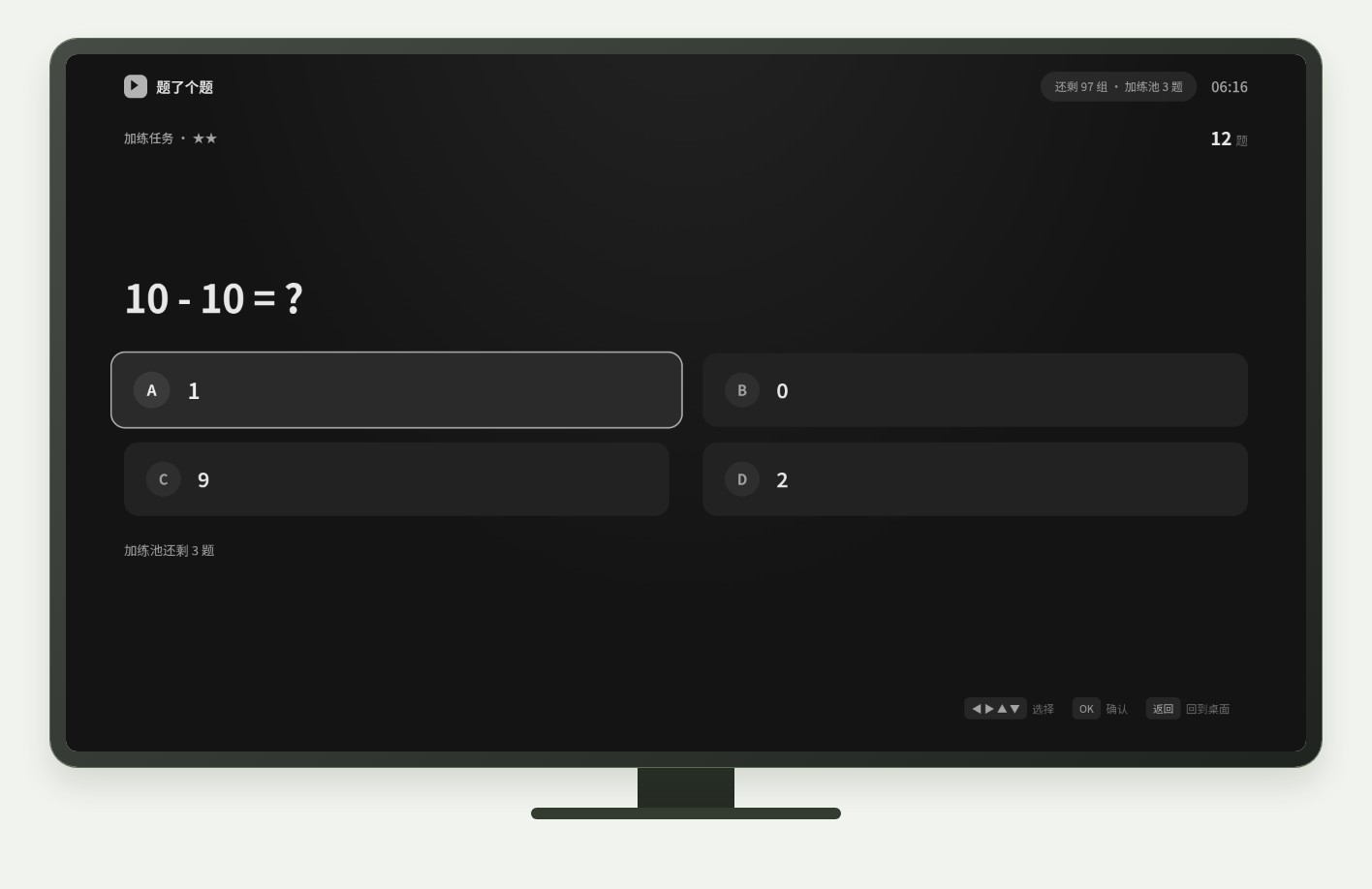
Kids glued to the TV, and pulling the plug only starts a fight? StudyOnTV (Chinese product name 「题了个题」 / “Quiz Time”; GitHub) puts the gate on the device: answer questions first, then unlock watch time. It runs on Android TV / boxes (with phone and tablet builds too). Quizzes and rules live on the device; parents scan a LAN QR code into an admin page — no self-hosted server, no account system. The license is source-visible, personal non-commercial only, not a permissive OSI open-source license. Researched November 6, 2026.
At a glance
| Item | Details |
|---|---|
| Type | Android household “study then watch” gate + quizzes |
| Repo | github.com/chadyi/StudyOnTV (~408★ on research day) |
| Language | Kotlin |
| License | Personal Use Only (non-commercial; no redistribution or commercial use — see repo LICENSE) |
| Latest (research day) | v0.3.0 (2026-11-05) |
| Packages | StudyOnTV-Android-TV-v0.3.0.apk, StudyOnTV-Mobile-v0.3.0.apk (mirrors + SHA256 listed in Releases) |
| Network model | Controlled device serves admin on LAN port 8099; quizzes work offline; AI grading needs your own API |
| Requirements | Android TV / box or phone/tablet; phone and device on the same Wi‑Fi |
What it actually does
- Unlock rules: group stages, streak of correct answers, free practice; set accuracy thresholds, daily caps, star-based time rewards; wrong answers can enter a practice pool.
- Question types: single / multi choice, true-false, fill-in, open-ended; stems support LaTeX; tablets may allow handwriting / voice depending on hardware.
- Time windows (v0.3.0+): optional “only usable in these hours” or “only these hours require quizzes” (outside the window, free viewing without spending balance).
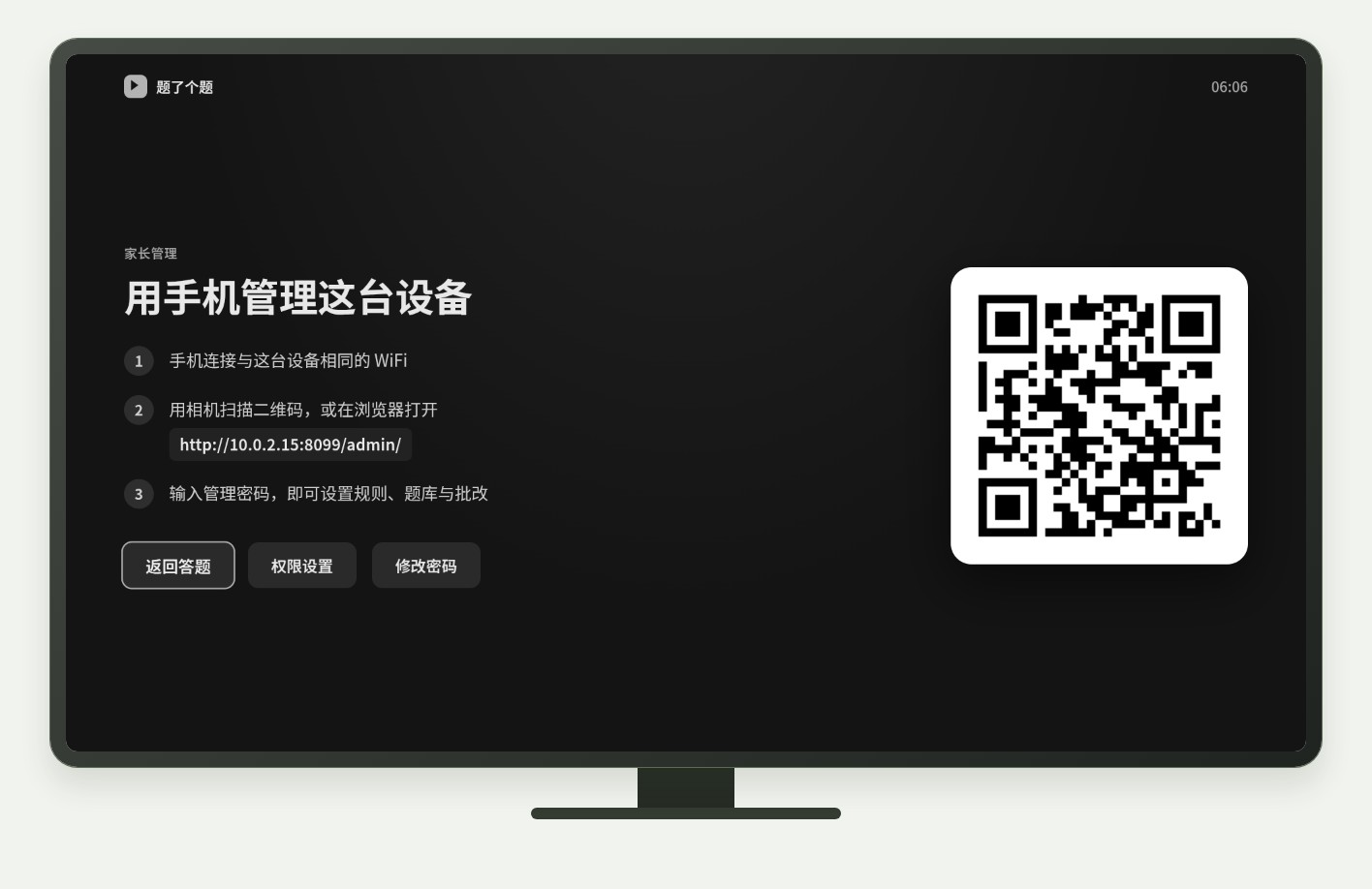
- Parent panel: scan to open
http://DEVICE_IP:8099/admin/, set a password, then manage rules, question banks, history, and grading — also works in a desktop browser. - Optional hardening: during control periods, block system settings; device-admin to resist uninstall; open-ended answers can be graded by a parent or via DeepSeek / Tongyi / Ollama and similar.
- TV UX: when the study screen appears, it tries to pause the player and take audio focus, with mute as a fallback; restores on exit.
How it sits next to tools on this site
| You care more about… | Better fit |
|---|---|
| Debloat Android / Google TV, cut preloads | CleanYourTV |
| A modern player for Emby / Jellyfin / Plex | Vidzer |
| Quiz to unlock screen time, parents manage questions over LAN | StudyOnTV |
In short: CleanYourTV keeps the system lean; Vidzer is about how you play. StudyOnTV is “study then watch” — they do not replace each other.
Boundaries (read before you download)
- Good fit: households with Android TV / boxes who will write or import JSON quizzes and accept LAN admin; people who want to try “earn watch time by answering correctly”.
- Caveats: license forbids redistribution and commercial use; force-stop, revoked permissions, or OEM background killers weaken control — follow the install guide for autostart (device-dependent). Screen-time and parenting choices vary; this page only describes software features, not educational advice.
- Not a great fit: non-Android TVs only, no sideloading, or anyone who cannot accept a personal-use license.
Bottom line
StudyOnTV keeps quizzes, rules, and the lock screen on the controlled device, with parents managing over a QR + LAN page. If you already use CleanYourTV to slim a box, StudyOnTV is a habit gate on top of viewing — not a player or ad blocker. Install from official Releases and verify checksums.


