


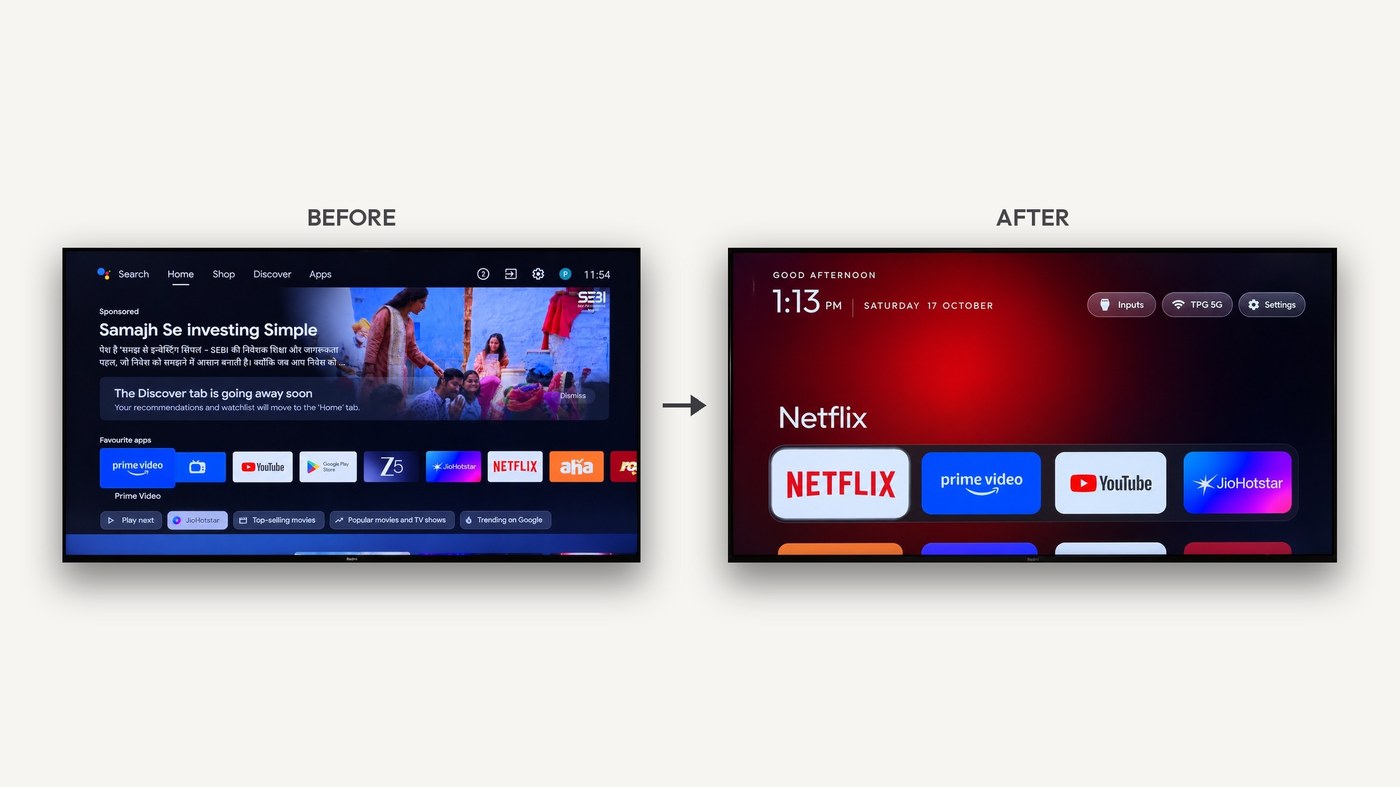
Android TV and Google TV home screens are often packed with recommendation carousels, sponsored rows, and OEM preloads. If you want a quieter living-room UI without rooting or flashing a custom ROM, that is the gap CleanYourTV aims at.
It talks to the TV over the same Wi‑Fi via ADB: from a PC you disable (not uninstall) ads / telemetry / bloat with pm disable-user, and on compatible boxes you install a cleaner launcher as the default HOME. The project stresses no root, no custom ROM, no removal of system apps, plus a recovery path. Site: cleanyour.tv; repo: Gathin23/cleanyourtv. Researched October 27, 2026.
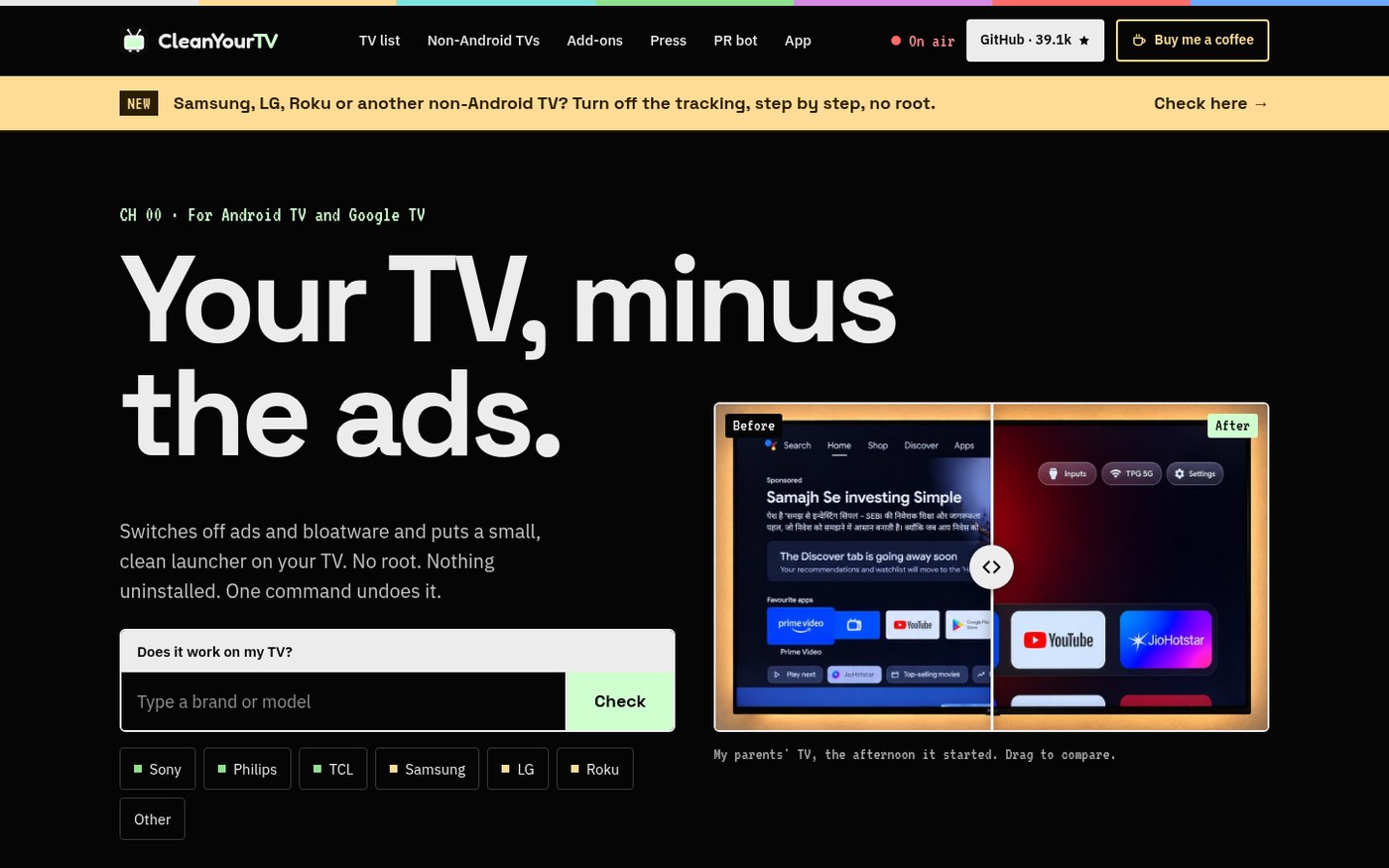
At a glance
| Item | Details |
|---|---|
| Type | LAN debloat + cleaner launcher for Android TV / Google TV |
| Version | v3.0.0 (Release dated October 25, 2026; ~39k stars when checked) |
| License | MIT (launcher font Outfit is SIL OFL) |
| Platform | TV: Android TV / Google TV (launcher APK needs Android 8.0 / API 26+); PC: terminal, optional Claude Code / Codex / Gemini CLI guided by PROMPT.md |
| Connection | Enable USB / network debugging on the TV, then Wi‑Fi ADB (no USB cable required) |
| Price | Free and open source |
| Stars | About 39,200+ when checked |
| Site | cleanyour.tv (compatibility notes) |
| Repo | github.com/Gathin23/cleanyourtv |
How it works (short version)
The project README frames the flow in three steps:
- Back up installed apps and related settings (with
PROMPT.md, have the assistant take a full snapshot first; with manualtools/disable.sh, keep whatever state you need to restore the disable list). - Disable selectively: telemetry, ads, recommendation feeds, and preloads you do not need.
- Install a cleaner home and set it as default HOME; shortcuts, column count, motion, and theme are adjustable.
Samsung Tizen, LG webOS, Roku, and other non-Android TVs cannot run this project’s Android launcher. The site has separate tracking-off steps at cleanyour.tv/not-android. Device quirks are large — check the examples list and English README before you touch a daily-driver TV.
How it sits next to other “cleanup / Android” tools on this site
| Need | Better fit |
|---|---|
| One-shot Windows bloat / suggestions cleanup script | Win11Debloat |
| Windows C: cleanup and uninstall leftovers | Mole Windows (EN pending) |
| Strip tracking params from Android share links | stoptrackingme (China-platform share links; EN skipped) |
| Quieter Android TV / Google TV home, ads and bloat off | CleanYourTV |
It is not a magic “unbrick” button. Disabling the wrong package can hurt voice assistants, Cast, system updates, or remote behavior. Official recovery exists — back up first, and try on a non-primary TV if you can.
Who it is for (and who should skip)
Good fit: household Android TV / Google TV with a noisy home; OK enabling developer options and running a few ADB steps (or a guided prompt); want reversible changes, no flash.
Skip for now: Samsung / LG / Roku expecting the same launcher; Android below 8.0 but wanting the official desktop APK; anyone who refuses to touch debugging toggles.
Compatibility and start guide: cleanyour.tv. Source and Releases: Gathin23/cleanyourtv. Version, models, and risk notes follow the October 27, 2026 README / v3.0.0 check.


