


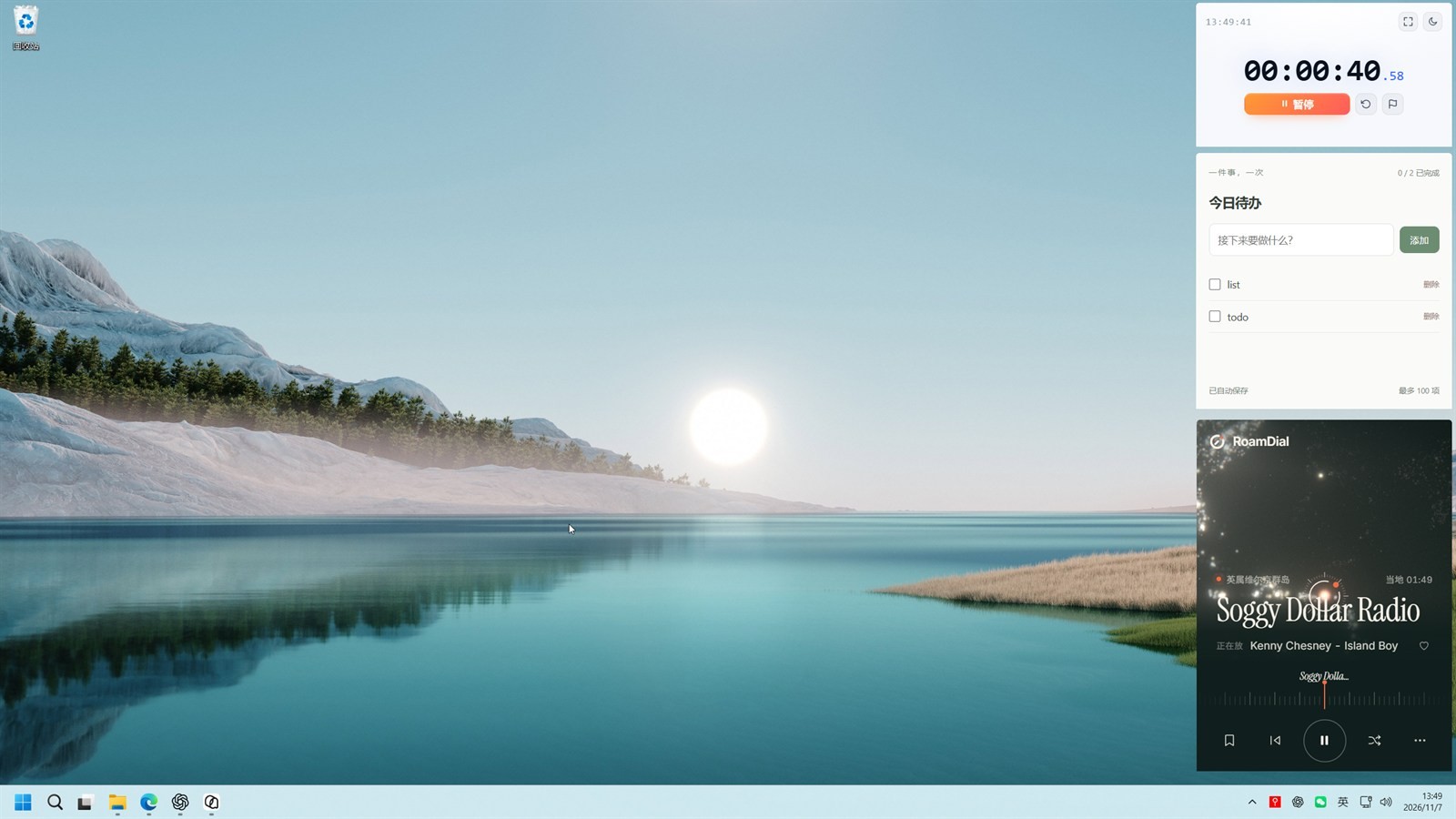
Want a timer, a kanban board, a status page, or a local HTML gadget an LLM just wrote to stay on the desktop — without packaging it as its own app or burning another browser tab? PinPage (LLMxPM/pinpage) turns an http/https page or local HTML / static folder into a Windows desktop widget: always-on-top, pinned to the desktop, borderless with rounded corners, with position and size locked independently. The latest public package is v0.1.0 (2026-11-07); the installer filename is PinPage_0.1.0_x64-setup.exe. Researched November 8, 2026 against README.zh-CN and Releases (~2★, MIT, Rust / Tauri / Vue; the repo was created the same day). The project is very new, currently Windows x64 only, and needs WebView2 (usually already present on Windows 11).
At a glance
| Item | Details |
|---|---|
| Product / repo | PinPage / LLMxPM/pinpage |
| License | MIT; about 2★ and 1 fork on research day |
| Latest | v0.1.0 (released 2026-11-07); asset PinPage_0.1.0_x64-setup.exe (~2.8MB) plus a matching .sha256 checksum file |
| Platform | Windows x64; needs the WebView2 Runtime |
| Signing | The Release notes say it is not code-signed yet. SmartScreen may warn about an unknown publisher — check the checksum first |
| Export | An imported page can be exported together with localStorage, sessionStorage and IndexedDB as a .pinpage package |
| Security | The workbench and page content use separate WebViews; local files go through a restricted custom protocol. The docs say unauthorized pages have no filesystem, Shell or window-management permissions — that is the author’s isolation note, not a third-party audit |
What it actually does
- The page floats above other windows, not as another browser tab: it can float over other apps or stay pinned to the desktop. Always-on-top, borderless rounded corners, and separate position and size locks are set per page. Drag a borderless window with
Alt + left-click. Floating pages do not take a taskbar slot. - Remote pages and local pages both work: open an HTTP/HTTPS URL, or import a folder / a single HTML file. Relative CSS, images, ES modules and JSON keep working, so a local gadget an LLM just generated does not need its own deploy or package.
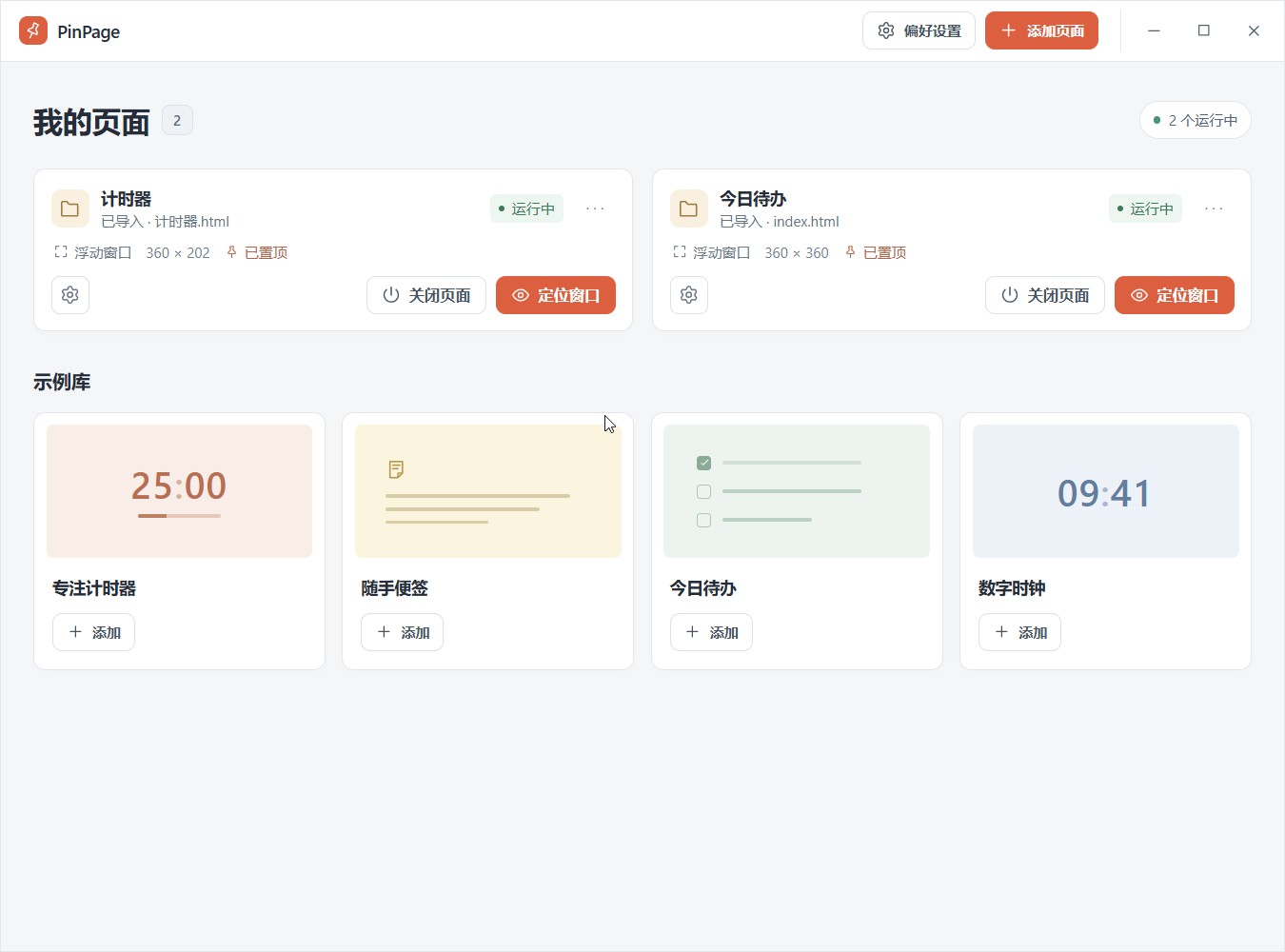
- Four offline examples: a focus timer, scratch notes, today’s to-dos and a digital clock. After you add one, it is managed as its own imported page.
- The workbench opens only when you need it: closing it destroys that window.
Ctrl+Alt+Preopens the workbench;Ctrl+Alt+Bbrings every widget window back. The UI can follow Simplified Chinese, English, or the system language, and switching language does not reload pages that are already open. - How to install: download
PinPage_0.1.0_x64-setup.exefrom GitHub Releases, verify it with the matching.sha256file, then install. Click “Add page”, enter a URL, import a local page, or pick one from the example library; under window options, choose a floating window or pin it to the desktop. - The Release notes also include a first-round memory sample: the private working set for 1 / 3 / 5 idle timers was about 205 / 291 / 377 MiB. Details live in the repo’s architecture docs. That is the author’s self-test, not a retest by us.
How it sits next to tools on this site
| You care more about… | Better fit |
|---|---|
| Grouping desktop icons into grids, in the spirit of Fences (not pinning webpages) | DeskBox |
| Pinning a screenshot to the screen (not pinning a webpage) | Snipaste (EN pending) |
| Microsoft’s official Windows utility pack (FancyZones, Awake and the rest) | PowerToys (EN pending) |
| A message capsule at the top of the screen when WeChat flashes in the taskbar | WeixinMsgIsland (EN pending) |
| Pinning a webpage or local HTML as an always-on-top desktop widget | PinPage |
In short: DeskBox is about how icons are stacked; Snipaste is about sticking a captured image on screen; PowerToys is a whole toolbox of system extras. PinPage only answers “I want this page in sight all the time.”
Boundaries (read before you download)
- Good fit: you are on Windows x64 and want a timer, a board, a status page or a local HTML gadget to live on the desktop without packaging a separate app for it.
- Caveats: the project only went public on 2026-11-07; on research day it had about 2★ and was still v0.1.0. Windows x64 only; WebView2 required; the installer is unsigned. The security boundary in the docs is the author’s own isolation note, not a third-party audit.
- Not a great fit: you are on macOS / Linux, or you need an ARM64 installer; your workplace blocks unsigned programs; or the real pain is sorting desktop icons (use DeskBox) or pinning screenshots (use Snipaste).
Bottom line
PinPage uses Tauri to turn webpages and local HTML into always-on-top, desktop-pinnable windows on Windows. It is MIT, and v0.1.0 already ships an installer plus a checksum file. It is still very new and only covers Windows x64, so download only PinPage_0.1.0_x64-setup.exe from official Releases and judge the unsigned-binary risk yourself. If you already use DeskBox to tidy desktop icons or Snipaste (EN pending) to pin screenshots, this fills a different slot: pinning “the page I need to watch” directly onto the desktop.


