


Desktop icons in a pile, Downloads looking like a landfill — and you still do not want a paid organizer that “takes over” File Explorer. A lot of people eye Stardock Fences and then balk at the price.
DeskBox takes another path: free, open source (GPL-3.0), WinUI 3 file grids and widgets on the desktop with a local-first stance. Files stay ordinary files in ordinary folders — it does not replace File Explorer. Site: deskbox.fun (English); installers on GitHub Releases. Researched October 25, 2026.
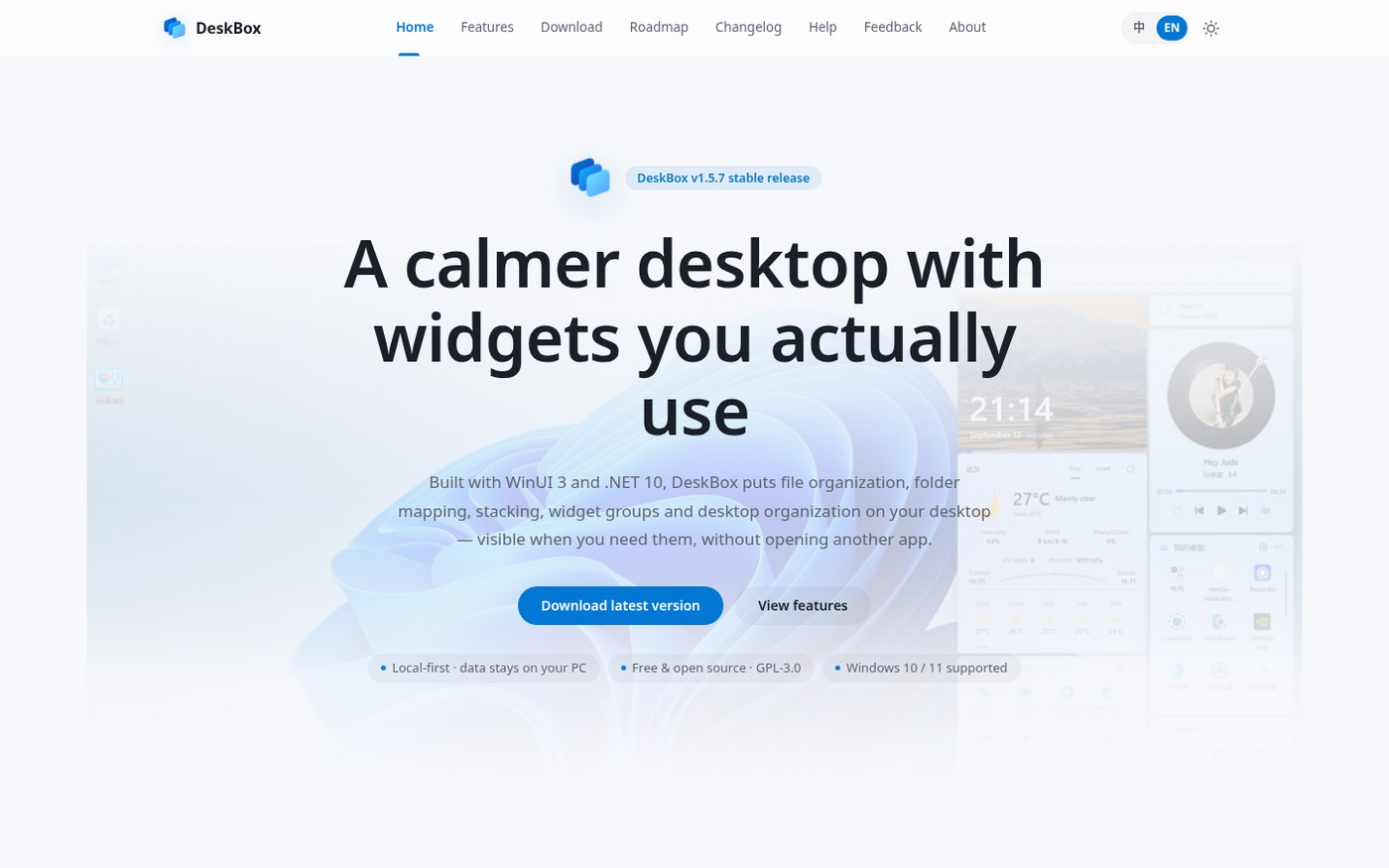
At a glance
| Item | Details |
|---|---|
| Type | Windows desktop organizer / file grids and widgets |
| Version | 1.5.9 (released October 23, 2026; latest on GitHub when checked) |
| Price | Free for personal use; GPL-3.0 |
| Platform | Windows 10 / 11, x64 and ARM64 |
| Stack | C# / WinUI 3 / .NET 10 Native AOT, ships a private Windows App Runtime |
| Site | deskbox.fun |
| Download | Releases · DeskBox_Setup_1.5.9_x64 / arm64 (SHA-256 on the page) |
| Source | Tianyu199509/DeskBox (~7.5k stars when checked) |
| UI languages | Simplified Chinese and a dozen-plus other languages |
| Signing | Installer currently unsigned; always verify SHA-256 |
The home-page badge sometimes still shows an older patch — trust the GitHub Releases tag.
Core idea: file grids, not a fake desktop
DeskBox is not selling a flashy wallpaper skin. The pitch is:
- File grids / mapped folders: each grid backs a real folder; create a managed area, or map an existing folder without moving it.
- Stacks: group manually or by rules; expand inside the grid or pop a grid browser.
- Organize Desktop: scoop scattered desktop icons into grids and expand when needed.
- Drag-and-drop follows Explorer habits (cross-volume copy, modifier keys for shortcuts, and so on); you can “Show in File Explorer”.
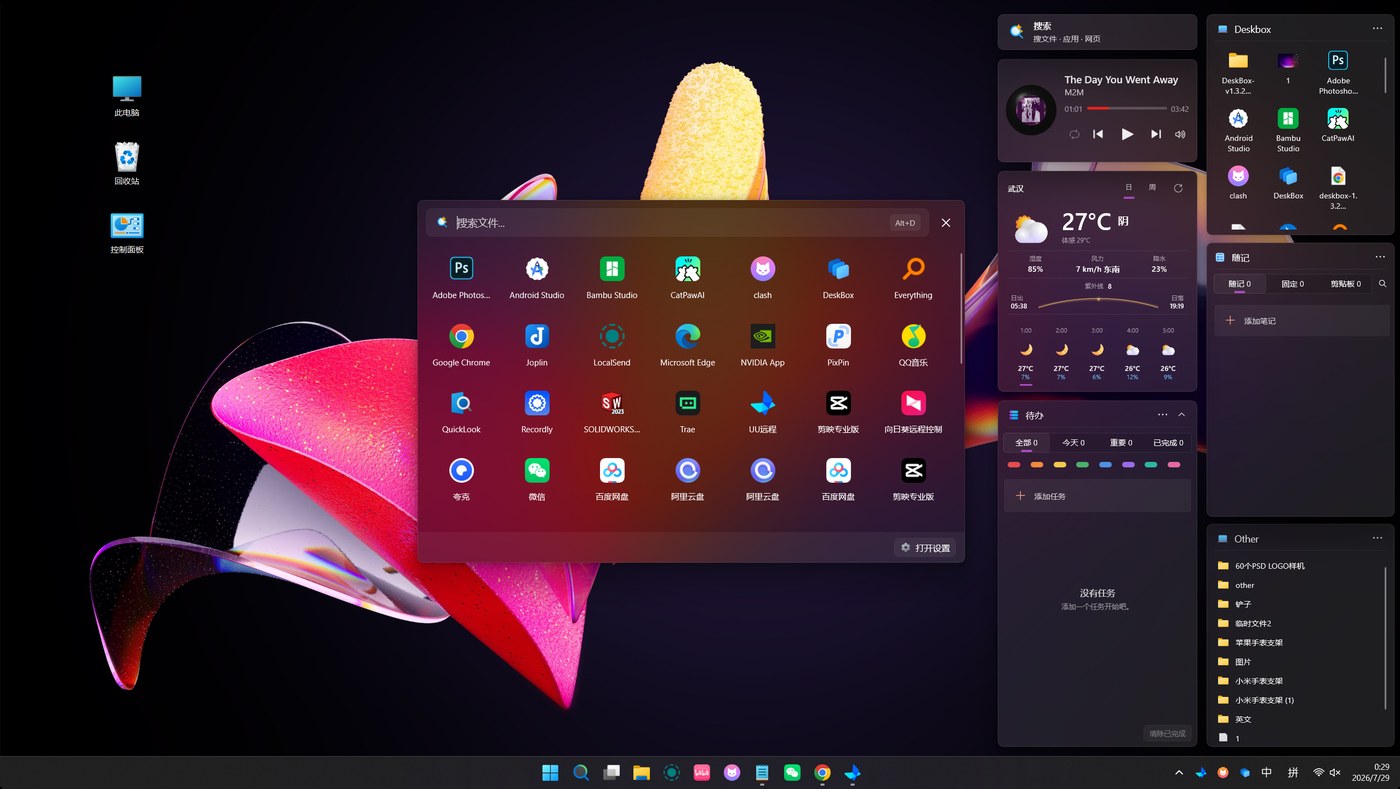
Extras include todos, quick notes, search, weather and music controls — the author frames them as handy add-ons; the main promise is still file organization.
How it pairs with PowerToys and Everything
Windows power-user tools each own a lane:
| Need | Better fit |
|---|---|
| Bulk rename, window layouts, color picker and other system utilities | Microsoft PowerToys (EN pending) |
| Instant filename search across the disk | Everything |
| Desktop icon piles and folder grids stuck on the desktop | DeskBox |
| What to install after a fresh Windows setup | Windows essential software list (2026) (EN pending) |
DeskBox does not replace Everything’s indexed search, and it is not PowerToys’ system utility suite — it solves visible, touchable file layout on the desktop. For C: cleanup and leftover uninstalls, see Mole Windows (EN pending).
Install notes: unsigned + checksum
The 1.5.9 x64 / ARM64 setups are full Native AOT with an embedded Runtime and work offline. The Release notes say the installer is currently unsigned — verify the SHA-256 on the page after download (x64 started with 3B8FAD94…586E4A when we checked; use the live Release value).
SmartScreen or antivirus may block unsigned setups — download only from the official site / Releases, verify the checksum, then Run anyway. Skip third-party mirrors.
Local-first and privacy boundaries
The author stresses that files, notes, todos, layout and settings stay on the machine; the product is not a “cloud desktop”. Grids are ordinary folders — uninstall DeskBox and your files are still where they were. That differs from organizers that absorb icons into a private database.
Weather / music widgets may need network access per in-app permissions; core file organizing does not require an account. In enterprise environments still use change control and stick to the official package + SHA-256.
Who it is for (and who should skip)
Good fit: Win10/11 desktops that need Fences-style piles without paying; people who want data on-disk and auditable source; ARM64 laptops that want the same experience.
Skip: environments that require code-signed enterprise software only; anyone expecting a full File Explorer replacement or a “second desktop OS”; if the real pain is whole-disk filename search (use Everything) or a system utility pack (use PowerToys).
Download: latest GitHub Releases. Version, checksums and signing status follow the October 25, 2026 Release notes.


