


Reading a foreign-language tech doc or overseas news often means: copy a paragraph, switch to a translator site, switch back — layout is gone and context is broken. Side-by-side reading helps, but you may not want to dump the whole page into a heavy “immersive” tool and tune it for ten minutes.
mewCat (Chinese product name 译趣喵) is a Chrome web-translation extension: it shows the translation next to the original for bilingual reading, supports selection/hover lookup, optionally wires a vision model for in-image text translation, and can call a generative model for page summaries / concept explainers. The UI is a blue-and-white illustration theme the author calls “Letter from Clear Skies”. Chrome Web Store: mewCat; author post on V2EX. Researched October 24, 2026.
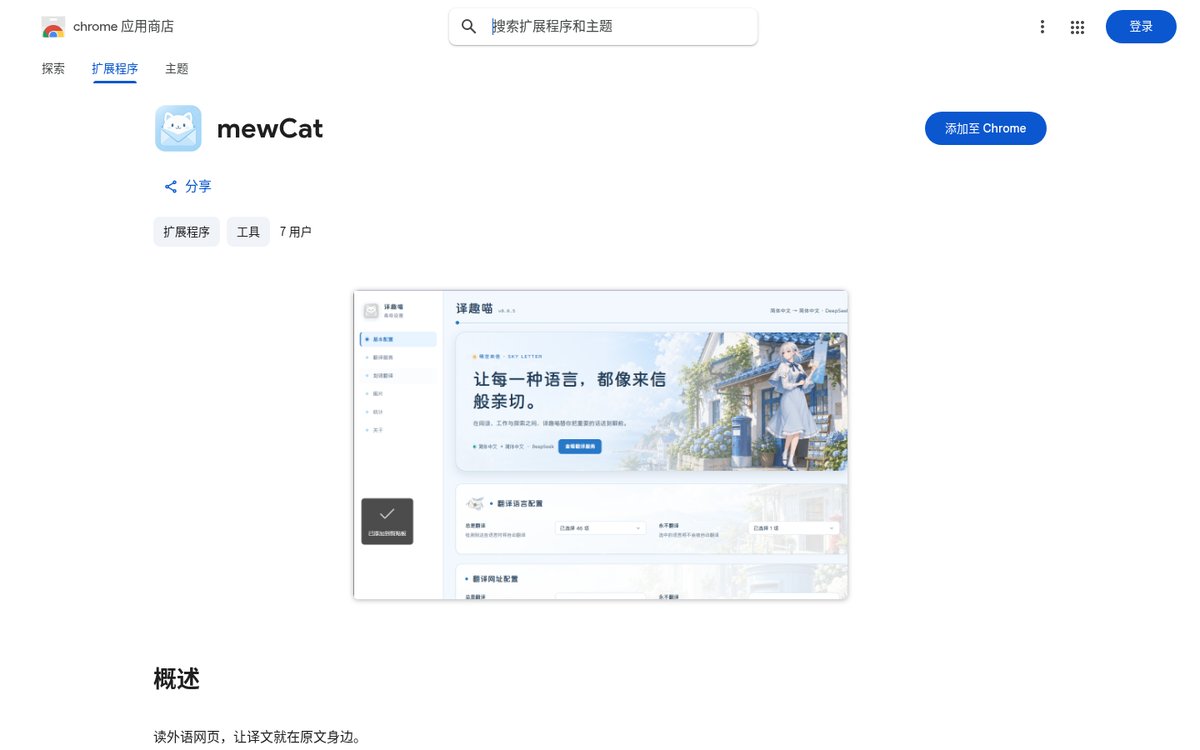
At a glance
| Item | Details |
|---|---|
| Type | Chrome extension (Manifest V3) |
| Version | 1.1.0 (store page showed an update around October 23, 2026) |
| Users | About 7 when checked; no ratings yet |
| Size | ~13.59 MiB |
| UI language | Chinese (China) — the product UI itself |
| Price | Extension free; default Google channel needs no API key; bring-your-own model keys are billed by that provider |
| Chrome | Store listing above |
| Open source | kidrue/chorme-translate (repo name has a typo; it points at mewcat-plugin-browser, ~2 stars when checked) |
The extension is brand-new with single-digit users. Below follows what we could verify from the store listing, the embedded manifest and the V2EX post.
What it can do
Store copy and the author post break capabilities into:
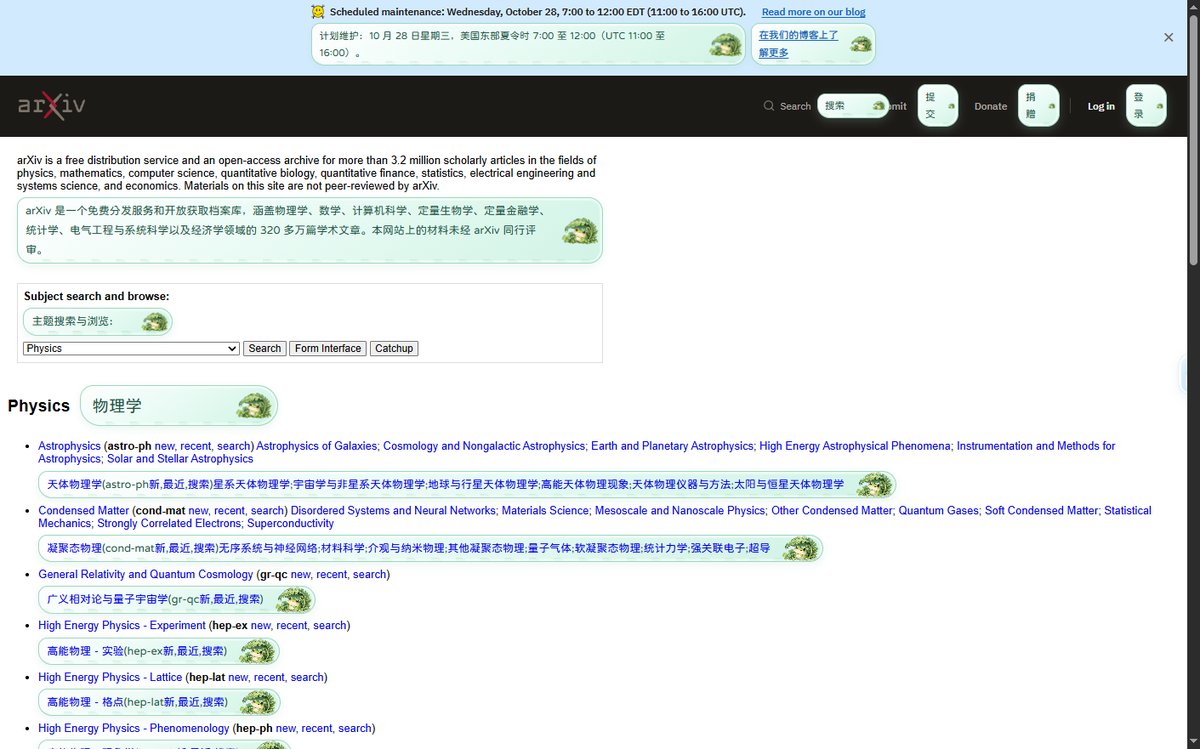
- Bilingual page reading. Translation appears near the original, trying to keep layout; a floating button toggles it.
- Selection translation. Highlight a word, sentence or paragraph to look it up.
- Image translation (needs a vision model you configure): OCR text in page images and show the translation on the image.
- AI extras (needs a generative model and the matching toggles): page summary, concept explainers on selection.
- Choose your translation backend: default Google Translate with no API key; a mewCat AI free text-translation entry (author says no key / invite code); or paste your own key for OpenAI, DeepSeek, Gemini, or a custom endpoint.
- Reading habits: target language, translation style, per-site rules; incremental translation for dynamically loaded content.
First-minute path can stay short: install → open a foreign-language page → hit the floating button for bilingual mode; no key required yet. Image translation and summaries are optional extras — cost follows whichever provider you pick.
Permissions and privacy (verified on the store)
From the store details and embedded manifest when we checked:
| Item | Content |
|---|---|
| host_permissions | |
| permissions | storage, sidePanel, tabs, scripting, contextMenus, declarativeNetRequest, declarativeNetRequestWithHostAccess |
| Privacy claim | Developer checked “does not collect or use your data”; data not sold to third parties and not used for non-core purposes |
That is not the same as “translated text never leaves your machine”. Both the store and the author state that when translation or AI analysis runs, the relevant text or images go to the provider you chose. The default Google channel needs a network and is subject to rate limits and product changes. Sensitive intranet pages or docs that contain secrets deserve a pause before you enable translation.
Source is on GitHub (a monorepo: extension + Fastify service, and so on). For any unfamiliar extension, try a non-critical profile first.
How it sits next to other browser extensions on this site
- To archive ChatGPT / Claude chats as Markdown, use AI Chat Clipper — Clipper is for export; mewCat is for reading-time bilingual view.
- If you want an extension that tidies bookmarks/tabs or fills forms from one sentence, that is Agent-style territory such as Starizon AI (no EN version yet).
- If the goal is “let the browser itself browse, then build a sourced table”, see Alibaba’s open-source qz (轻舟) (EN pending).
mewCat is closer to classic immersive translation: lower the cost of switching windows, not take over browser actions.
Practical caveats
V2EX already has feedback: on some sites, bilingual mode with a translated-text background can mess up layout. The author suggested switching to a no-background translation style. DOM differences across sites mean missed spans and misalignment can still happen; quality is entirely whatever channel / model you picked.
- The default Google channel can be flaky on some networks (including many mainland China connections) — try one page right after install; if it fails, switch to the mewCat free entry or your own key.
- Do not turn on image translation or summaries immediately; confirm billing and privacy boundaries first.
- The repo name
chorme-translateis the author’s typo — bookmark the store IDnnmceoehnacdjdpeeocdopnaejcnaibmormewcat-plugin-browser.
Who it is for (and who should wait)
| Your situation | Our take |
|---|---|
| You often read English docs / overseas blogs and want bilingual view on the same page | A good fit |
| You like a clean blue-and-white UI and will fill in a model key when needed | A good fit |
| You need rock-solid support on complex sites, or system-level / CAT-grade translation | Wait — users and ratings are still tiny; adaptation is iterating |
| You need a guaranteed default channel on every network | Not promised |
Install from the store: mewCat. Version, user count and permissions follow the October 24, 2026 Chrome Web Store page.


