


A colleague drops an infographic screenshot and the boss says “change two numbers for the weekly meeting” — the source file is long gone. Redrawing an architecture diagram often takes an hour or two; pasting the whole page as a flat image into PowerPoint means you still cannot edit the text.
image2ppt.asia does something different: it rebuilds an image or PDF page into a native editable PPTX — text as text boxes, arrows and color blocks as shapes, icons on separate layers when it can. The author posted a hands-on write-up on V2EX (a Chinese tech forum). Note: it is not the same product as the overseas site image2ppt.com. This article covers only the .asia site. Researched October 24, 2026.
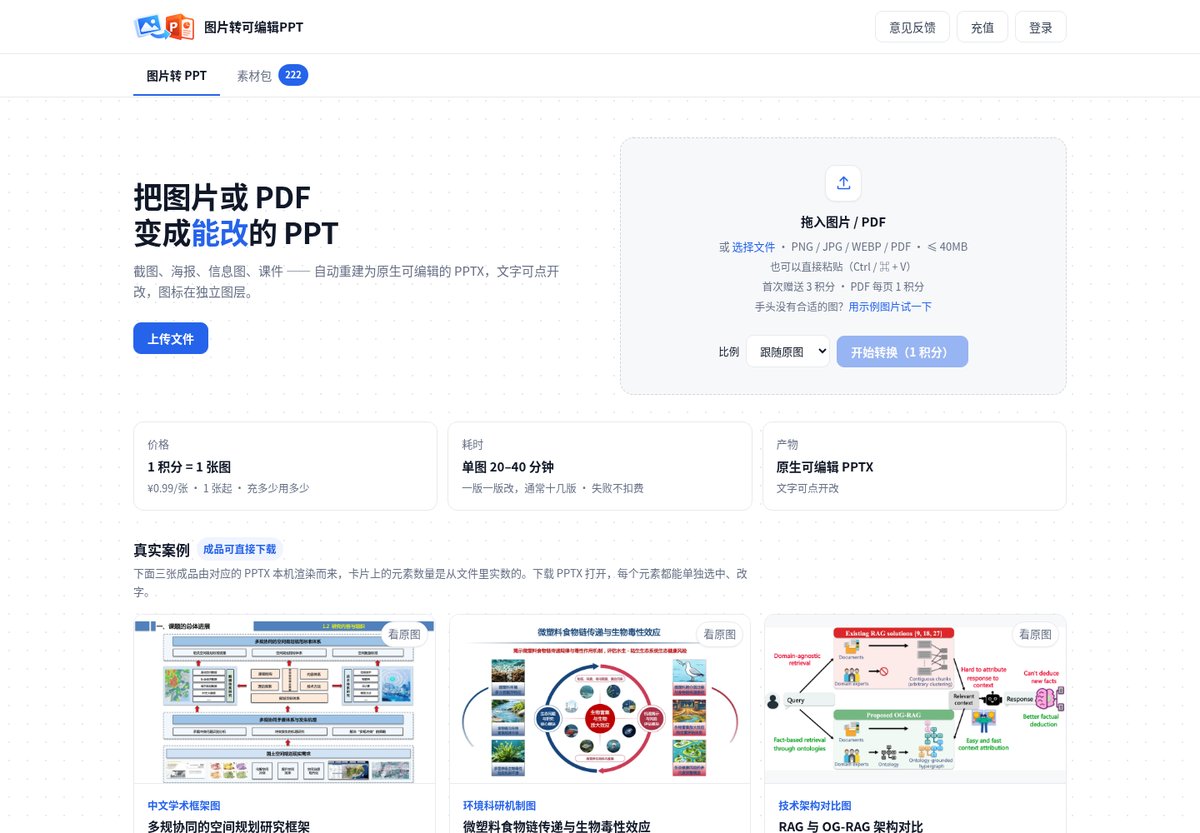
Capability boundaries first (more important than the marketing line)
The author groups results into three kinds of input. After checking the site examples, we remember them like this:
| Type | Typical content | What you actually get |
|---|---|---|
| Most reliable | Academic frameworks, flowcharts, org charts — text + simple shapes | Titles, cards and arrows are separately selectable; you can change text, color and position |
| Do not expect vectorization | Photo-heavy illustrations, maps | Often cropped and re-pasted by region — movable/replaceable, not redrawn as vectors; blurry source text will not magically sharpen |
| Unstable today | Huge images, very long screenshots | Crop into key regions or split by page first |
Acceptance is three checks (author’s own wording): double-click text and get a cursor; select an arrow/card and see handles; the Selection Pane shows a set of independent objects. Pass all three before you call it truly editable.
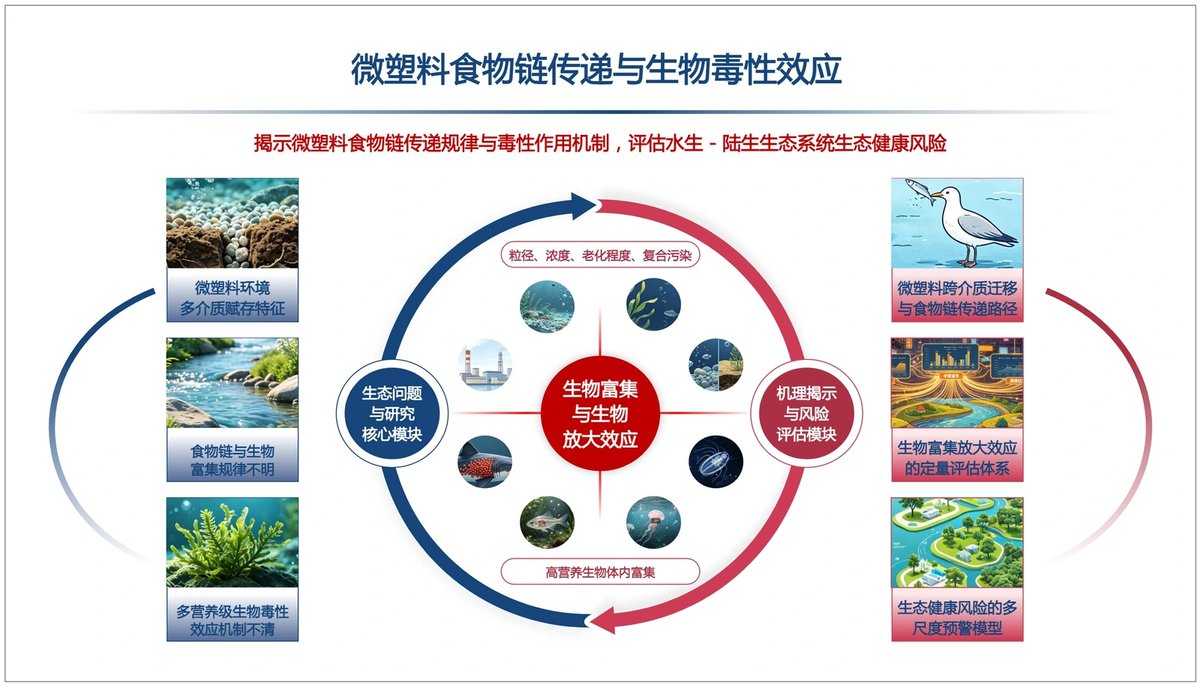
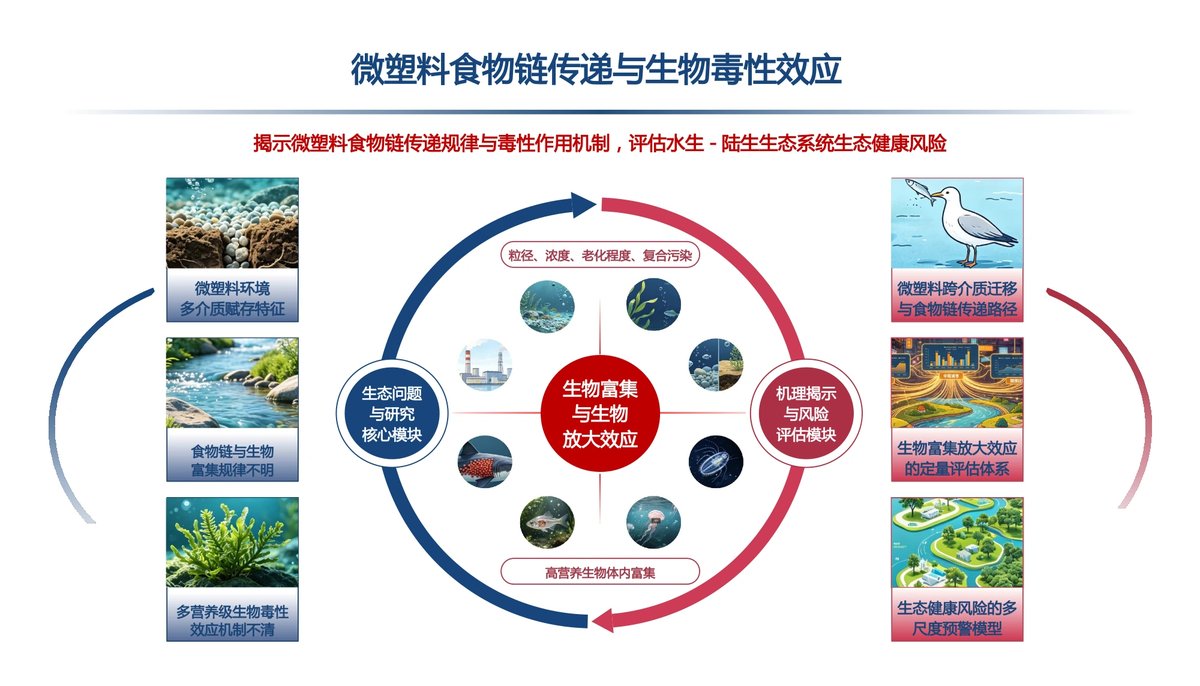
At a glance
| Item | Details |
|---|---|
| Type | Online web tool (upload required) |
| URL | image2ppt.asia |
| Input | PNG / JPG / WEBP / PDF; or paste with Ctrl/⌘+V |
| Size limit | ≤ 40 MB |
| Time | About 20–40 minutes per image (multi-round “render → compare to original → revise”; denser slides take longer) |
| Credits | 1 credit = 1 image; each PDF page = 1 credit; first login gifts 3 credits; failures are not charged |
| Billing | No subscription — pay-as-you-go; top-up page shows tiers such as ¥9.90 CNY (check the live page) |
| Login | Email code / password; first login auto-registers |
| Output | Native editable PPTX; the site also offers a sample “asset pack” for single-page download |
The slowness is intentional: it is not one-shot generation, but successive passes that approach the original. You can download intermediate drafts, leave the page, and come back later.
How to use the web version
- Open image2ppt.asia and sign in (you get 3 credits).
- Upload or paste a clearly structured diagram (flowcharts / frameworks first); aspect ratio can follow the original, 16:9 or 4:3.
- Start conversion and do something else; come back in 20–40 minutes for the PPTX.
- Open in PowerPoint / WPS / Keynote and run the three acceptance checks; if it fails, try a cropped region (failures do not consume credits).
The author also mentioned a same-stack open-source skill named img2ppt for people who already use Claude Code / Codex — same backend capability, different UX. When we checked, neither the site nor the V2EX post linked a clickable repo; we will not invent a URL. If you want the skill, wait for the author to publish it or ask on the original thread.
Privacy and caveats
- Images / PDFs are uploaded to the server — this is not browser-local conversion. Company org charts, unpublished data or personal info need your own compliance check first.
- The footer says results are for learning and office use; registration notes forbid mass credit farming.
- There is a personal center / top-up / conversion history; an API exists (first call gifts 5 credits) — quotas follow whatever the site says that day.
- Very long images, blurry scans and heavy illustration: lower expectations, or crop before upload.
How it pairs with tools on this site
- You already have an editable pptx and only want to open / present / collaborate in the browser: see SlimPPT on the Chinese site (SlimPPT) — no English version yet.
- You need blank templates, not “rebuild from an image”: our free résumé and PPT templates post (China-oriented downloads; skipped for EN).
- You only need format conversion (HEIC, PDF, Office) offline on your machine: use Filee; a Shift-drag radial menu for similar jobs is covered in DragShift on the Chinese site (EN translation pending).
image2ppt solves “I only have a picture and need editable objects”; SlimPPT solves “I already have pptx, how do I present”; template posts solve “start from blank” — do not mix the three needs.
Who it is for (and who should skip)
| Your situation | Our take |
|---|---|
| You often receive framework / flowchart screenshots without source files and need to edit text | A strong fit |
| You can wait ~30 minutes per slide and the diagram is clearly structured | A good fit |
| You need real-time output, or the image is mostly photos / a long scroll | Skip or crop first |
| Content cannot leave your network | Skip — this is an upload service |
| You expect 100% vector restoration of artistic illustration | Not realistic |
Tool entry: image2ppt.asia. Credits, timing and cases follow the October 24, 2026 site and V2EX thread; top-up tiers may change — check the live page before paying.


