


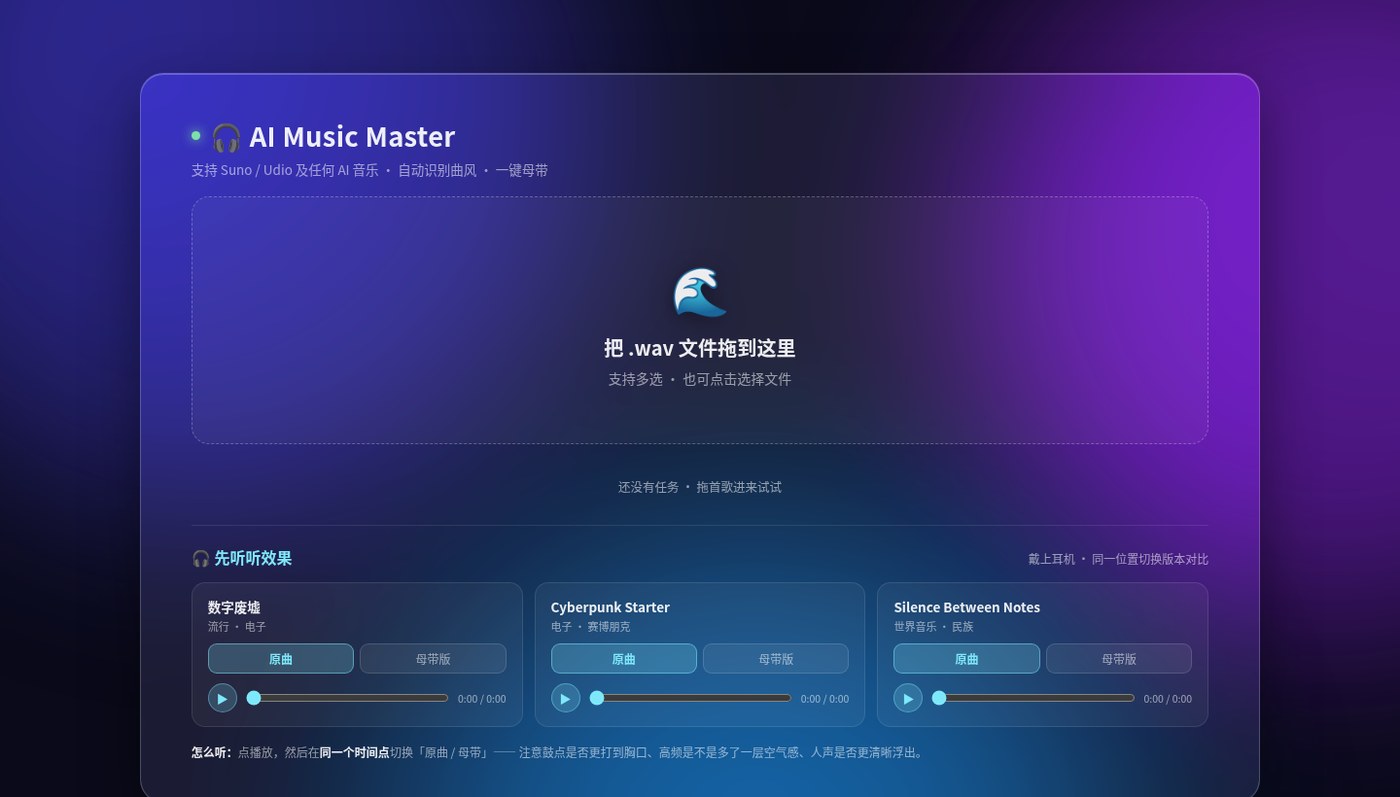
Suno or Udio exports that have a decent melody — but sound quiet, thin in the low end, with vocals glued to the backing? AI Music Master (yinghuo.fun/sunomaster) is a small web “mastering” tool: upload a WAV, let it pick (or you pick) a genre treatment, A/B the original vs mastered take, then download. No DAW, no hand-tweaking EQ and dynamics plugins. A launch post on V2EX (a Chinese developer forum) says it is currently free and does not redistribute processed audio; mobile browsers work. Researched November 5, 2026.
At a glance
| Item | Details |
|---|---|
| Type | Online audio mastering / loudness & band cleanup (aimed at AI songs and demos) |
| URL | https://yinghuo.fun/sunomaster |
| Input | .wav (choose WAV when downloading from Suno; also claims to accept self-recorded demos and multi-select) |
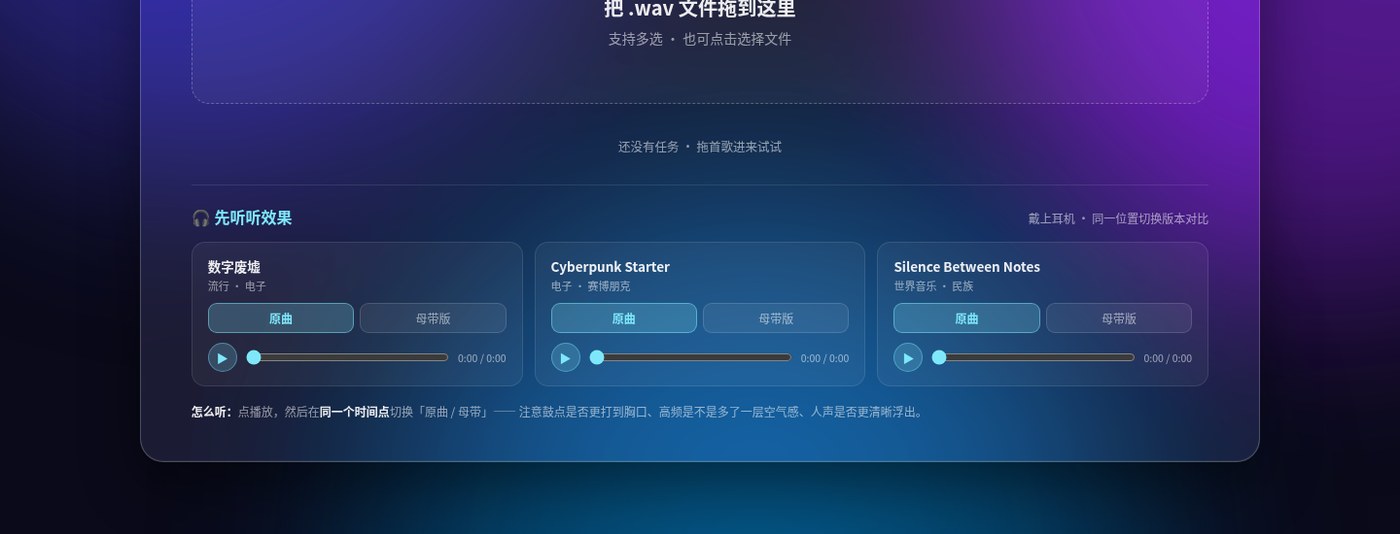
| Flow | Upload → auto/manual genre → process → toggle original/mastered at the same playhead → download |
| Demos | Page includes several examples you can switch between original / mastered |
| Pricing (launch note) | Currently free (confirm on the live page that day) |
| Privacy (launch note) | Claims no redistribution; still judge uploads against your own privacy bar |
| Platform | Modern browsers; site says mobile-friendly |
What it actually does
- Genre-aware push: e.g. epic tracks get more low-end and impact, folk stays lighter, electronic leans brighter — not one fixed preset for every song (trust whatever options the tool shows).
- Hear before you download: flip original / mastered at the same timestamp to judge drums, vocal separation, and high-end “air”.
- Zero DAW: built for “export → share a demo”, not studio-grade mastering sessions.
How it sits next to tools on this site
| You care more about… | Better fit |
|---|---|
| Local ebooks → audiobooks with cloned voices | Folivox (EN pending) |
| Local voice cloning, video dubbing and transcription | VoiceStudio (EN pending) |
| Legal free music / asset site roundups | Free legal resources guide (EN pending) |
| Quickly loudness-and-band-clean an AI-exported WAV before sharing | AI Music Master |
In short: Folivox / VoiceStudio generate or clone voices; the resources guide covers licensed asset sources. AI Music Master only does post-export listenability cleanup — it does not rewrite the song.
Boundaries (read before you upload)
- Good fit: frequent Suno / Udio users who want demos leveled before sending to friends or short video; do not want to open a full host DAW.
- Caveats: WAV-first input; this “master” is convenience processing — not a substitute for a release-grade mastering engineer; free tier and whether uploads are retained follow the site’s policy that day — do not upload sensitive finals to a public web tool.
- Not a great fit: multi-track polish, sidechain, vocal stem remixes; offline, auditable mastering pipelines.
Bottom line
AI Music Master turns the common “exported quiet and muddy” complaint into three web steps: drop WAV, pick genre, A/B and download. Still hunting local TTS / dubbing? See VoiceStudio / Folivox (EN pending). Just need an AI demo to sound a bit better before you share it — this page is enough.


