


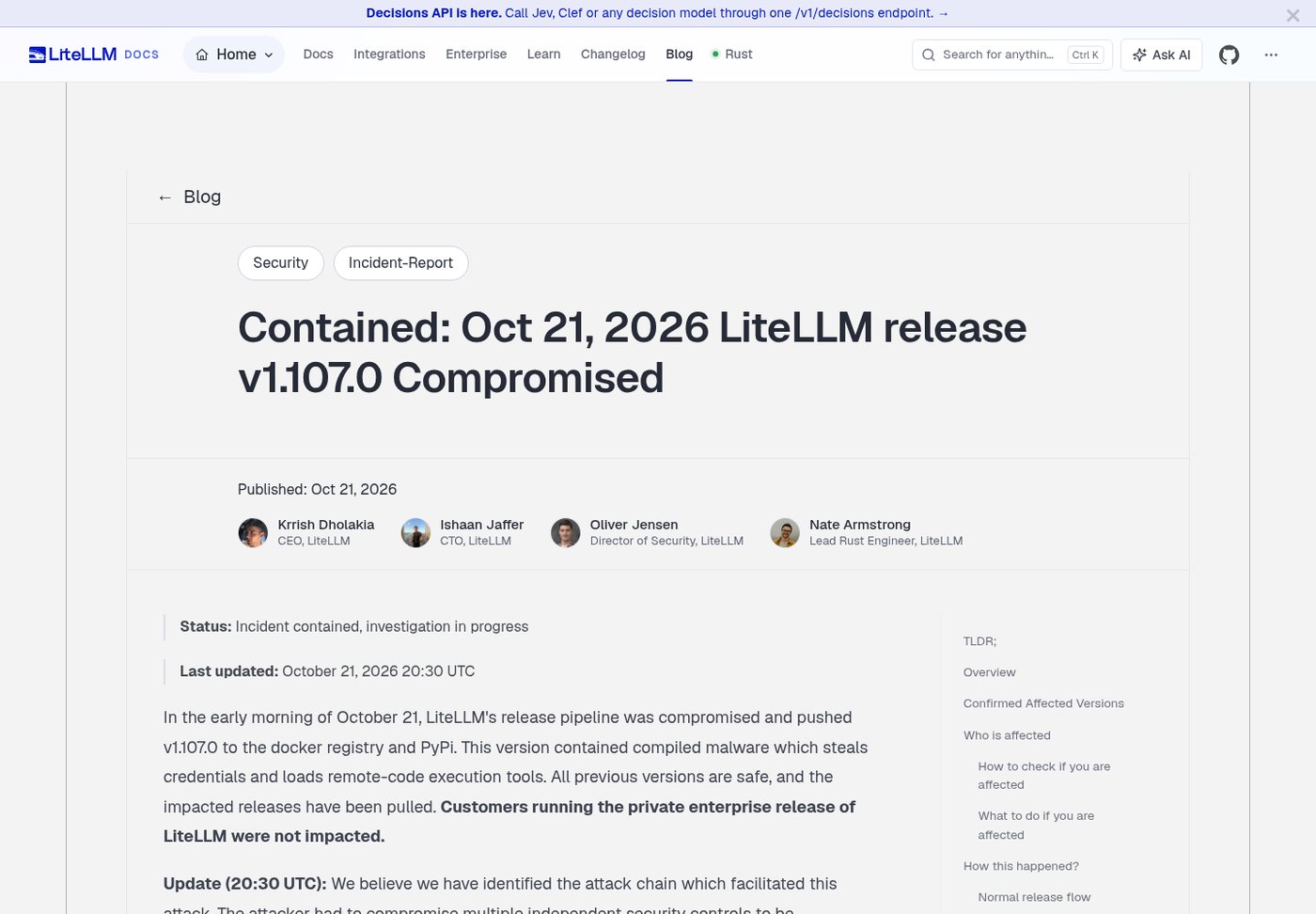
On the evening of October 21 (Beijing time; around 11:39 UTC), the Python world got a nasty surprise: version 1.107.0 of the AI gateway library LiteLLM published on PyPI had been tampered with to carry a credential stealer and a remote-execution backdoor. Once that version lands in a Python environment, any Python process on the machine that starts up (including pip itself and your IDE’s language server) triggers it. It collects SSH private keys, cloud credentials, passwords saved in your browser, login tokens for Claude Code, Codex and Cursor, and the model API keys stored in LiteLLM’s database, then encrypts and exfiltrates them.
LiteLLM is the go-to tool for self-hosting an AI API proxy and managing model keys for a team, and plenty of agent frameworks pull it in as a dependency. So even if you never installed it directly, it’s worth five minutes to check. This article is based on the official incident report, the security issue on GitHub and SafeDep’s analysis. It gives you check commands that don’t start Python (tested on our own Linux machine) and the order of steps if you’re affected. Researched on the morning of October 22, 2026 (Beijing time); the investigation is ongoing, so defer to the official report for updates.
Bottom line first: are you affected?
| Your situation | Verdict |
|---|---|
| You installed or upgraded litellm with pip or uv without pinning a version between 11:39 and 13:23 UTC on October 21 | You very likely got 1.107.0; run the checks below |
You run the LiteLLM proxy in Docker with the latest, main-latest, main-stable or v1.107.0 tag and pulled or restarted it between 11:46 and 14:20 UTC |
The maintainers say to treat it as compromised |
Your dependencies use a loose range like litellm>=… (for example crewai[litellm] requires >=1.88.6,<2) and you rebuilt an environment or ran CI in that window |
It may have been pulled in; check as well |
| You’ve always pinned an explicit version of 1.106.2 or earlier | Not affected by this incident |
| You use LiteLLM Enterprise’s private image registry | The maintainers say it is not affected |
The maintainers confirmed only version 1.107.0 is affected; 1.106.2 and the 1.107.0rc1 and rc2 releases are clean, and the v1.107.0 source tag on GitHub contains no malicious files. As of the morning of October 22 (Beijing time), the latest litellm on PyPI is still 1.106.2, 1.107.0 has been pulled, all new releases are paused, and the advice is to pin litellm==1.106.2 for now.
What it steals
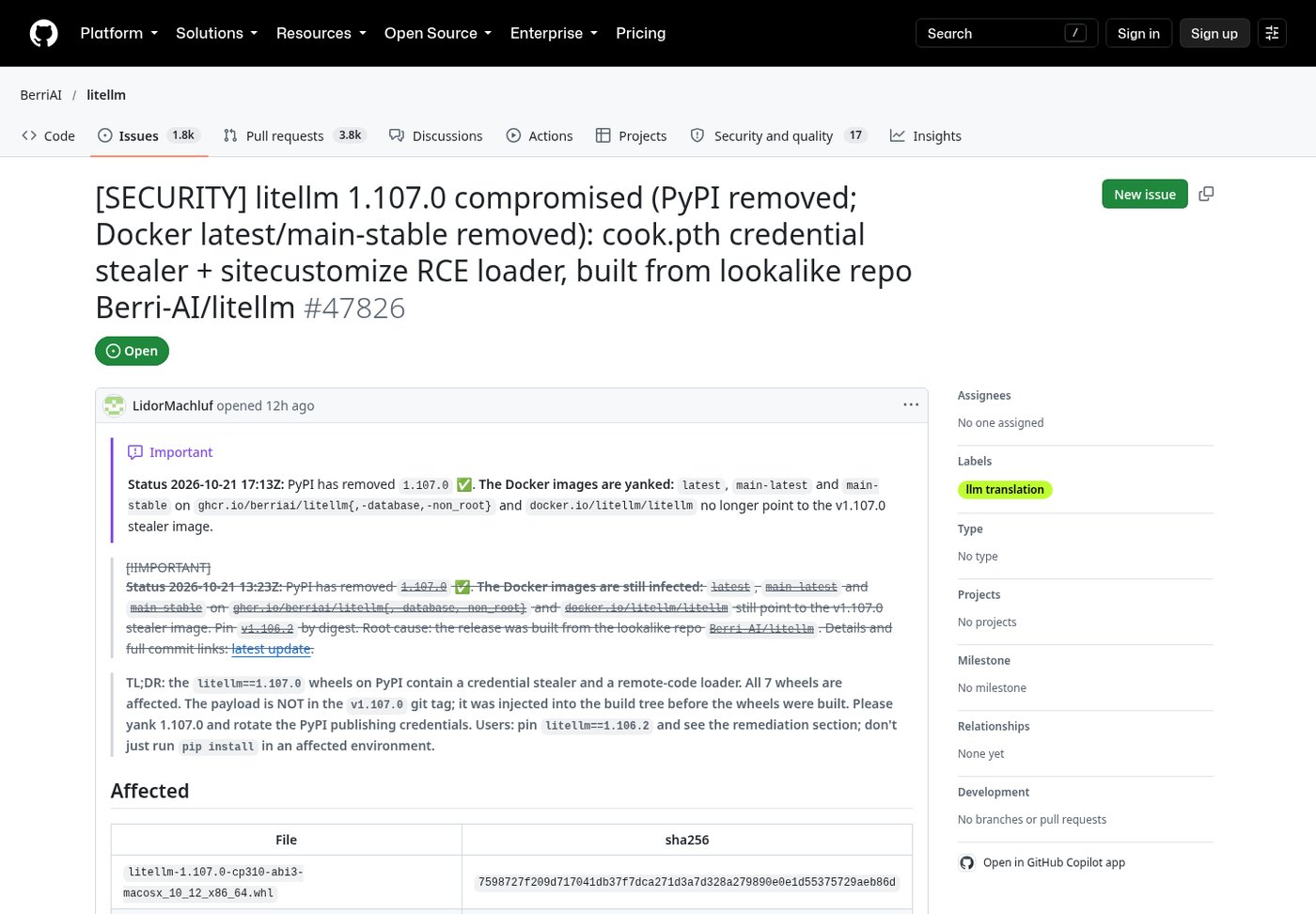
According to SafeDep’s unpacking of the packages and the decoded code posted in the GitHub issue, all 7 wheels of 1.107.0 (Linux, macOS and Windows) drop three files at the root of site-packages:
cook.pth: a single line,import cook. Python automatically executes lines starting with import in.pthfiles at startup, so you don’t have to import litellm; any Python process that starts triggers it.cook.py: the credential stealer. It bundles and encrypts what it collects and sends it to the look-alike domainwww.litellm.dev(not the official litellm.ai).sitecustomize.py: the backdoor. It starts a background daemon that checks a GitHub repository every hour for a server address, then downloads and runs code from it. That GitHub account was deleted about two hours after the incident began, but machines that ran before then may already have executed second-stage code.
The scope of theft is broad. Grouped by category:
| Category | Details |
|---|---|
| System and network | Hostname, username, IPs, routes, listening ports |
| Browsers | Saved passwords from Chromium-based browsers (decrypted), cookies and history; Firefox logins.json and key4.db |
| Key files | ~/.ssh/*, GPG keys, TLS private keys, .pem, .key, .pfx files and the like in your home directory |
| Shell history | bash, zsh, PowerShell and cmd history |
| Cloud and dev credentials | AWS, Azure, gcloud, kubeconfig, Docker, gh logins, rclone, .netrc, .git-credentials, .npmrc, .pypirc, .env files |
| CI/CD | GitLab Runner, Jenkins, Vault and Terraform credentials, Kubernetes service account tokens |
| AI tools | Claude Code, Claude Desktop, Cursor, Windsurf, Copilot, VS Code mcp.json, Gemini CLI, Codex auth.json, Aider, OpenCode, Qwen, Kiro, Hugging Face tokens and more |
| LiteLLM database | Reads DATABASE_URL and dumps the two tables that store model API keys |
| Process environment | Its own environment variables and, on Linux, those of other processes |
If you use LiteLLM as your team’s model proxy, the last two rows are the worst: your upstream keys for OpenAI, Anthropic, DeepSeek and others, plus the virtual keys you handed out to colleagues, may all have leaked.
Checking: don’t run pip first
The official report specifically warns: on a possibly affected machine, don’t start with pip install or pip show. pip is itself a Python program, and starting it runs cook.pth and sitecustomize.py again. So the first step is to look for the files directly with system tools like find and ls.
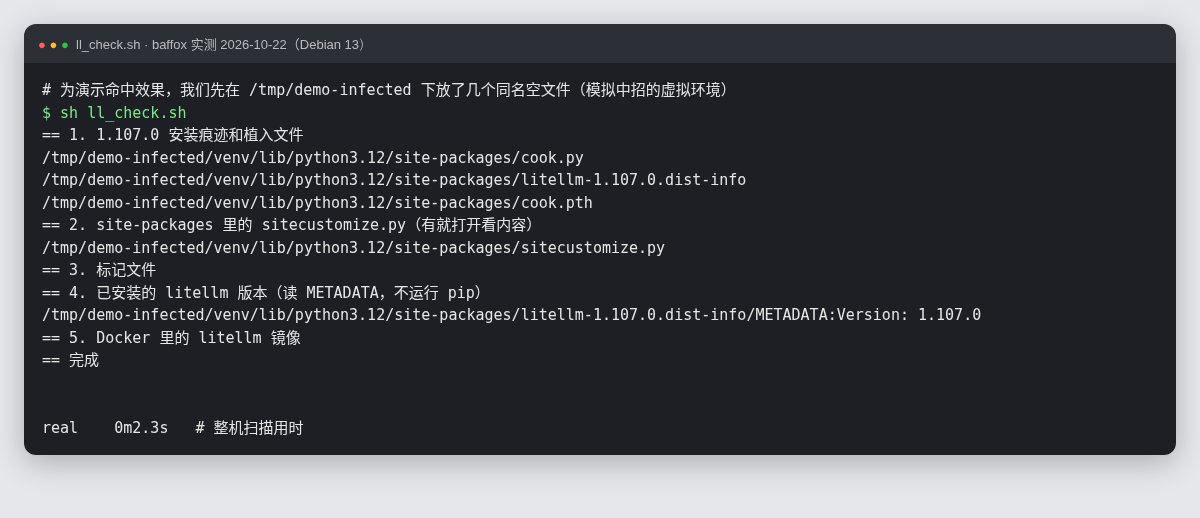
We put together a read-only check script that works on Linux and macOS. Save it as ll_check.sh and run it with sh ll_check.sh (to scan the whole machine, use sudo so you don’t miss other users’ directories because of permissions):
#!/bin/sh
# LiteLLM 1.107.0 compromise check (read-only, does not start Python)
echo "== 1. Traces of 1.107.0 and the dropped files"
find / -path /proc -prune -o \( -name 'litellm-1.107.0.dist-info' -o -name 'cook.pth' -o -name 'cook.py' \) -print 2>/dev/null
echo "== 2. sitecustomize.py in site-packages (open it if found)"
find / -path /proc -prune -o -path '*-packages/sitecustomize.py' -print 2>/dev/null
echo "== 3. Marker files"
ls -la /tmp/.pc_once_72129118c59f5636c0bb /tmp/remote_code_loader.lock 2>/dev/null
echo "== 4. Installed litellm versions (reads METADATA, does not run pip)"
find / -path /proc -prune -o -path '*-packages/litellm-*.dist-info/METADATA' -print 2>/dev/null | xargs -r grep -H '^Version:'
echo "== 5. litellm images in Docker"
command -v docker >/dev/null && docker images --digests 2>/dev/null | grep -i litellm
echo "== Done"
How to read the results:
- Output in step 1: you almost certainly installed 1.107.0.
- Output in step 2:
sitecustomize.pyis rare in a normal environment. If you find one, open it; if it containsremote_code_loaderorletters9813, it’s the backdoor. - Step 3: if
/tmp/.pc_once_…exists, your data has already been sent; ifremote_code_loader.lockexists, the backdoor daemon has run. But the absence of these files doesn’t mean you’re safe: restarting a container or clearing/tmpdeletes them. - Step 5: if an image digest starts with
sha256:1bbcb1443bc9(official imagelitellm/litellm),sha256:c00f9d92c427(litellm-database) orsha256:7b00e91cd2fe(litellm-non_root), it’s a poisoned image.
Below is our test on a Debian 13 machine. To show what a hit looks like, we first created a few empty files with the same names under /tmp/demo-infected to simulate an infected environment. A full scan took about 2 seconds:
On Windows, you can use these two read-only commands in PowerShell (we haven’t run them on a real Windows machine; they only search for files and change nothing; scanning all of drive C takes a while):
Get-ChildItem C:\ -Recurse -Force -ErrorAction SilentlyContinue -Include cook.pth,cook.py,sitecustomize.py,litellm-1.107.0.dist-info | Select-Object FullName
docker images --digests | Select-String litellm
If you have many environments across conda, pyenv, uv and pipx, a full-disk search is easier and safer than running pip list in each one.
If you’re affected: do it in this order
The order below comes from the official report (compiled by LidorMachluf, the security researcher who first spotted the problem), with a few additions of our own:
- Delete the files before touching Python. In a shell, delete
cook.pth,cook.pyandsitecustomize.pyfrom every affectedsite-packages, along with the matchingcook*.pycandsitecustomize*.pycunder__pycache__. - Kill the background daemon. On Linux, use
ps -ef | grep -i pythonto look for a suspicious Python process whose parent is PID 1 and whose working directory is/. It holds/tmp/remote_code_loader.lock, andlsof /tmp/remote_code_loader.lockshows you which process it is. - Reinstall a pinned version. Switch to
litellm==1.106.2. Safer still, delete and rebuild the virtual environment and Docker images entirely. Docker users should pinv1.106.2plus a digest and stop usinglatest. Note that the maintainers have removedlatestand the other floating tags, so a compose file that sayslitellm/litellm:latestwill now fail to pull. - Assume the data is already gone. If the machine had 1.107.0 installed and internet access, treat everything as leaked. Don’t count on luck.
- Rotate every credential the machine could reach: every upstream key stored in the LiteLLM proxy database, plus the master key and any virtual keys you issued; the database password in
DATABASE_URL; SSH keys (generate new ones, then remove the old public keys from servers’authorized_keysand from GitHub); GitHub (gh auth logout, sign in again, and revoke old OAuth authorizations and personal access tokens in GitHub settings); AI tools such as Claude Code, Codex and Cursor (sign out and back in, and recreate every API key in each provider’s console); cloud access keys and instance roles; and passwords saved in your browser for important sites (email, payments, domain registrars and server panels first). - Check whether anything was used. For AWS, the maintainers recommend searching CloudTrail for
GetCallerIdentitycalls around the install time and checking whether the machine’s role credentials were used from outside IPs. For other clouds and model platforms, look at recent usage and billing in each console for anything unusual.
How the attack happened
LiteLLM had a similar incident back in March, after which the maintainers tightened their release process considerably: releases run from a private repository, PyPI publishing uses Trusted Publishers, and Docker tags are immutable and signed. The attacker still got around it. According to the official report, it went roughly like this:
- The attacker obtained GitHub CLI login tokens belonging to three engineers, one of them a GitHub organization owner.
- With the owner’s token, they disabled branch protection and force-pushed a change that let the release workflow point to a different source repository.
- Using another engineer’s account, they approved a production release and built, signed and published the poisoned package and images from a look-alike repository,
Berri-AI/litellm(the real one isBerriAI/litellm, one hyphen apart), then deleted the workflow logs.
As for how the tokens leaked, the maintainers’ current assessment is this: they found that Claude Code can, in some situations, include the user’s GitHub CLI OAuth token in its response content. If a gateway logs full responses, the token ends up in LiteLLM’s logs. They also had an internet-exposed internal LiteLLM instance that contained an unfamiliar account with an innocent-looking name. The attacker most likely got into that instance through a recently patched vulnerability and pulled the tokens from its logs. This part is still being verified.
Separately, on September 30 LiteLLM disclosed a critical privilege-escalation vulnerability (GHSA-7hp6-4w63-5g45, letting an ordinary user escalate to proxy admin and execute commands) affecting several versions from 1.91.0 onward, fixed in 1.100.4, 1.101.3, 1.102.2, 1.103.1 and others. If you’re still running an old proxy, use this as the moment to upgrade to 1.106.2 as well.
Advice for anyone self-hosting an AI gateway
This incident holds useful lessons for individuals and small teams running their own AI API proxy:
- Pin versions. Put
litellm==1.106.2inrequirements.txtand, if you can, verify hashes with--require-hashes; with uv or poetry, commit the lock file. Pin Docker images by@sha256:digest instead oflatest. - Don’t adopt new releases on day one. In production, wait a day or two after a release until the community has reported no problems. This poisoned package was on PyPI for under two hours.
- Don’t expose the admin panel to the internet. Whether it’s LiteLLM or another proxy such as New API, keep the admin interface on your LAN, behind a VPN or behind Cloudflare Access, and check the user list now and then for accounts you don’t recognize.
- Don’t log full requests and responses. Gateway logs easily pick up tokens, keys and user data. Turn full logging off if you can, and redact if you must keep it.
- Keep as few credentials on dev machines as possible. Avoid long-lived tokens in directories your coding agent can read. If you only want to switch models between Claude Code and Codex, a local gateway like Magpie is enough; you don’t necessarily need a publicly reachable service.
Timeline (UTC)
| Time | Event |
|---|---|
| Oct 21, 10:08 | The attacker uses stolen tokens to bypass branch protection and modify the private release workflow |
| 11:39–11:40 | 7 poisoned 1.107.0 wheels are uploaded to PyPI |
| 11:46 | Poisoned Docker images are published, with latest and other tags pointing to them |
| About 12:06 | A security researcher files a security issue on GitHub |
| By 13:23 | PyPI removes 1.107.0 |
| 13:51 | Affected tags on GHCR are no longer available |
| 14:20 | All affected tags on Docker Hub are deleted or repointed to clean images |
| 18:30 | The maintainers publish the incident report, classified as “contained, under investigation” |
| 20:30 | The maintainers publish their preliminary attack chain, with updates every two hours after that |


