


Looking for a free Office alternative that can also sit next to an AI that edits real files? Many people start with ONLYOFFICE or LibreOffice, or with the Rust WordCraft trio we covered on the Chinese site. Here is another path: GenOffice — Genspark’s open-source, cross-platform AI office suite. Site: genoffice.ai; source: genspark-ai/genoffice (Apache-2.0). Researched October 26, 2026.
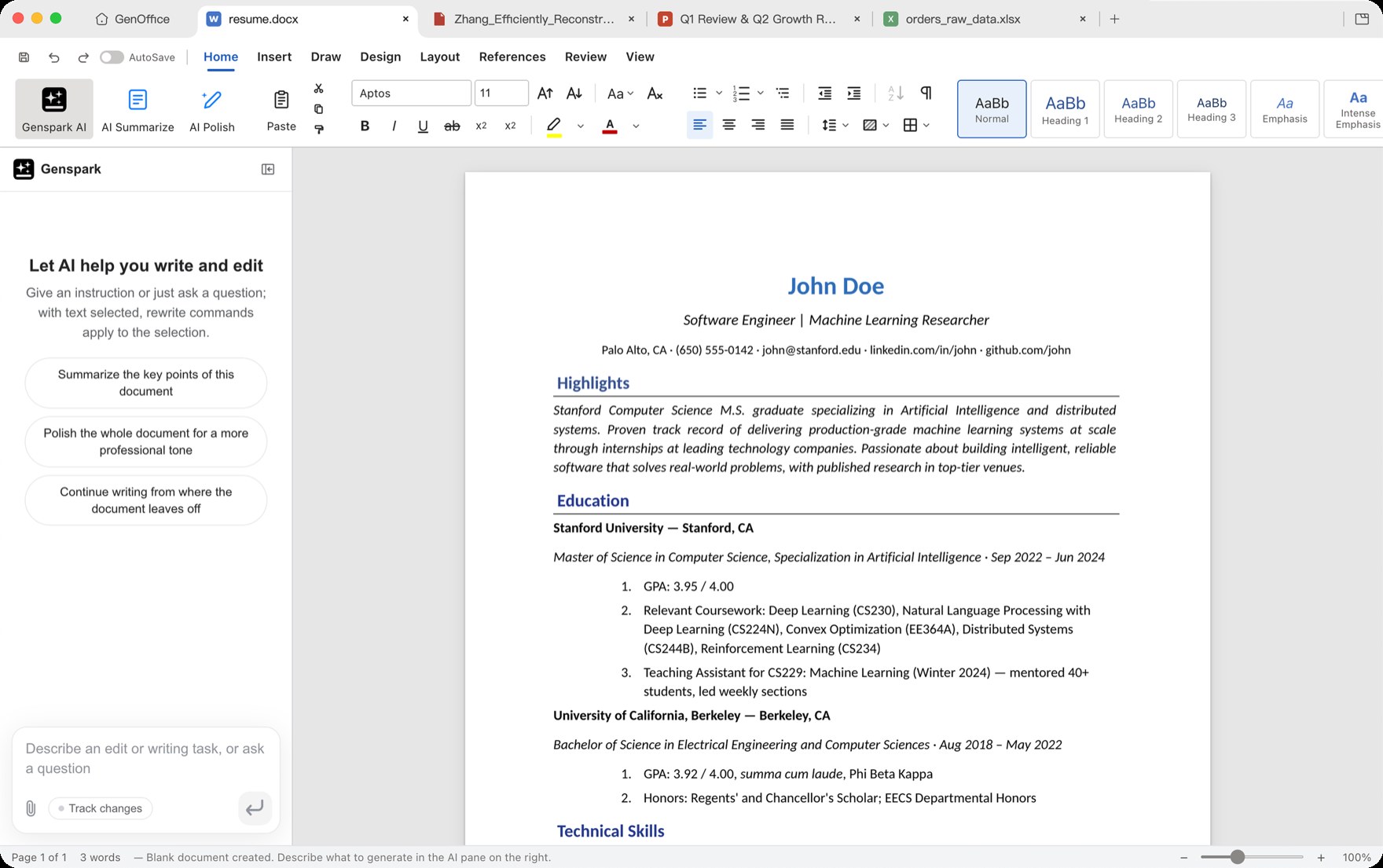
At a glance
| Item | Details |
|---|---|
| Type | Open-source AI office suite (Docs / Sheets / Slides / PDF / HTML / Markdown) |
| Version | v0.12.29 (released October 22, 2026; latest on GitHub when checked) |
| Price | App itself free, no ads, no watermark; AI uses Genspark quota or bring-your-own API key (BYOK) |
| Platform | Windows (x64 / ARM64), macOS (Apple Silicon / Intel), Linux (deb / rpm / AppImage) |
| License | Apache-2.0 |
| Site | genoffice.ai |
| Download | Releases · GenOfficeSetup …-x64.exe and siblings |
| Source | genspark-ai/genoffice (~10.8k stars when checked) |
| Privacy note | Official builds send limited usage stats by default; turn off under Settings → General |
Real Office files, not a proprietary export detour
GenOffice’s core promise is not “save to a proprietary format, then export”. It is:
- Open and save .docx / .xlsx / .pptx directly. Per the project, it only rewrites the parts you edited and keeps the rest of the bytes as intact as possible so round-trips back to Word / Excel / PowerPoint stay saner.
- PDF: in-page text edits via PDFium (original fonts kept), plus local PDF → Word / Excel / PowerPoint.
- HTML and Markdown editors; the home screen can full-text index local documents (including CJK).
On the AI side: sign in to Genspark for quota, or BYOK for Claude / OpenAI / Gemini / DeepSeek / Tongyi / Doubao and other keys, including OpenAI-compatible local endpoints. There is also a genoffice CLI and skills for Cursor / Claude Code — handy if you want a coding agent to edit real Office files on your machine. (Tongyi and Doubao are Alibaba and ByteDance model APIs popular in China; international users usually stick to Claude / OpenAI / Gemini / DeepSeek or a local endpoint.)
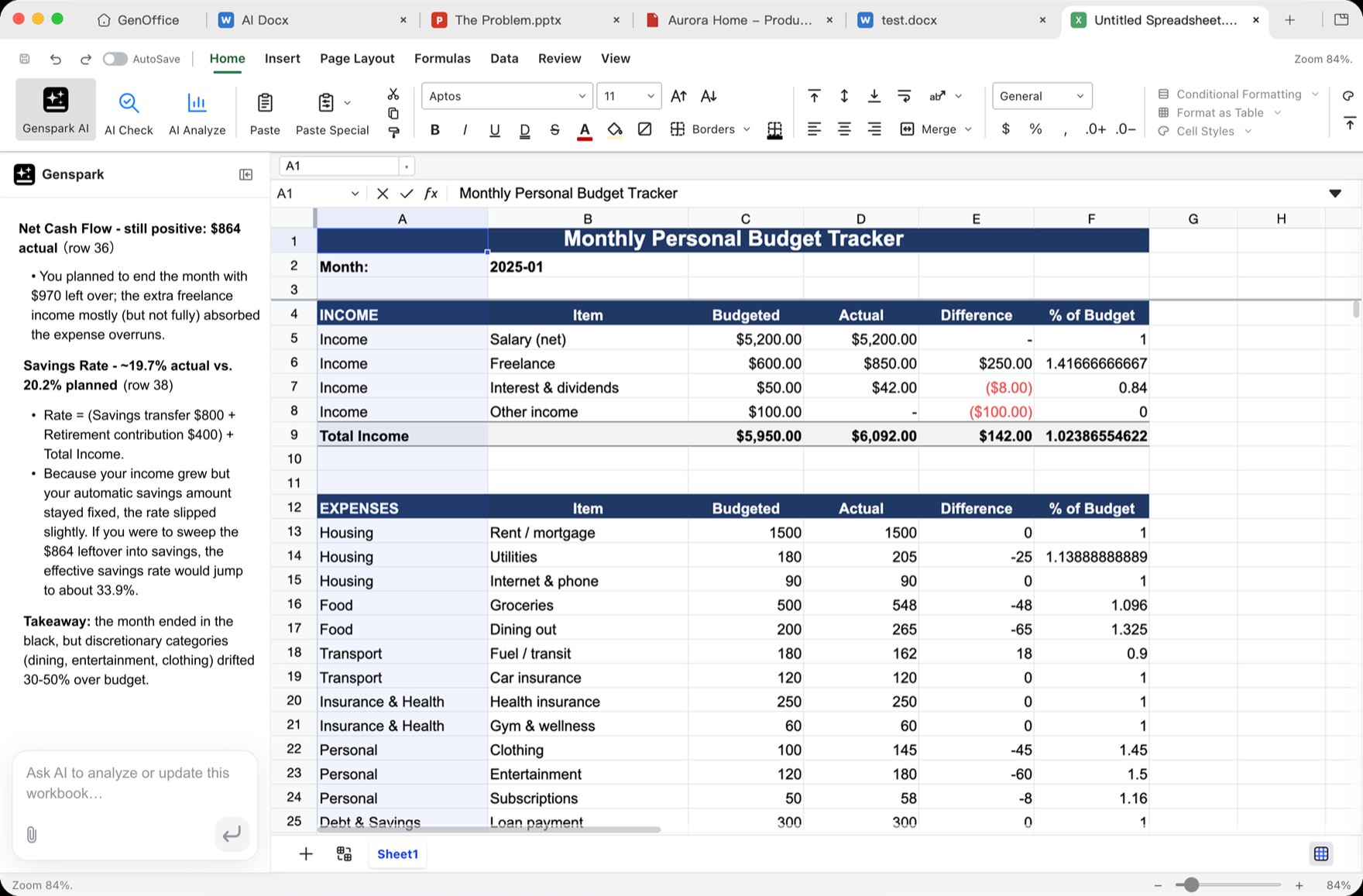
How it compares to other Office options on this site
| Need | Better fit |
|---|---|
| Mature, steady day-to-day office work (contracts, reports) | LibreOffice / ONLYOFFICE from our open-source alternatives roundup (EN pending) |
| Pure-Rust “rewrite from scratch” word / sheet / slides experiments | WordCraft and the Rust Office trio (EN pending) |
| One suite with built-in reviewable AI edits, and you accept default telemetry until you turn it off | GenOffice |
WordCraft and friends are still marked alpha and struggle with complex layout round-trips. GenOffice aims closer to “an AI Office you can actually work in” — but complex enterprise templates, macros, and tightly signed deployments still deserve a dry run on non-critical files first.
Privacy: documents stay local; stats are on by default
Official PRIVACY.md (updated August 26, 2026) states: open / edit / save do not go to a server. Only when you deliberately use AI does a request leave for the provider you chose.
Separately: the official installer reports limited anonymous usage events by default (launch, opened extension, new file type, and similar) via the GA4 Measurement Protocol. It does not include document content, filenames, paths, accounts, or email. Turn it off under Settings → General → Send anonymous usage statistics. Self-built from source without the official telemetry hooks does not report.
Who it is for (and who should skip)
Good fit: mostly on Windows, want a free cross-platform suite; often edit real .docx/.xlsx/.pptx; want AI changes you can roll back / review; OK with BYOK or Genspark quota; willing to disable default stats.
Skip for now: workplaces that mandate code-signed binaries and ban any telemetry; heavy VBA / complex macros / proprietary plugins; you only need lightweight Markdown or “just annotate PDFs” — for markup alone, see our PDF Tool article rather than installing a full suite.
Download: GitHub Releases latest. Version and star count follow the October 26, 2026 check.


