

If you want to save a video for offline viewing, you usually end up on one of those “online video downloader” sites: pop-ups everywhere, fake download buttons, and a file that has been squeezed down to 480p. The power-user answer is yt-dlp, which can grab video from almost any site, but it lives in the terminal, and most people never get past the first command.
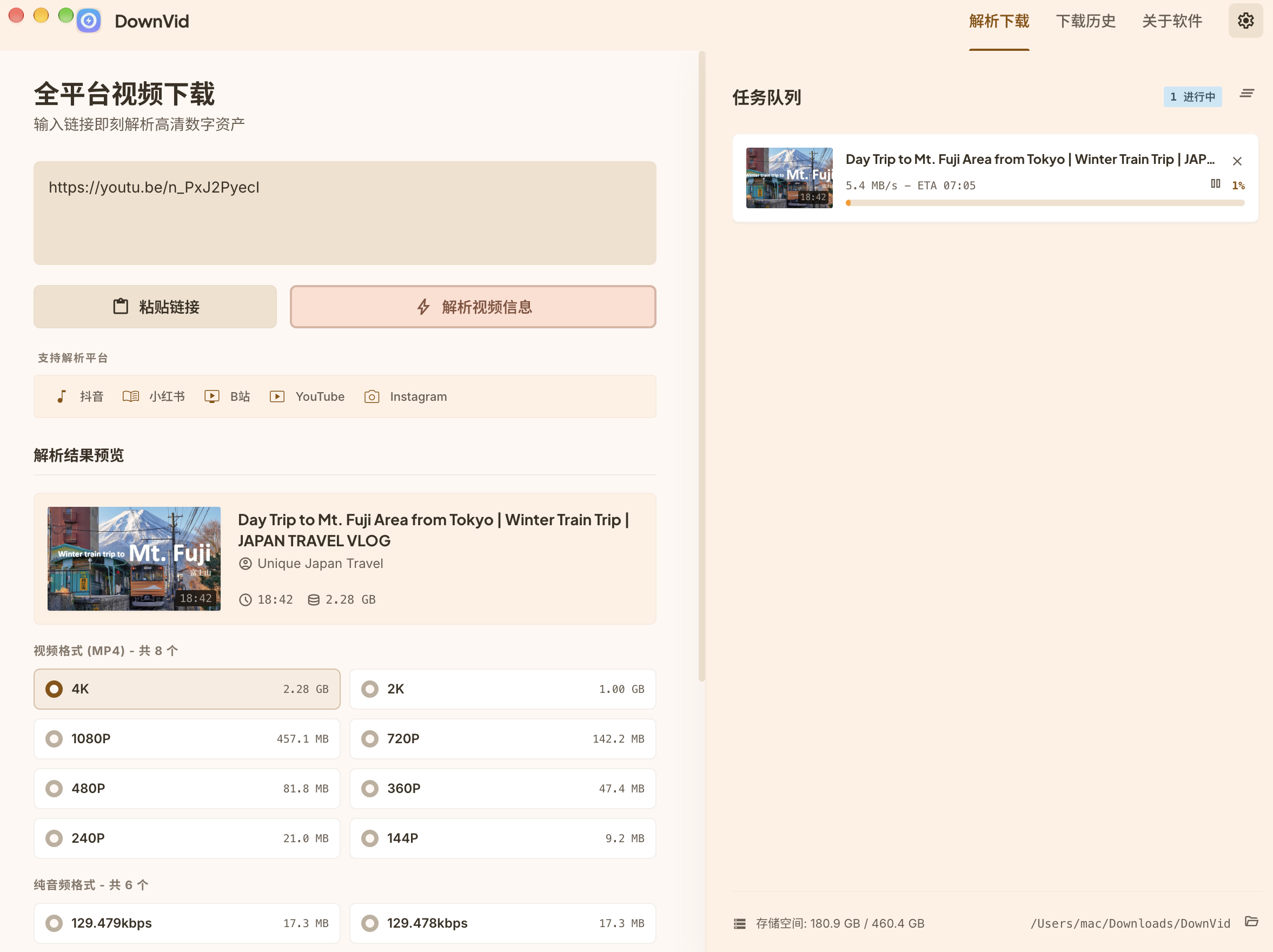
DownVid fills the gap in between. It is a free, open-source desktop app that runs yt-dlp under the hood and wraps it in a clean interface: paste a link, pick a quality, hit download. It is MIT-licensed, ships installers for Windows, macOS and Linux, and the source is on GitHub.
What it can do
- Works with the big platforms: YouTube, X, Instagram, TikTok, Bilibili, Douyin and more. In principle, any of the thousand-plus sites yt-dlp supports.
- No watermarks on Douyin and Kuaishou: the author wrote dedicated extractors for China’s two biggest short-video apps, so you get the original, unwatermarked file.
- Choose your quality: anything from 360p up to 4K, and on YouTube you can even pick the audio track.
- Audio or subtitles only: rip just the audio as MP3, or export only the subtitles as SRT.
- Queue and resume: line up multiple downloads, pause, resume or retry them, and pick up where you left off if your connection drops. The last 100 downloads are kept in history.
- Videos that need a login: DownVid can reuse your logged-in session from Chrome, Edge or Firefox, or you can import a cookies.txt file.
- Built-in updates: new versions install from inside the app.
How to get started
- Grab the installer for your OS from the Releases page. The latest version is v1.3.1 (released October 12, 2026). Windows gets both an installer and a portable build, macOS has separate Apple Silicon and Intel builds, and Linux gets AppImage, deb and rpm packages.
- The first time you launch it, DownVid checks for yt-dlp and ffmpeg. If they are missing, it offers to download them with one click. If you already installed them via Homebrew, winget or scoop, it just uses those.
- Paste a video link, choose a resolution or “audio only”, and click download.
Heads-up: the macOS build is not code-signed, so Gatekeeper may block it on first launch. Go to System Settings → Privacy & Security and click “Open Anyway”. On Windows you may see a SmartScreen warning the first time as well.
The good and the not-so-good
The upside is obvious: it is free and open source, there are no commands to memorize, and it runs on all three desktop platforms. Everything is downloaded directly to your own machine, with no third-party server in the middle and none of the ad clutter of web-based downloaders. Because yt-dlp and ffmpeg are not bundled, the installer stays small and the download engine can be updated on its own.
A few caveats:
- It is essentially a GUI for yt-dlp. Whether a site works depends on yt-dlp and on that site’s anti-scraping measures. When a platform changes things, downloads can break until upstream ships a fix.
- The project is young and under active development. The author welcomes bug reports, and the occasional rough edge is to be expected.
- Reusing browser cookies is convenient, but it means the app makes requests as you. If that makes you uneasy, stick to public videos.
- The unsigned Mac build takes a couple of extra clicks to open, and first-time setup needs to fetch the dependencies.
- DownVid is built on top of Videdown, another open-source project by cshuangyy, which is worth a look too.
Related reading
A note on copyright
Videos belong to their creators and platforms. Please respect copyright and keep downloads for personal viewing and study. Don’t use them commercially, and don’t strip watermarks to re-upload someone else’s work. The project itself states it is for learning and research only, and you are responsible for how you use it.
Download
- GitHub repo: https://github.com/yxxbc/downvid
- Latest release: DownVid Releases


